Skip to content
Mizban

Decline a request with a reason

When a request is not possible, the guest gets a clear reason and the booking stays unchanged.

Call centerOn a computer6 steps
Nazanin Rahimi at Narvan S4 asks to move because of the AC noise upstairs.No unit of the same size is free until she leaves; press Decline.A reason is required; write it politely and clearly for the guest.Confirm the decline; the guest sees the answer on their own page.Open the Decided tab to see the result.The request is declined, with your reason, your name and the time recorded.

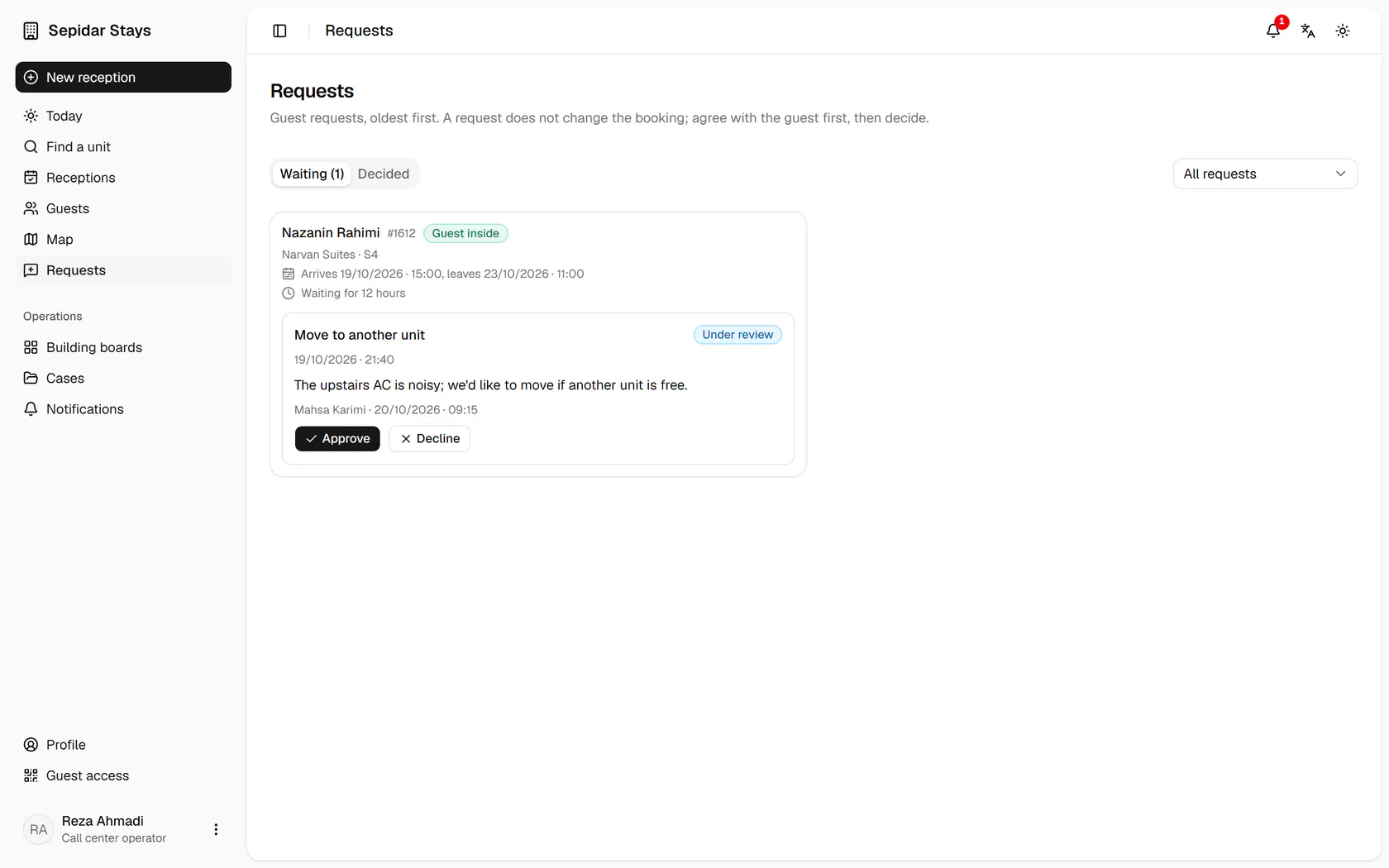
Nazanin Rahimi at Narvan S4 asks to move because of the AC noise upstairs.

Step by step

  1. 1

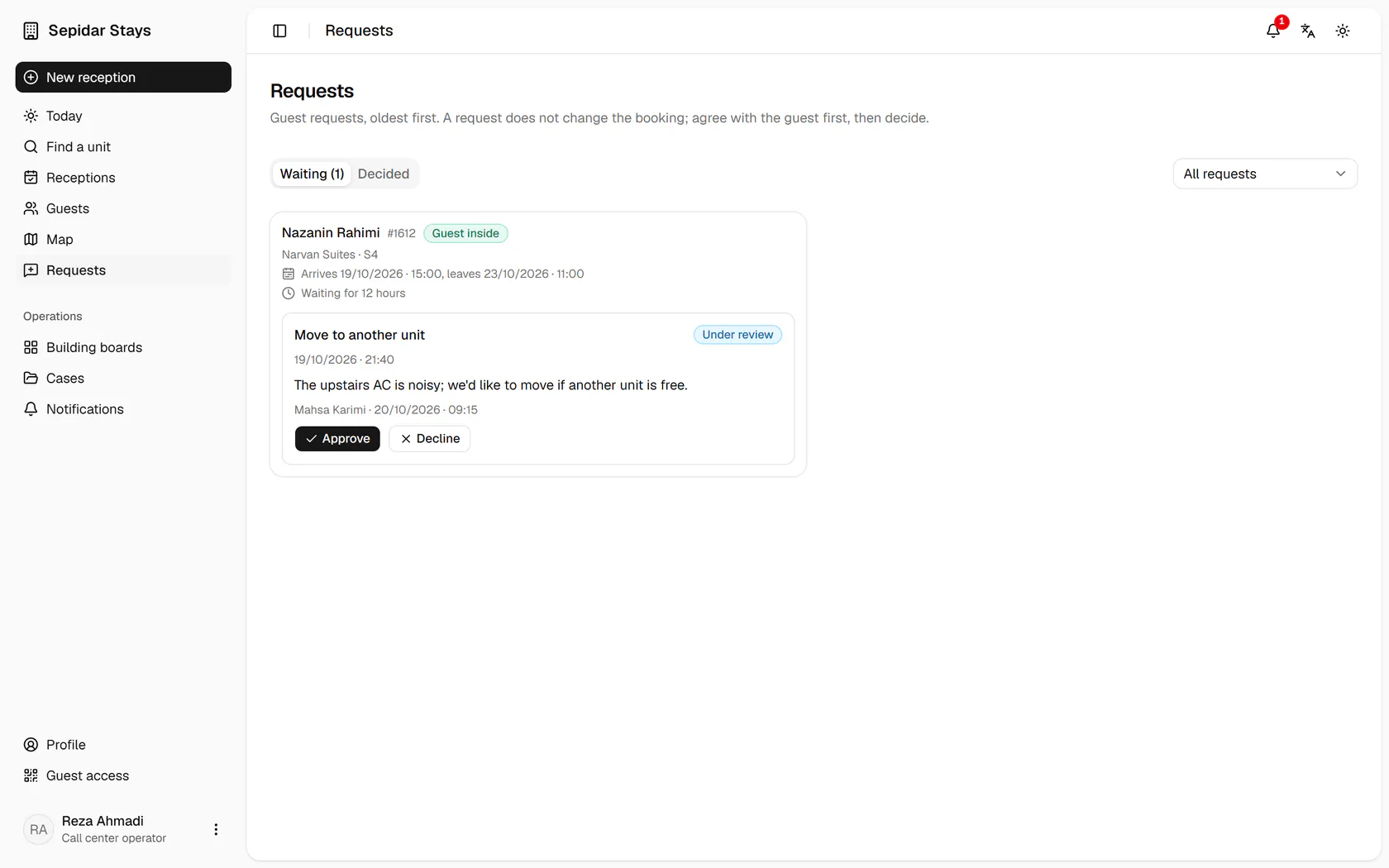
    Nazanin Rahimi at Narvan S4 asks to move because of the AC noise upstairs.

    Nazanin Rahimi at Narvan S4 asks to move because of the AC noise upstairs.
  2. 2

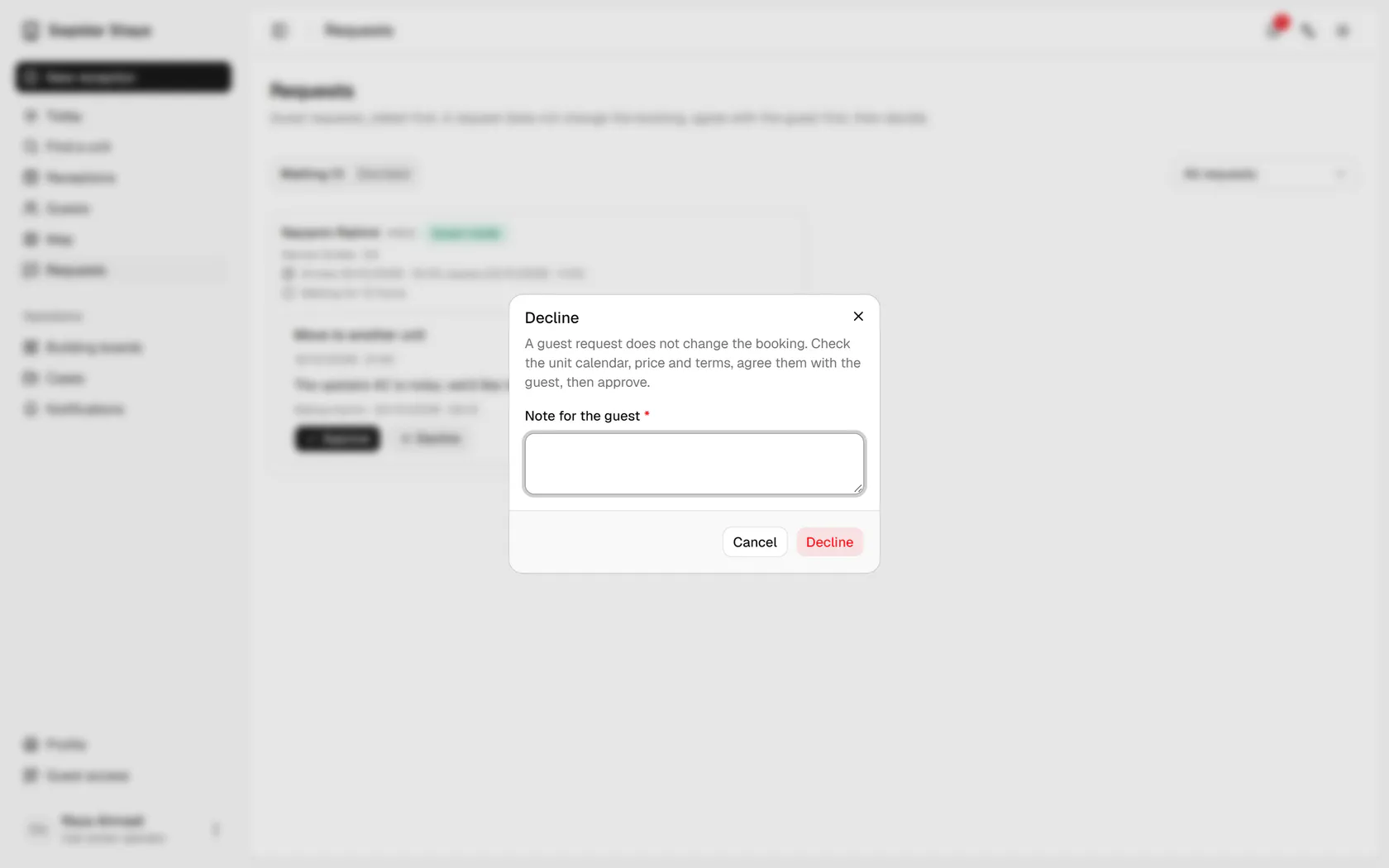
    No unit of the same size is free until she leaves; press Decline.

    No unit of the same size is free until she leaves; press Decline.
  3. 3

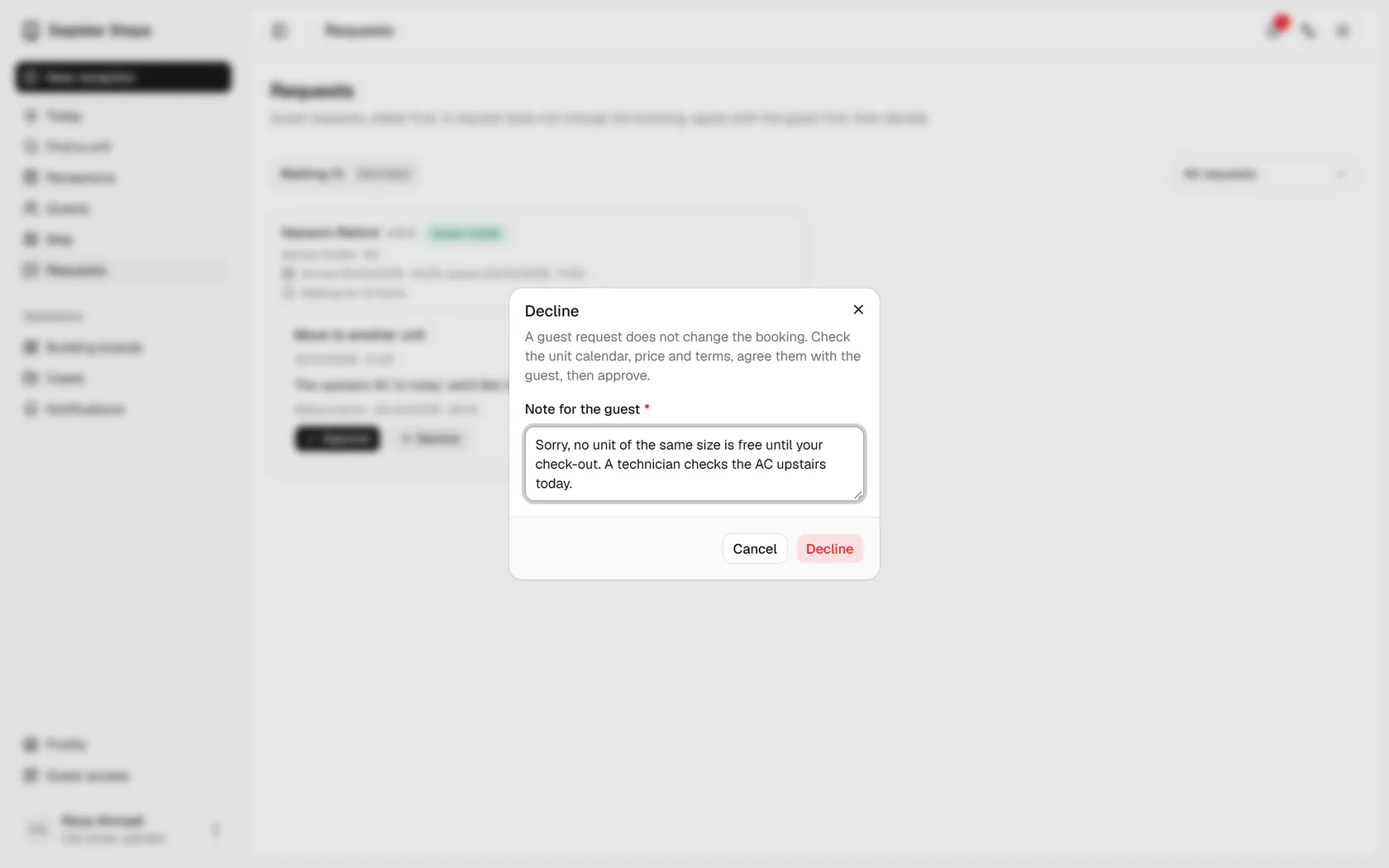
    A reason is required; write it politely and clearly for the guest.

    A reason is required; write it politely and clearly for the guest.
  4. 4

    Confirm the decline; the guest sees the answer on their own page.

    Confirm the decline; the guest sees the answer on their own page.
  5. 5

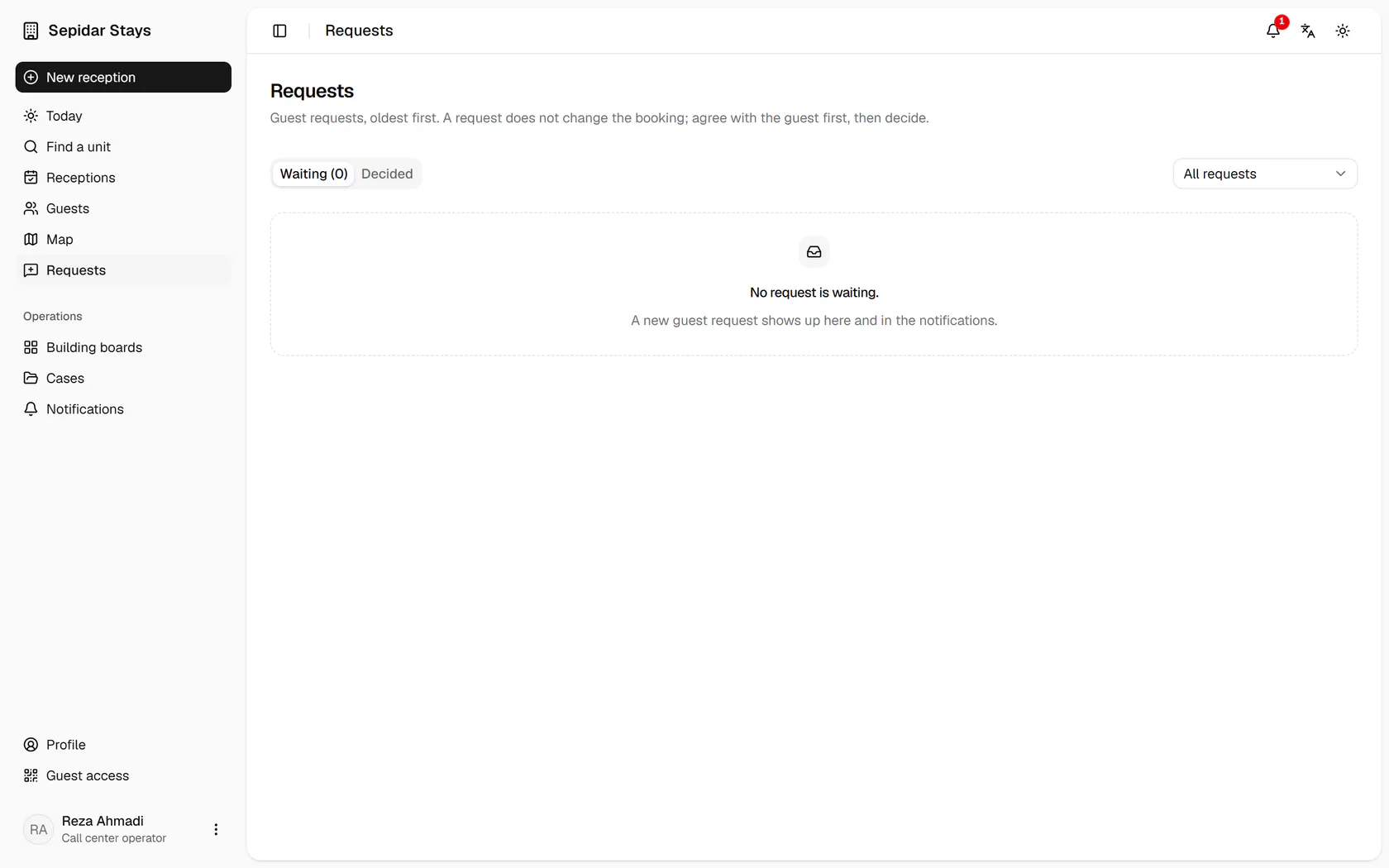
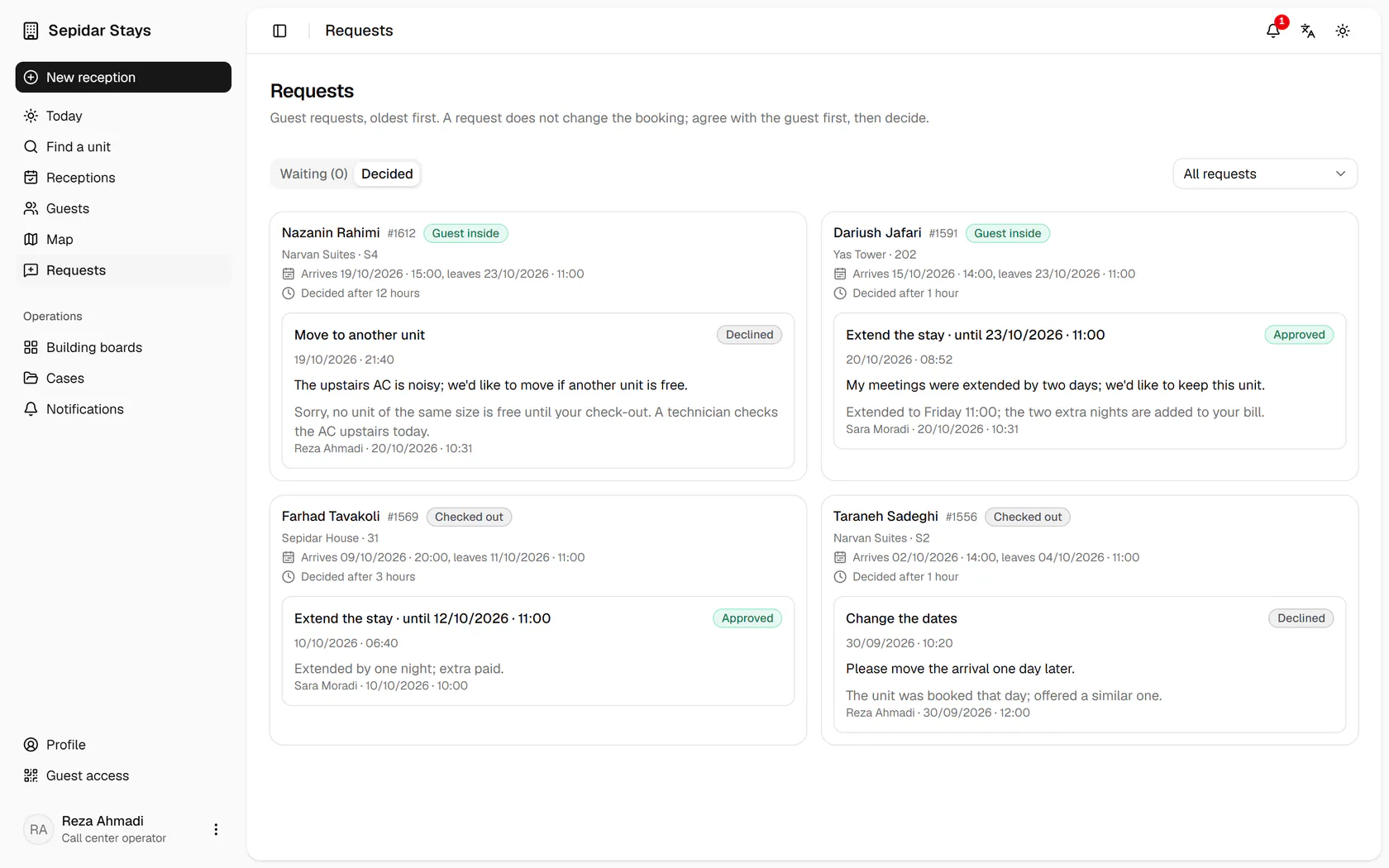
    Open the Decided tab to see the result.

    Open the Decided tab to see the result.
  6. 6

    The request is declined, with your reason, your name and the time recorded.

    The request is declined, with your reason, your name and the time recorded.