Control
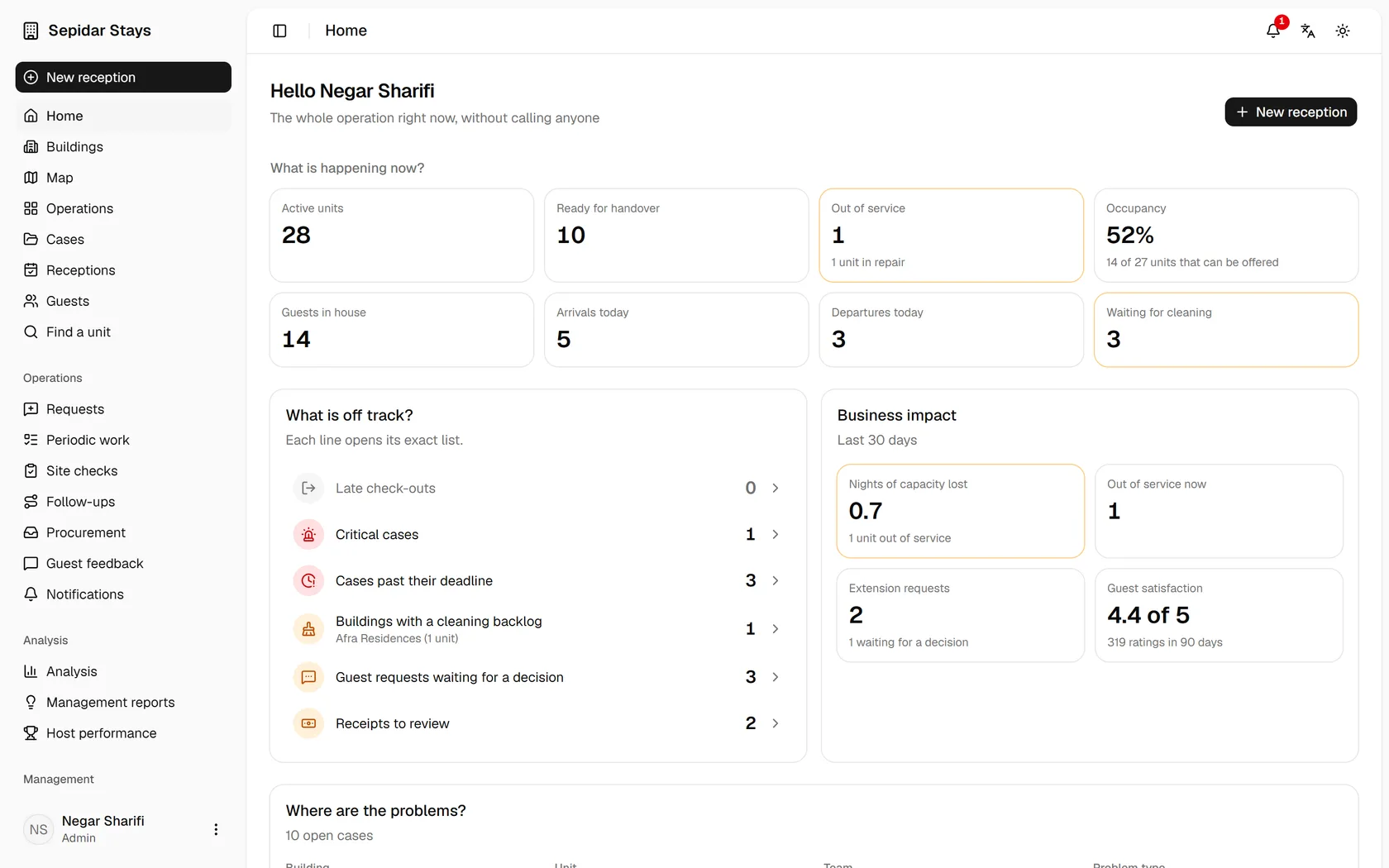
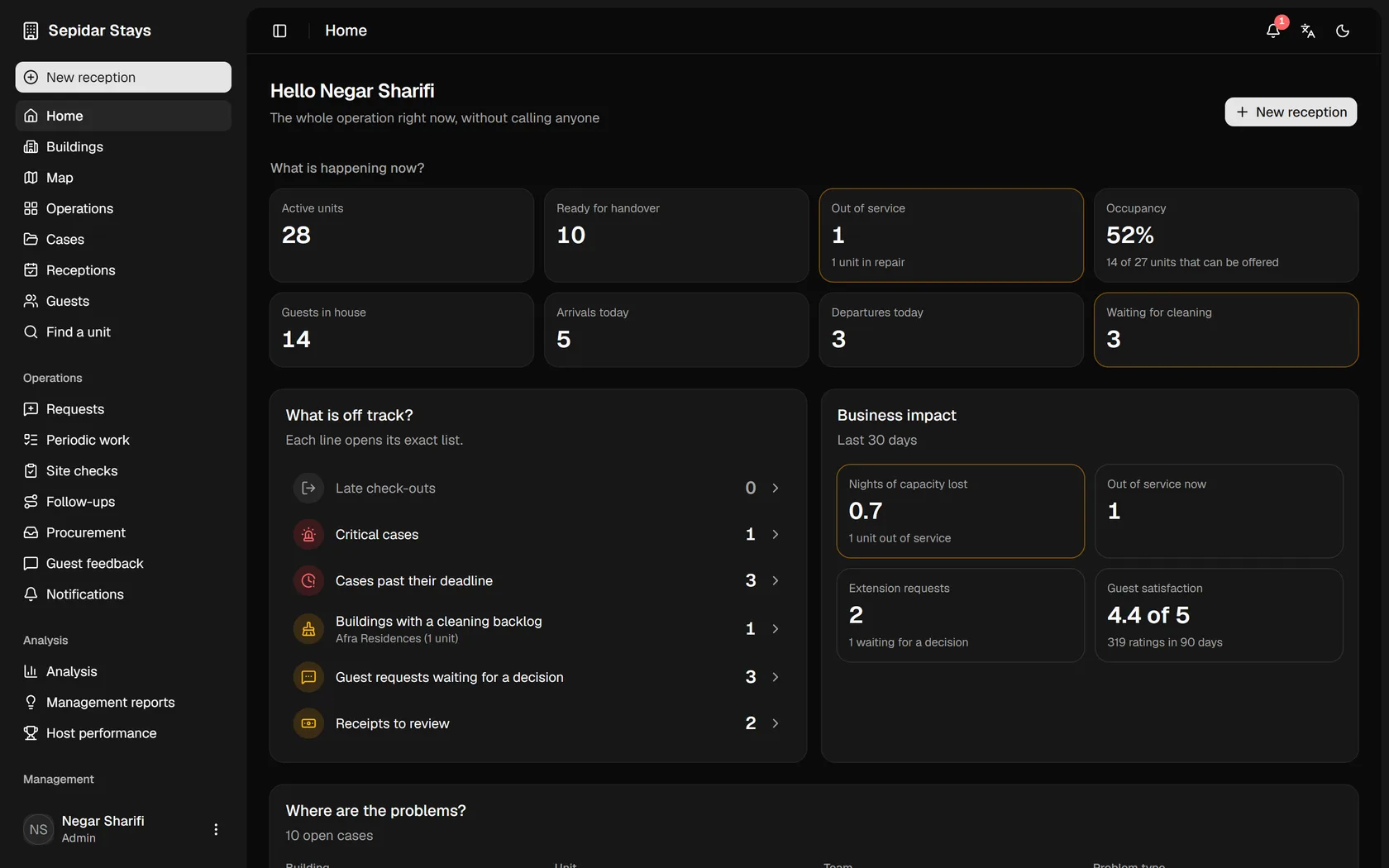
Know what is happening in every building right now.
Occupancy, units ready to hand over, in repair or out of service, late check-outs and critical cases on one page.
From the moment a guest arrives until the unit is ready again, what happens in your property?
Mizban turns the real work of the building into one flow across the call center, hosts, supervisor, maintenance, procurement and guests.
Most operational mistakes happen when information does not travel from one step to the next. Mizban connects every step to the next one.
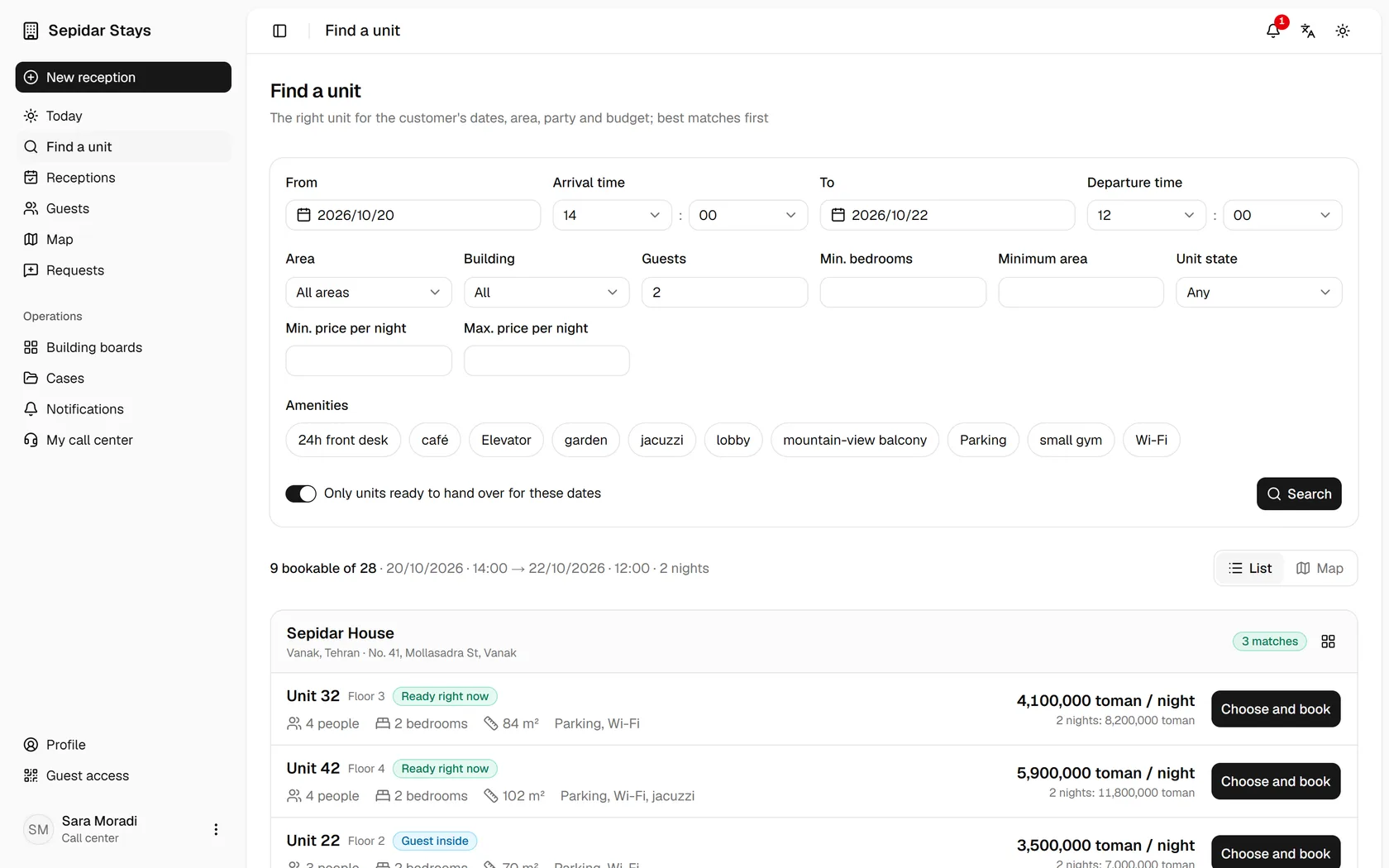
The call center filters by area, capacity, price and readiness, and sells a unit that can really be handed over.
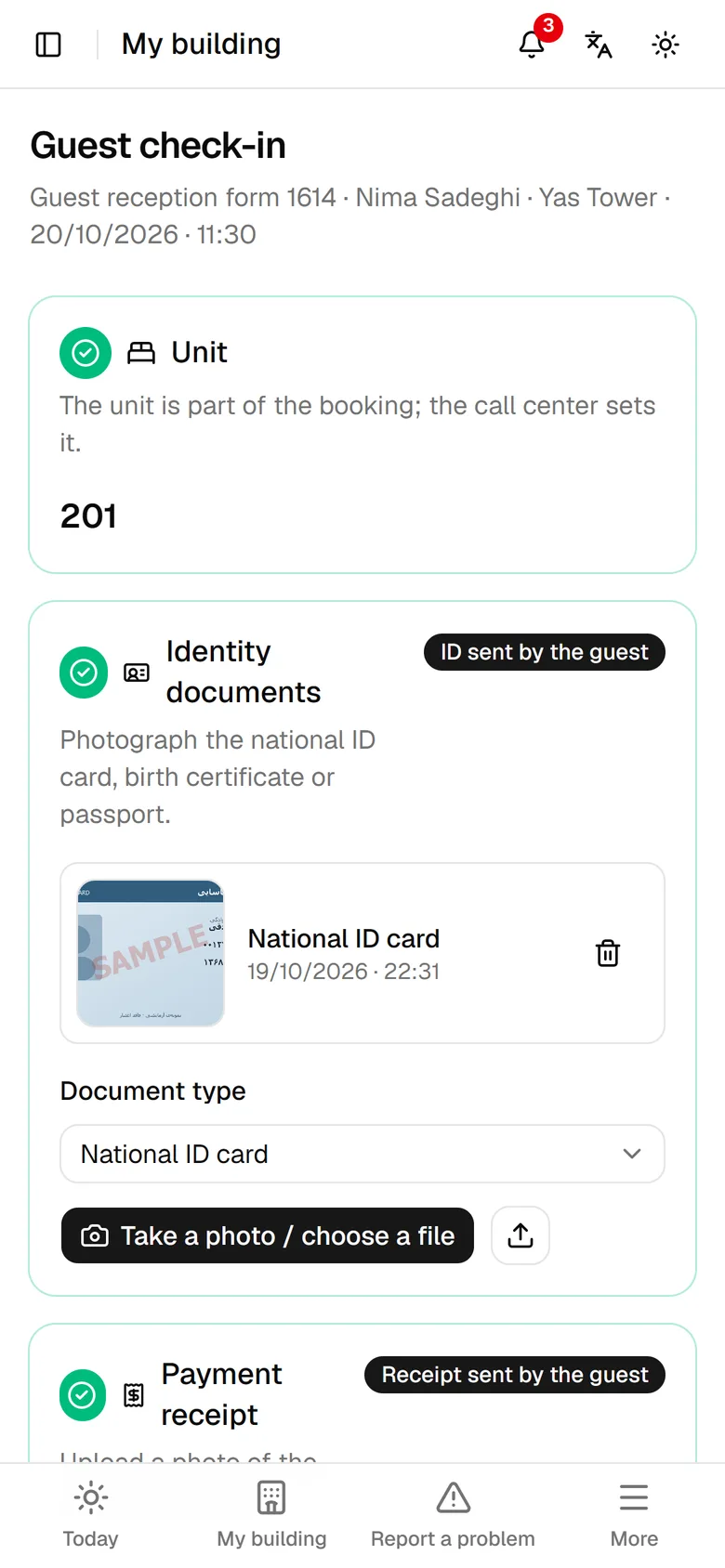
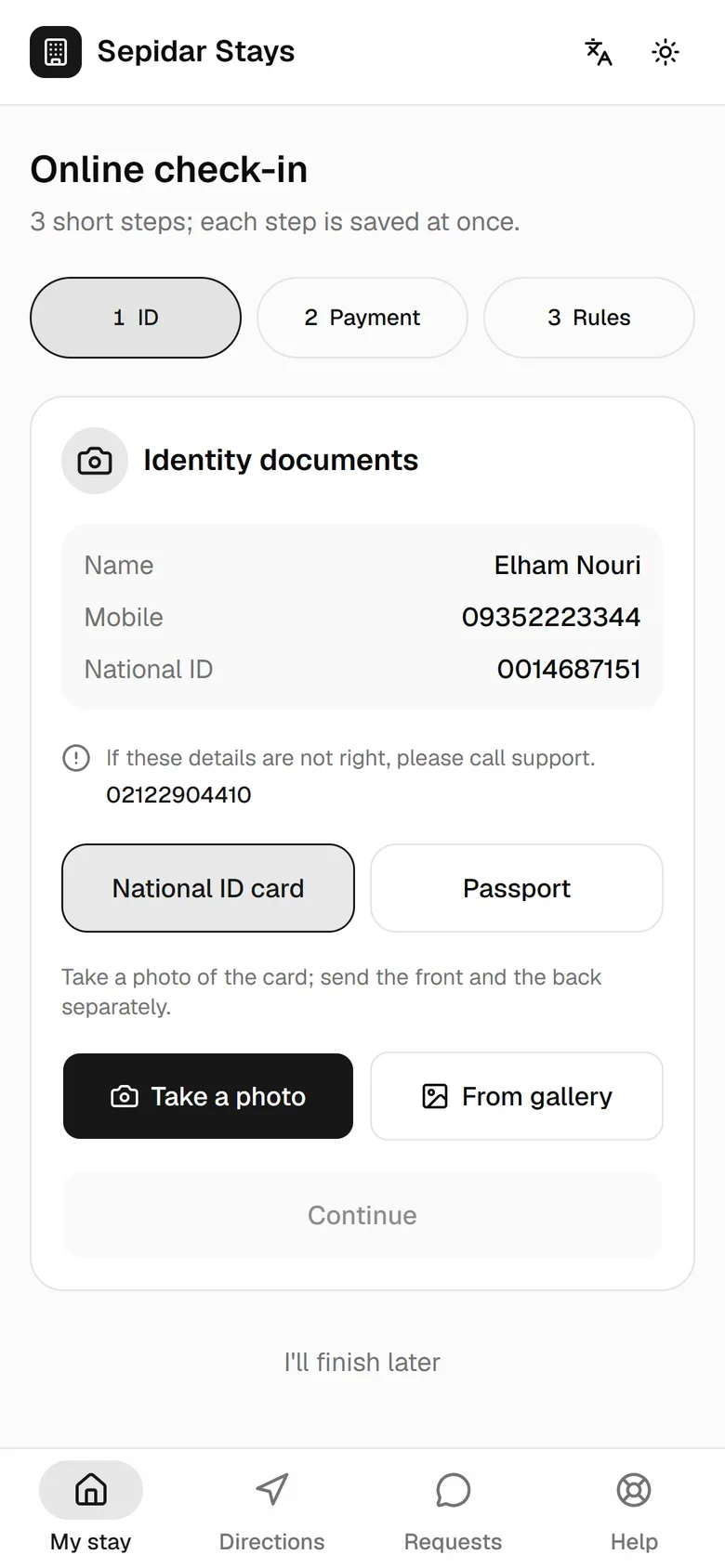
The guest sends ID and receipt ahead and accepts the rules; at the door the host only hands over and collects the signature.
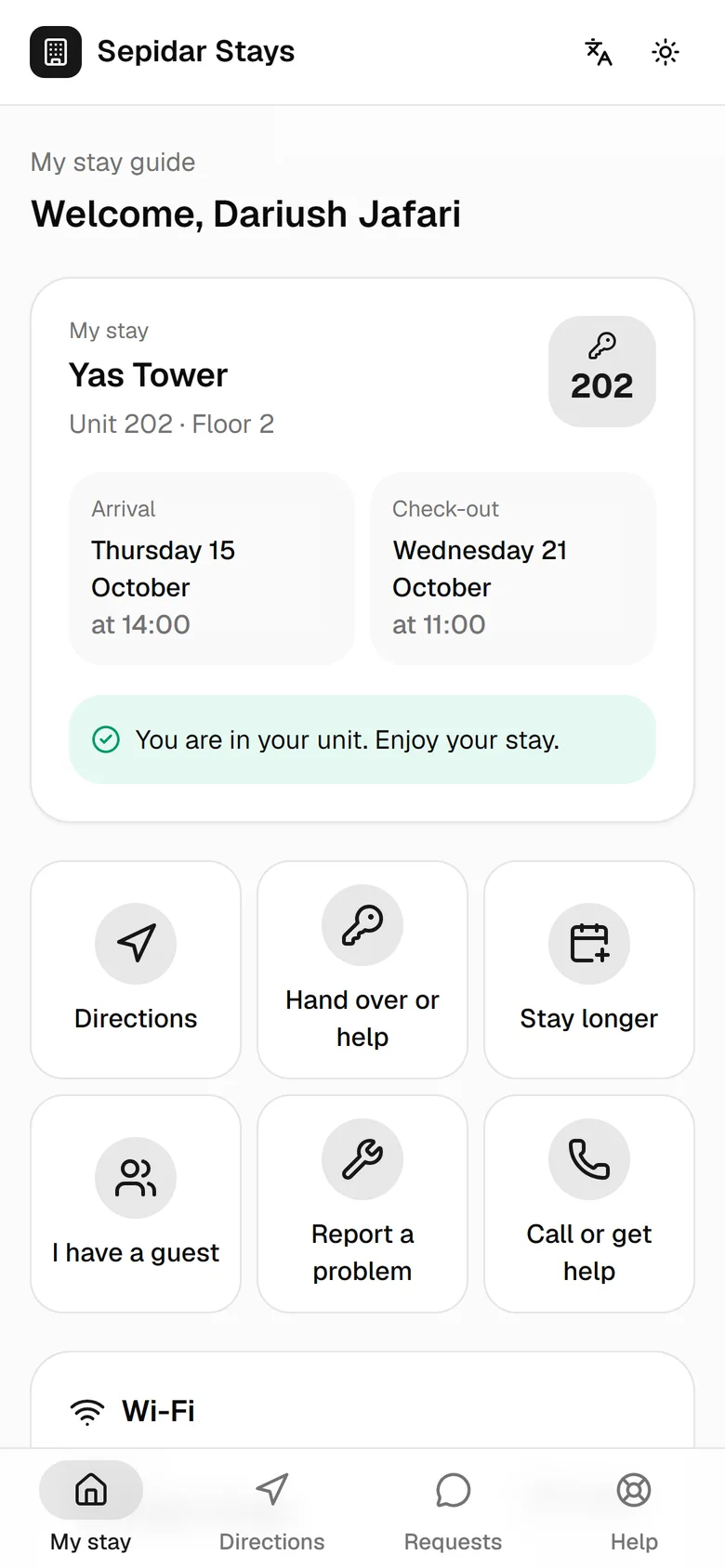
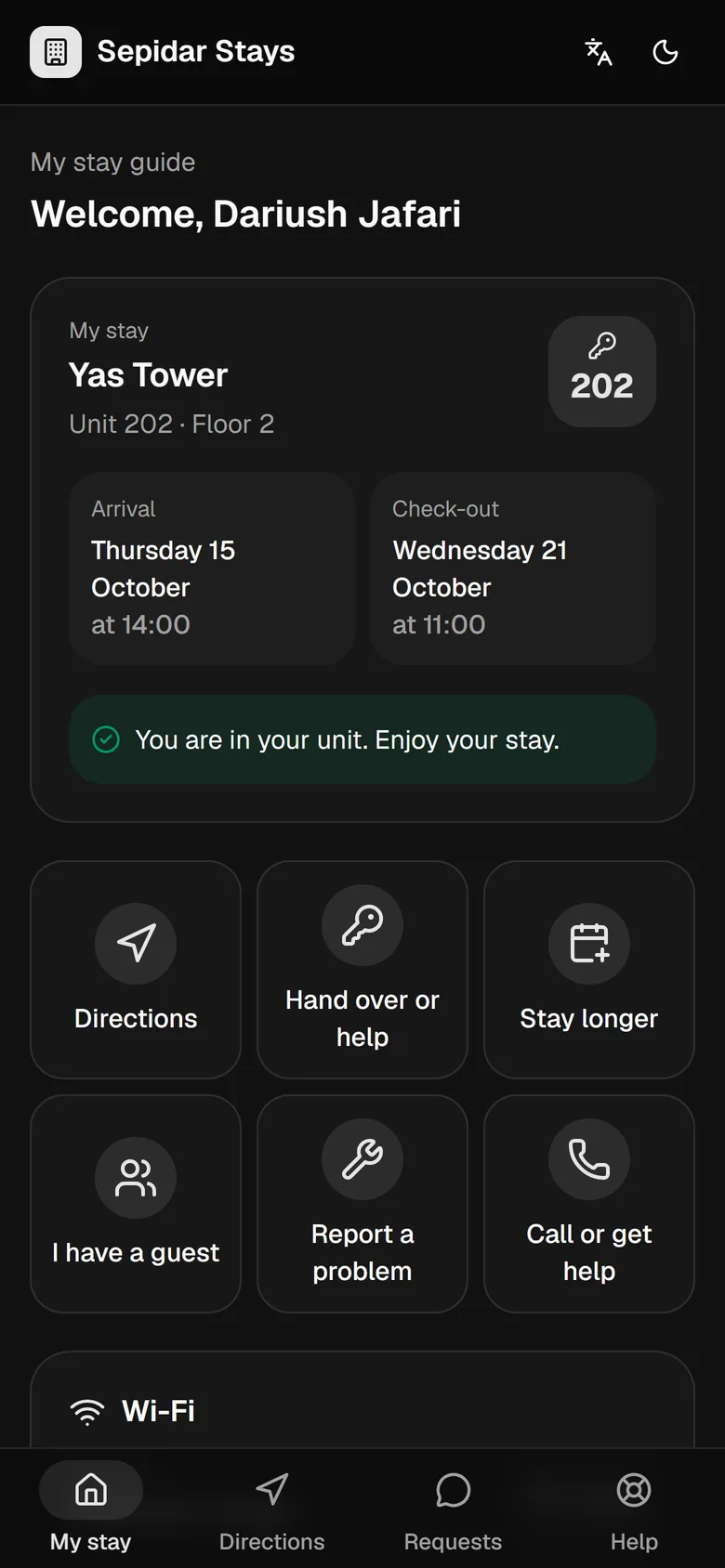
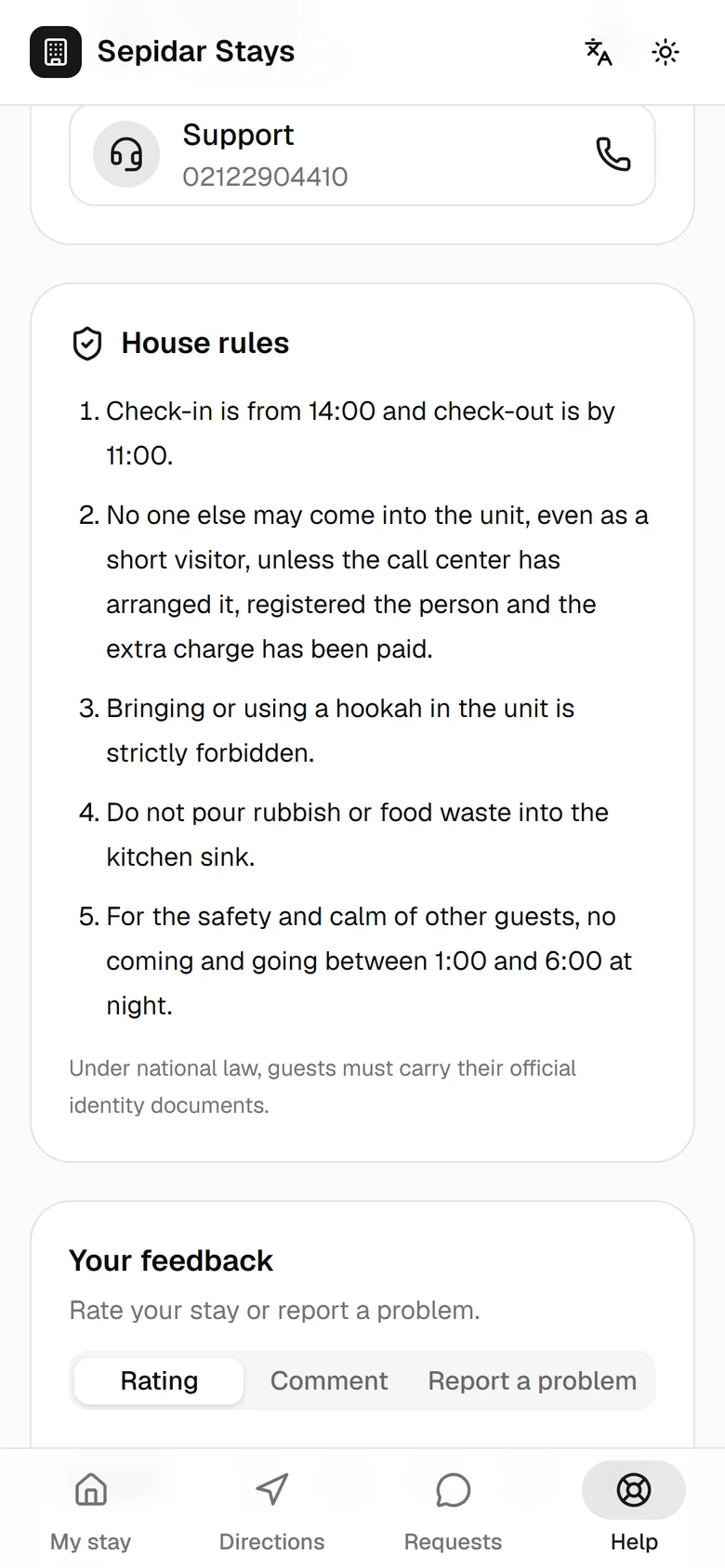
The guest's stay companion: directions, Wi-Fi, rules, extensions and problem reports, without repeated calls.
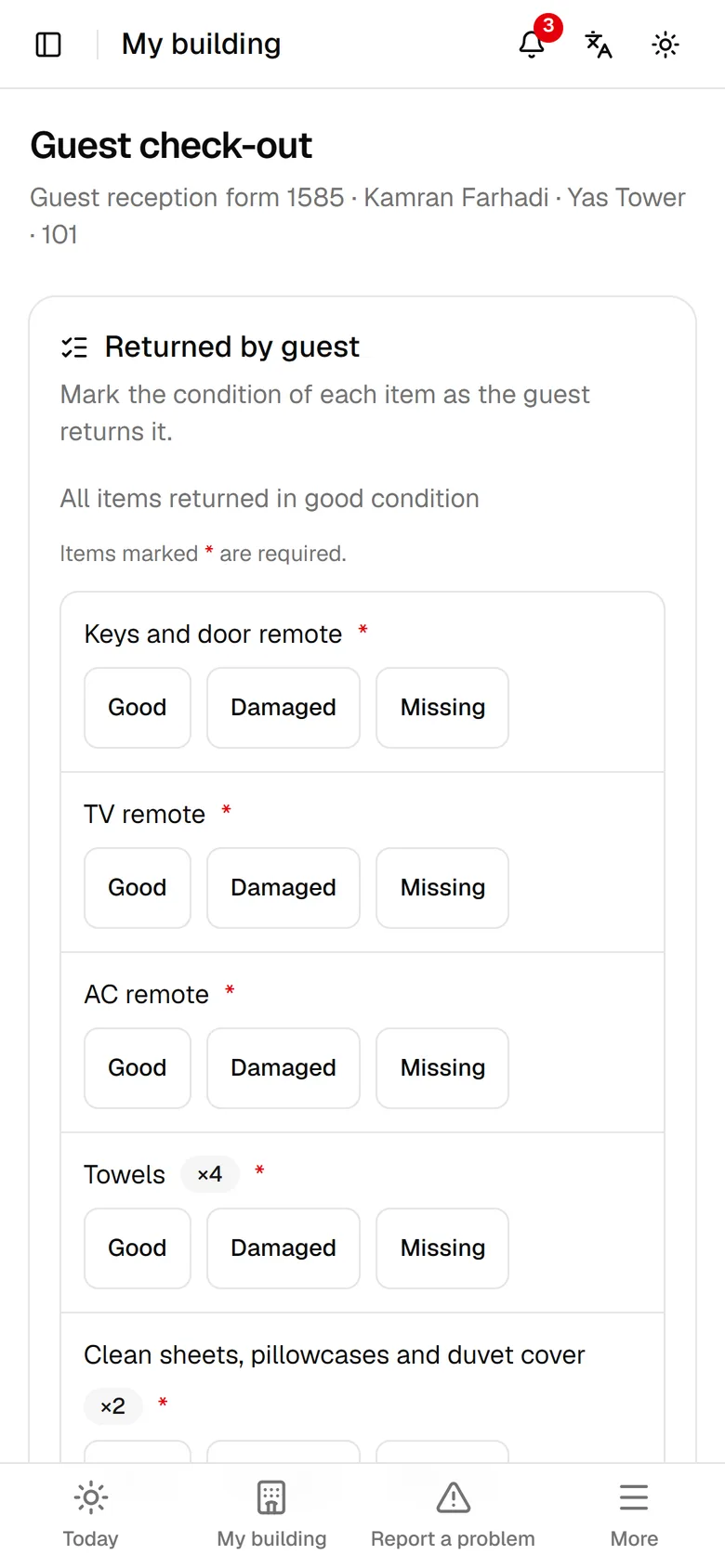
Every item is marked fine, damaged or missing, and the unit moves to the preparation queue by itself.
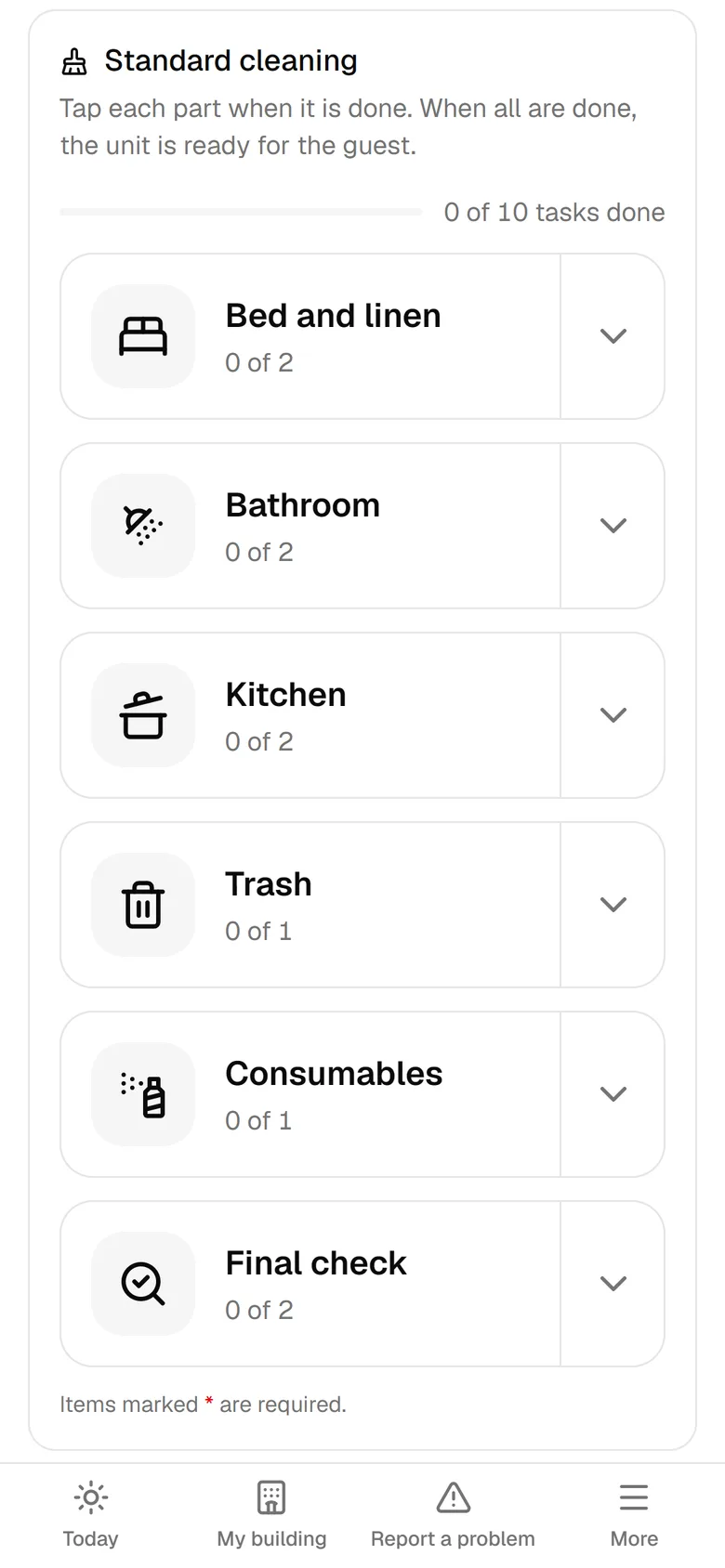
Six large tap targets instead of a thirty-line form; the estimated ready time is visible to the call center and the next guest.
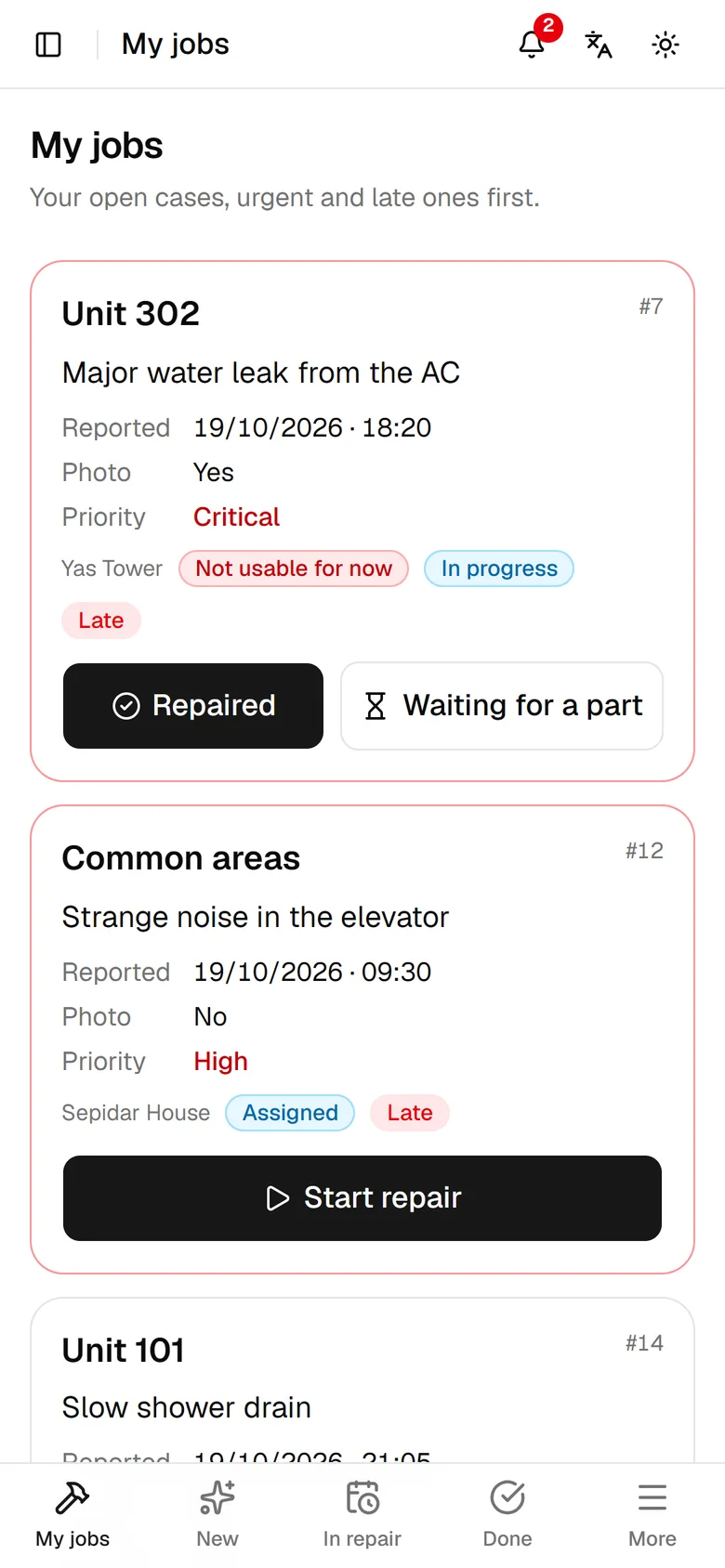
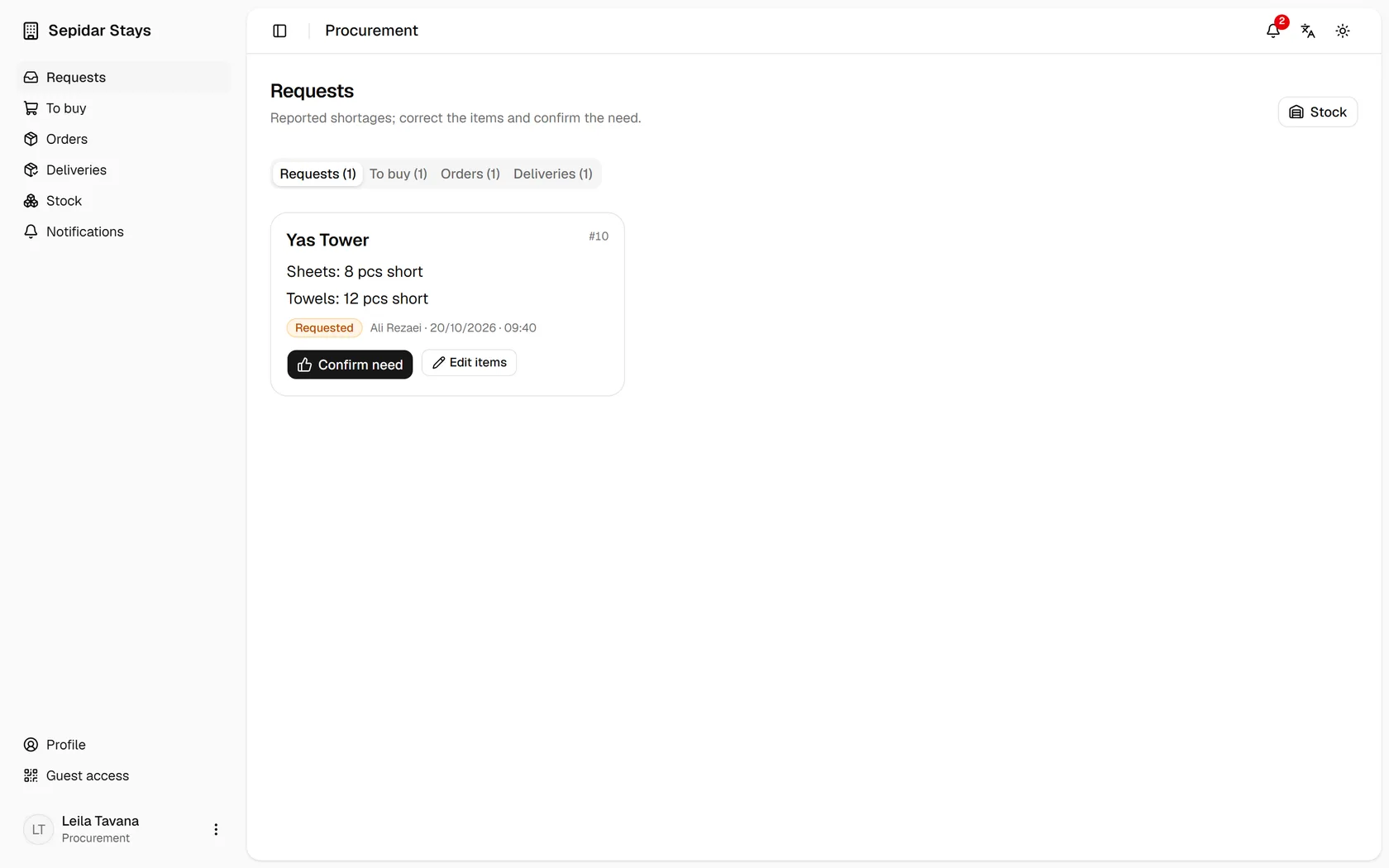
A defect goes straight to maintenance and a shortage to procurement, with an owner, a deadline and a photo.
A unit is ready only when it really is: cleaning done, defects fixed and verified, nothing blocking.
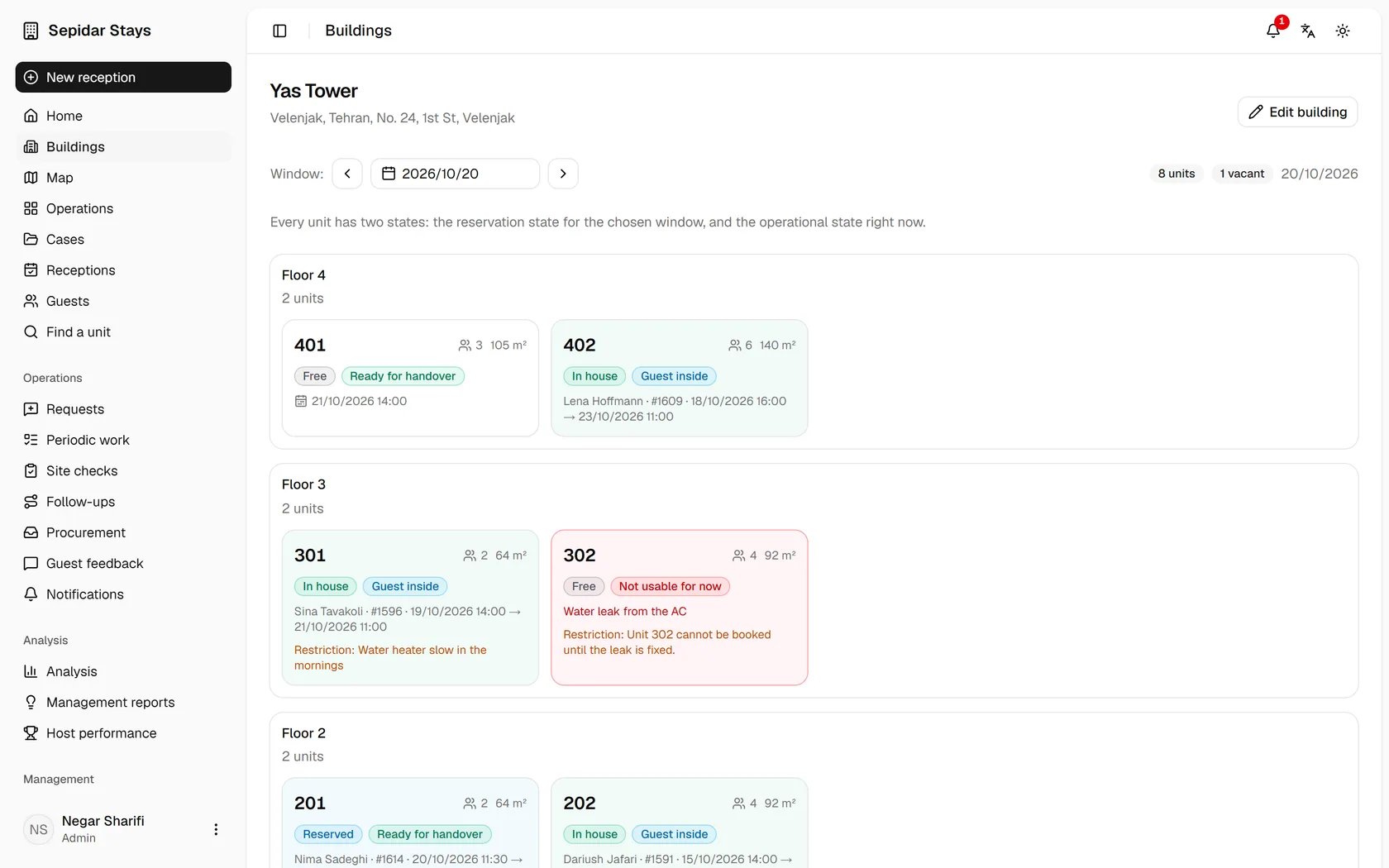
The moment the unit is ready it is sellable in the call center's calendar and search, and the next guest gets a text.
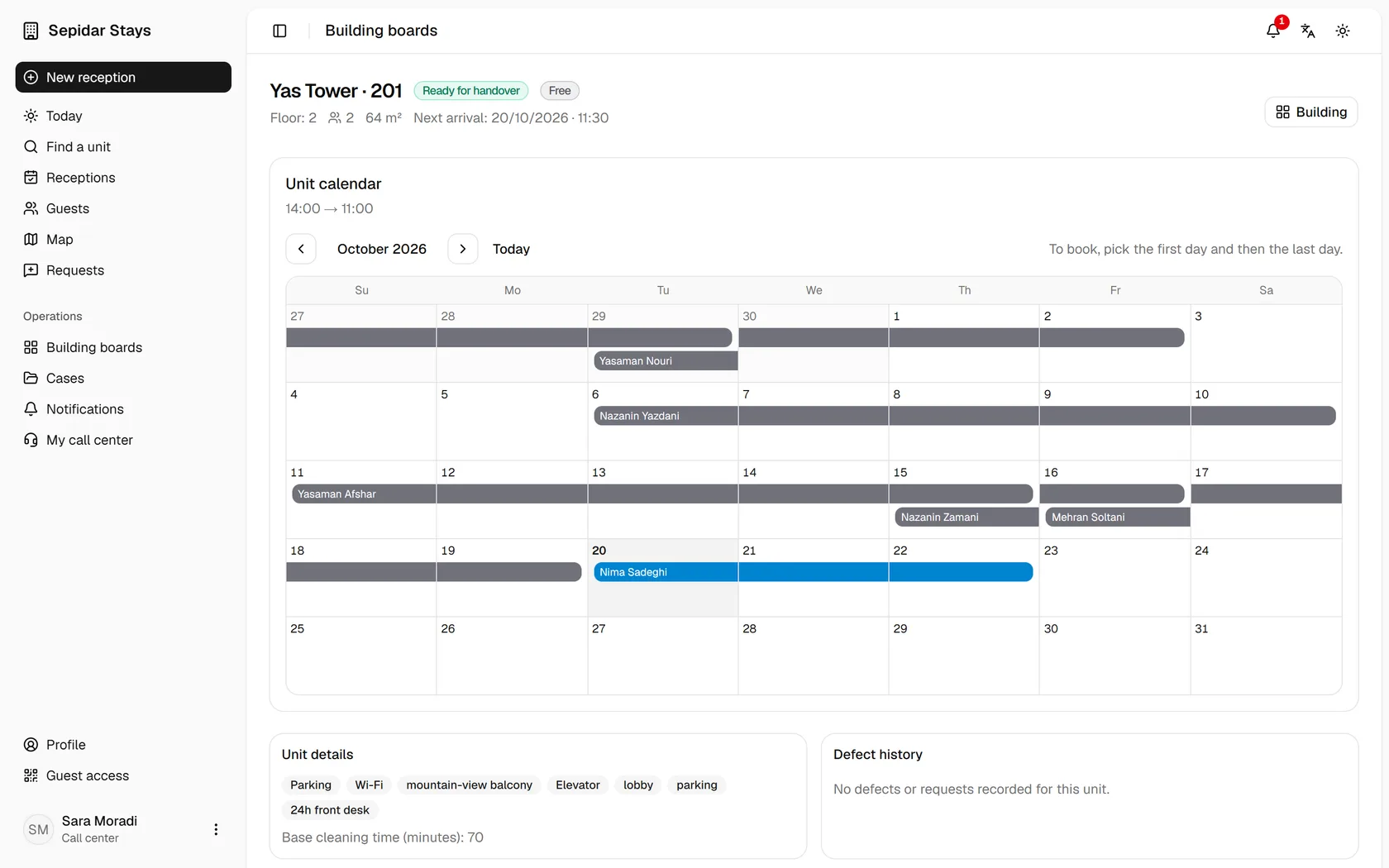
Mizban turns scattered operations into one system you can see, follow and control. An easier day for the host is a result of that design, not its goal.
Know what is happening in every building right now.
Occupancy, units ready to hand over, in repair or out of service, late check-outs and critical cases on one page.
IDs, payments, signatures and stay events can always be traced.
If tomorrow you ask who stayed in which unit, when, and with which documents, the answer is in the system.
An empty unit is not necessarily a sellable unit.
Nights lost to defects, idle units and slow preparation show up in real numbers.
Every important change has a time and an owner.
Who changed what, when and on which record; extensions, moves and price changes all leave a trail.
Instead of calling several people, see on the map where your real capacity is.
Buildings are placed by searching and tapping the map, never by typing coordinates; Neshan or OpenStreetMap.
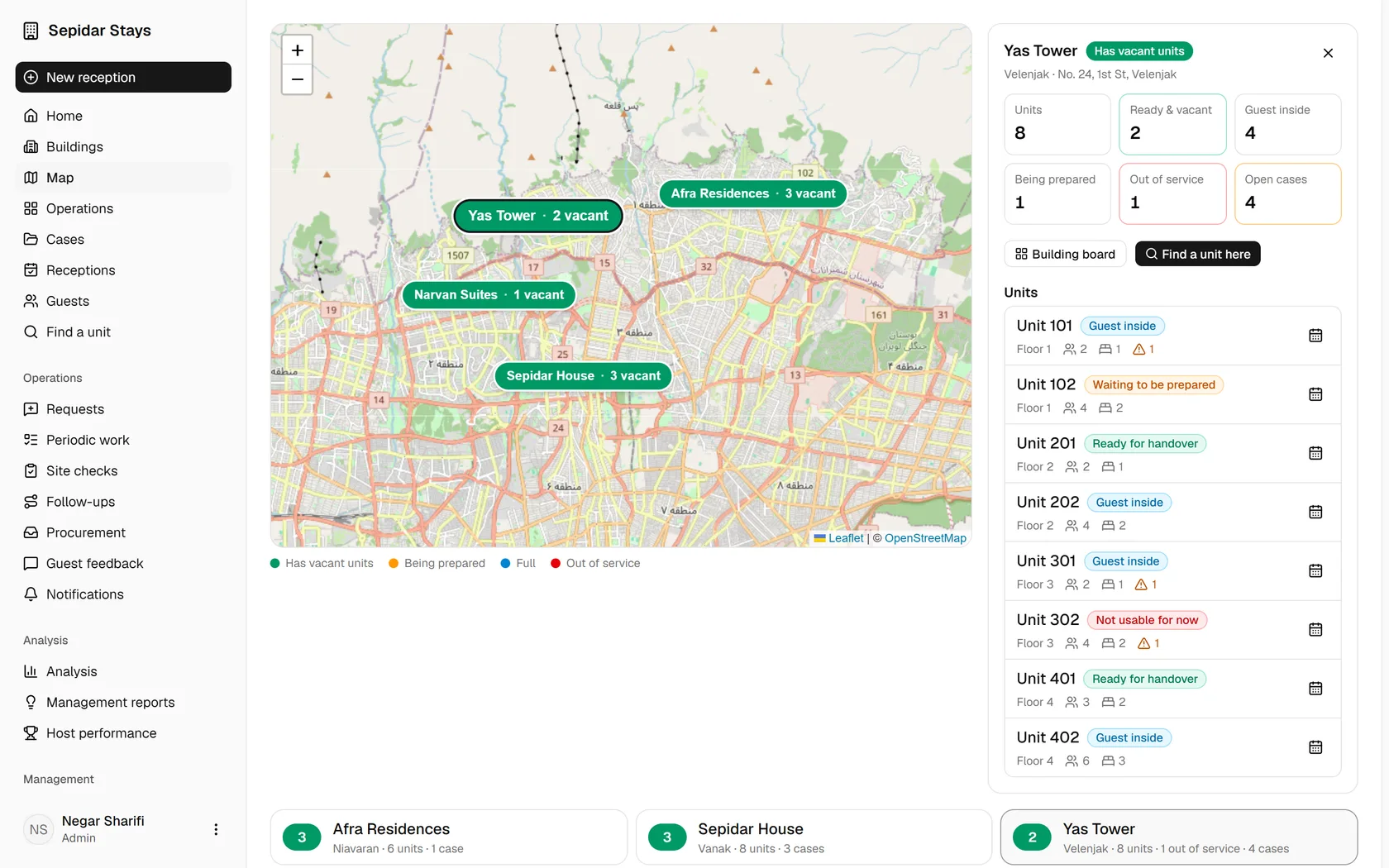
Mizban is not one dashboard for everyone. Complexity stays in the core, and each person sees only what their job needs.
«Tell me what is happening across the portfolio and where I need to decide.»
Negar Sharifi · Operations manager
Sees at a glance what is happening, where the problems are and where money could leak; sets up buildings, people and rules.
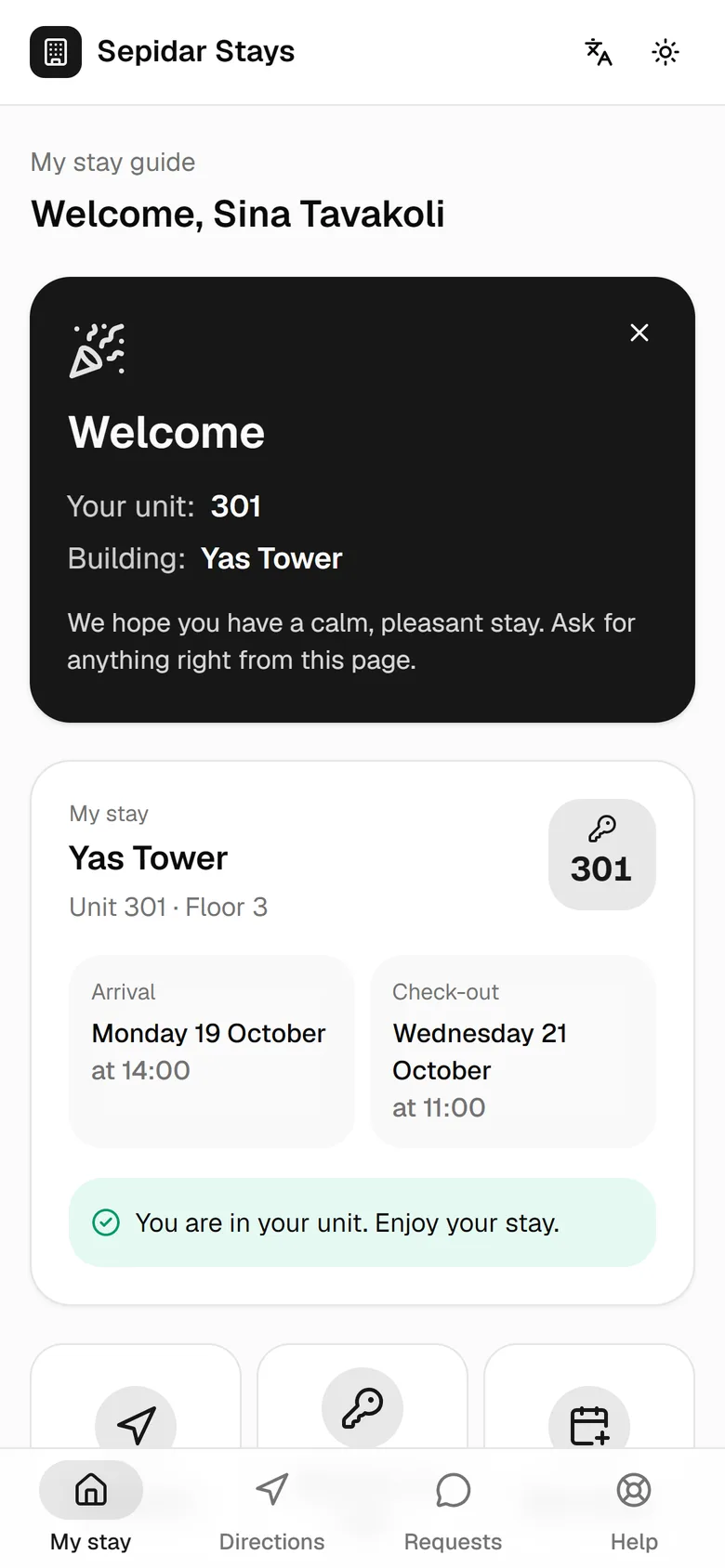
One link from the first message to check-out. The guest only sees where the stay stands and what they can do.
Mizban is not just data entry. Every problem is a case with an owner, a deadline and a final check; nobody has to remember it.
What, where, a photo or a voice note.
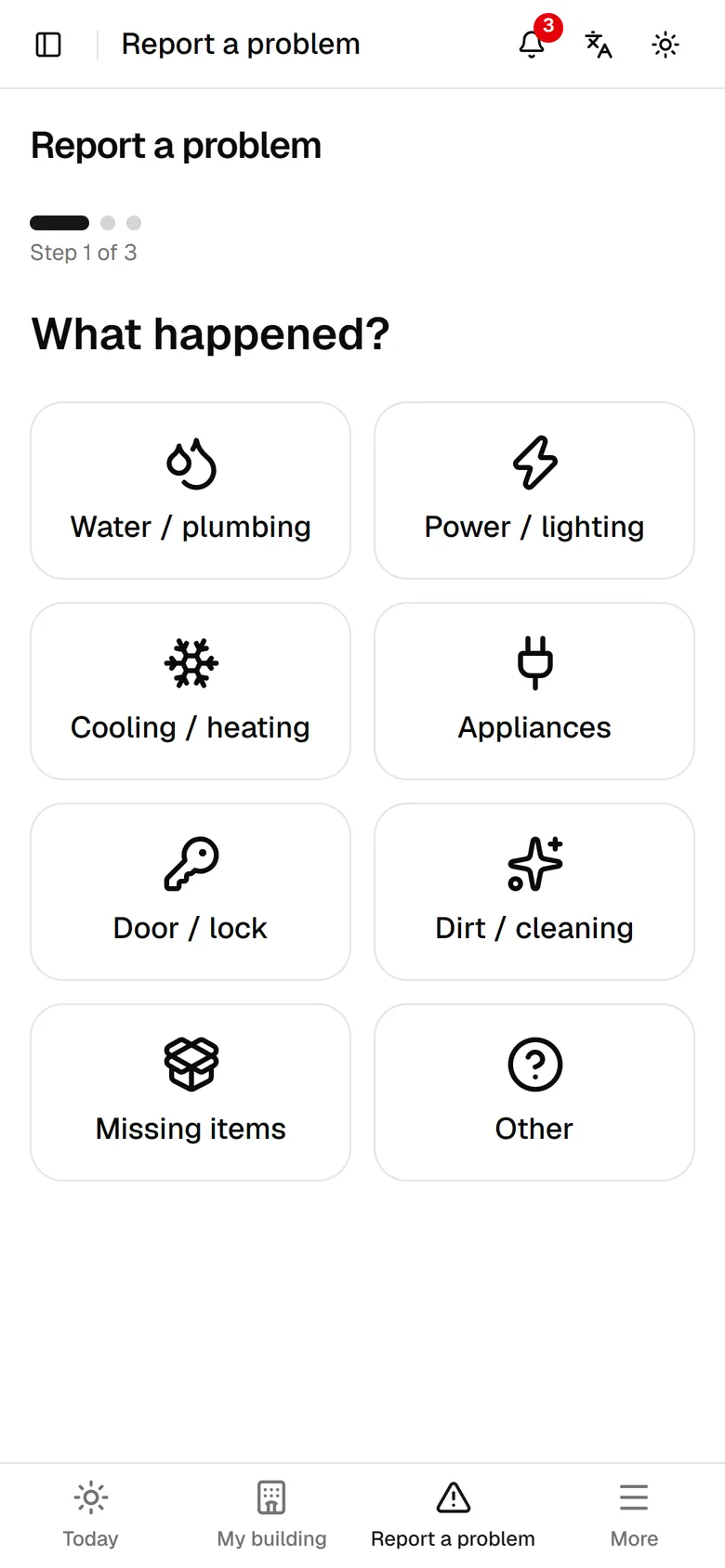
The system sets the team, priority, owner and deadline by itself.
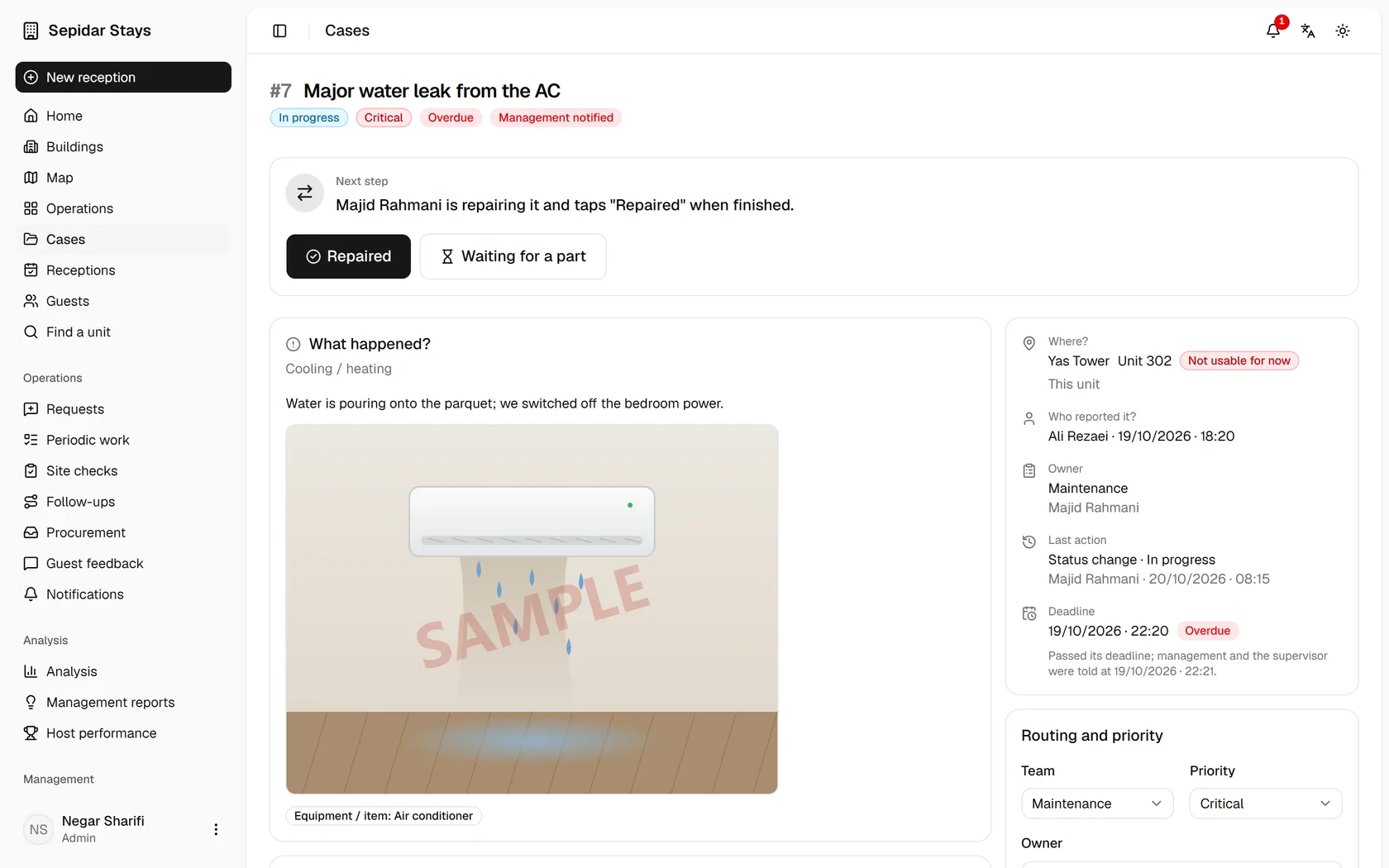
Maintenance taps "Start repair" and "Fixed"; procurement takes from stock or buys.
The supervisor verifies the fix or reopens it; an overdue case alerts management by itself.
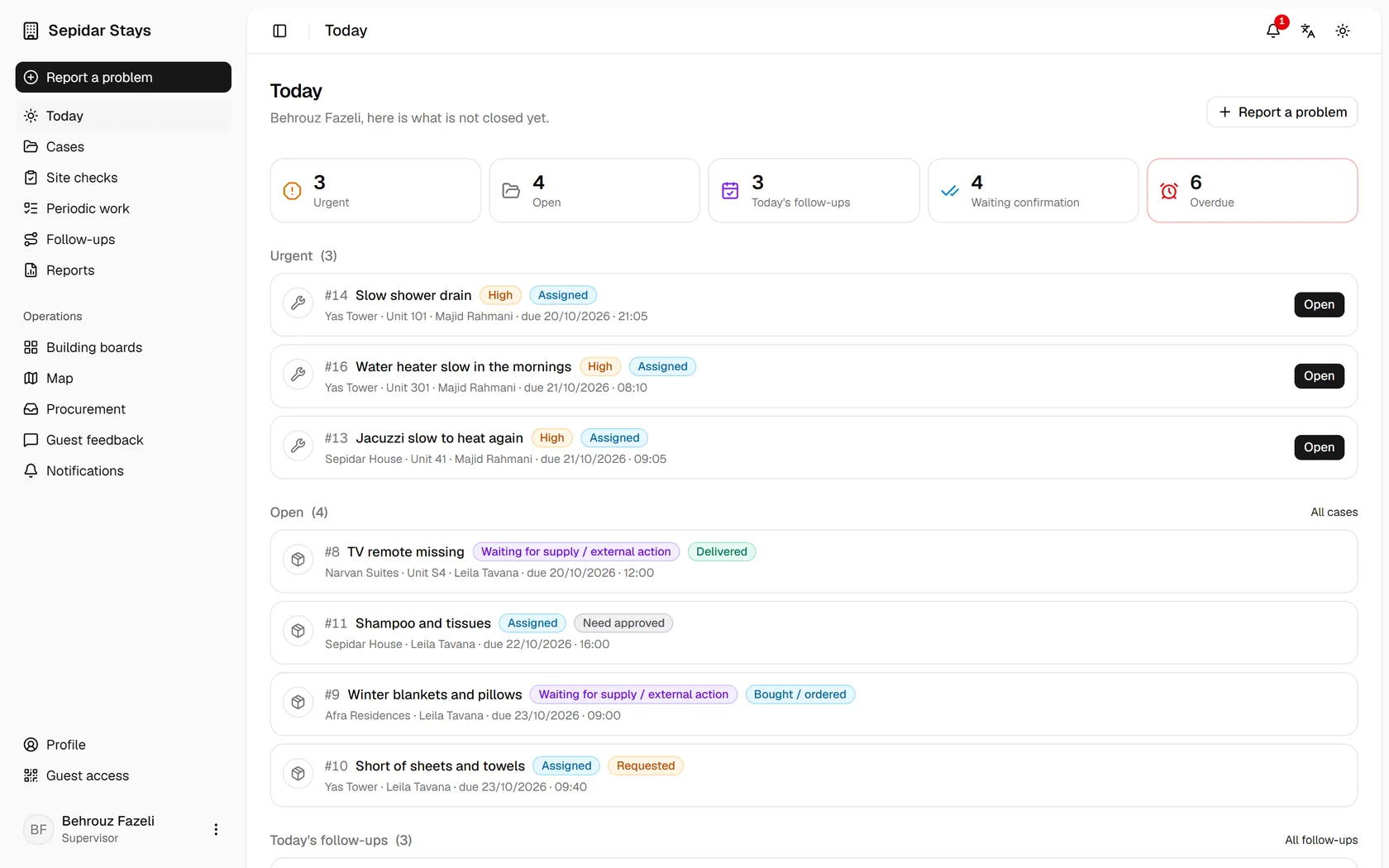
One clear path instead of a long explanation. Each step is the real screen of that moment; tap a step or let it play.
1 · Overview
2 · Building
3 · Guest
4 · Operations
5 · Management
A real working day across four buildings and 28 units, seen by seven people. Every moment links to its guide.
After the story, the guide. Each one follows the real work of that role: an animated tour, then step by step with real screens.
Open the guideNo. A QR code or a link by text opens the stay companion in the browser. Signing in with a mobile number and the 6-digit stay code also works.
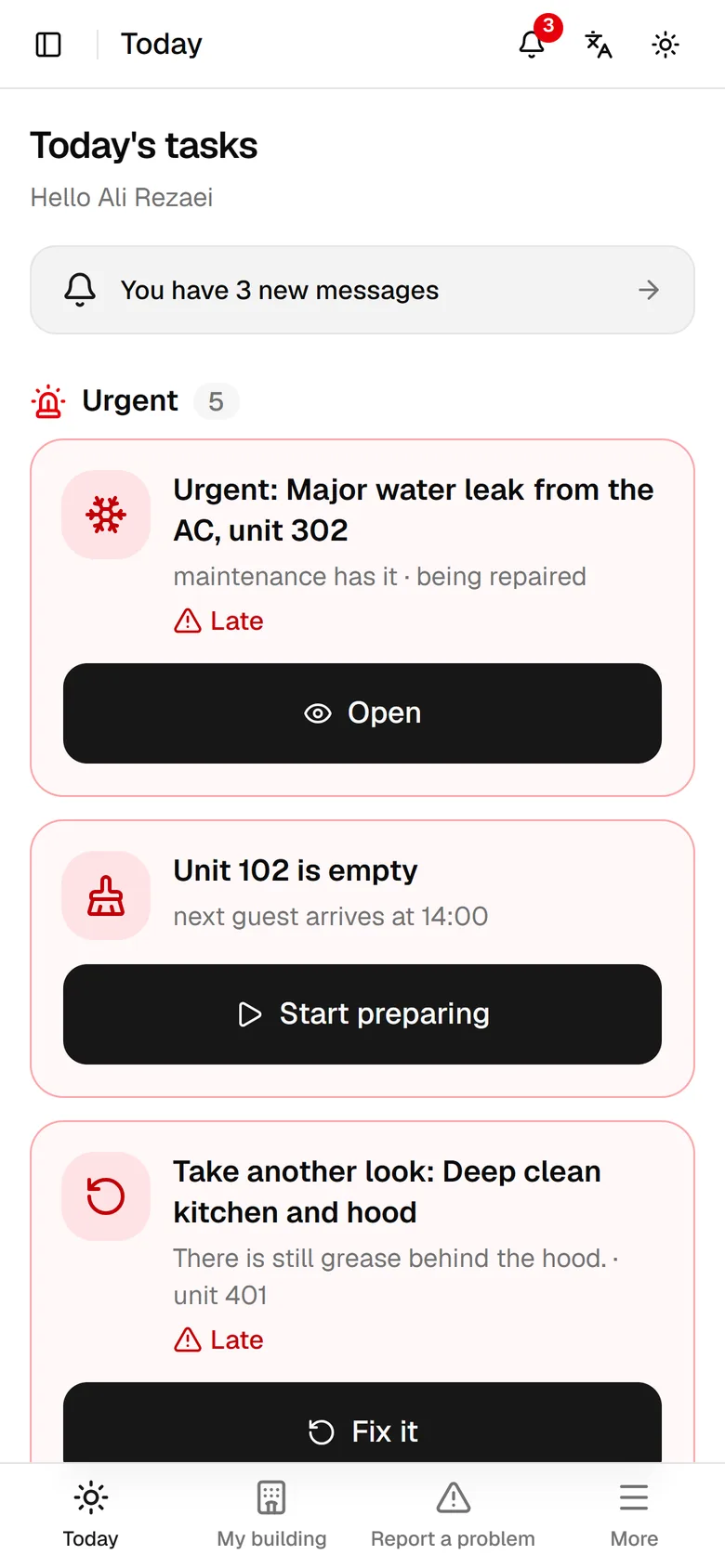
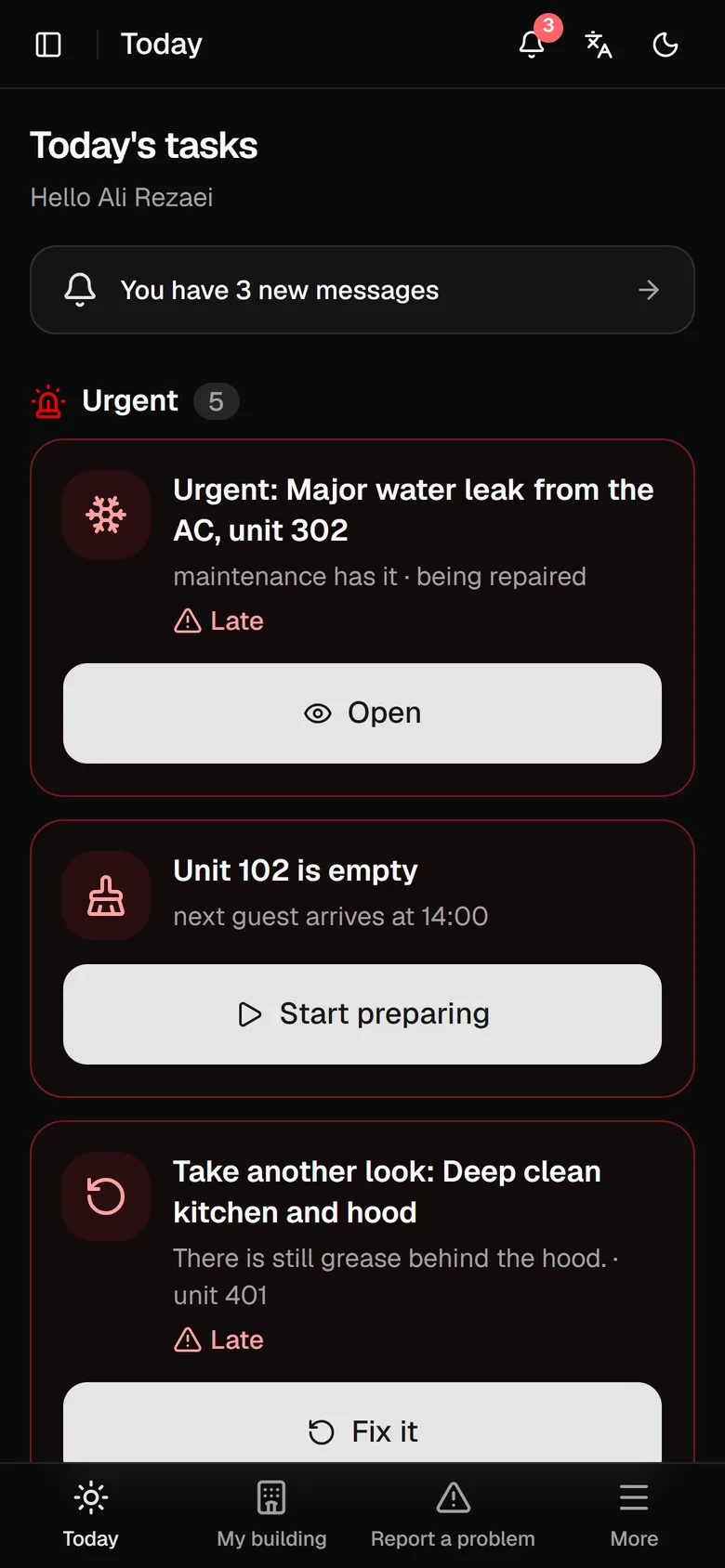
Yes. Their screen only says what to do now, with large buttons and little text. Reporting a problem takes three taps and a photo or voice note.
Each role sees only what its work needs: maintenance sees no bookings or guests, guests never see internal workflow, and a supervisor sees only the buildings they cover.
On your own server. IDs, receipts and signatures are only shown after a permission check, and every important action is logged.
There is no fixed limit. Each building has its own units, hosts and checklists, and one periodic task can cover every building.