Skip to content
Mizban

The building board

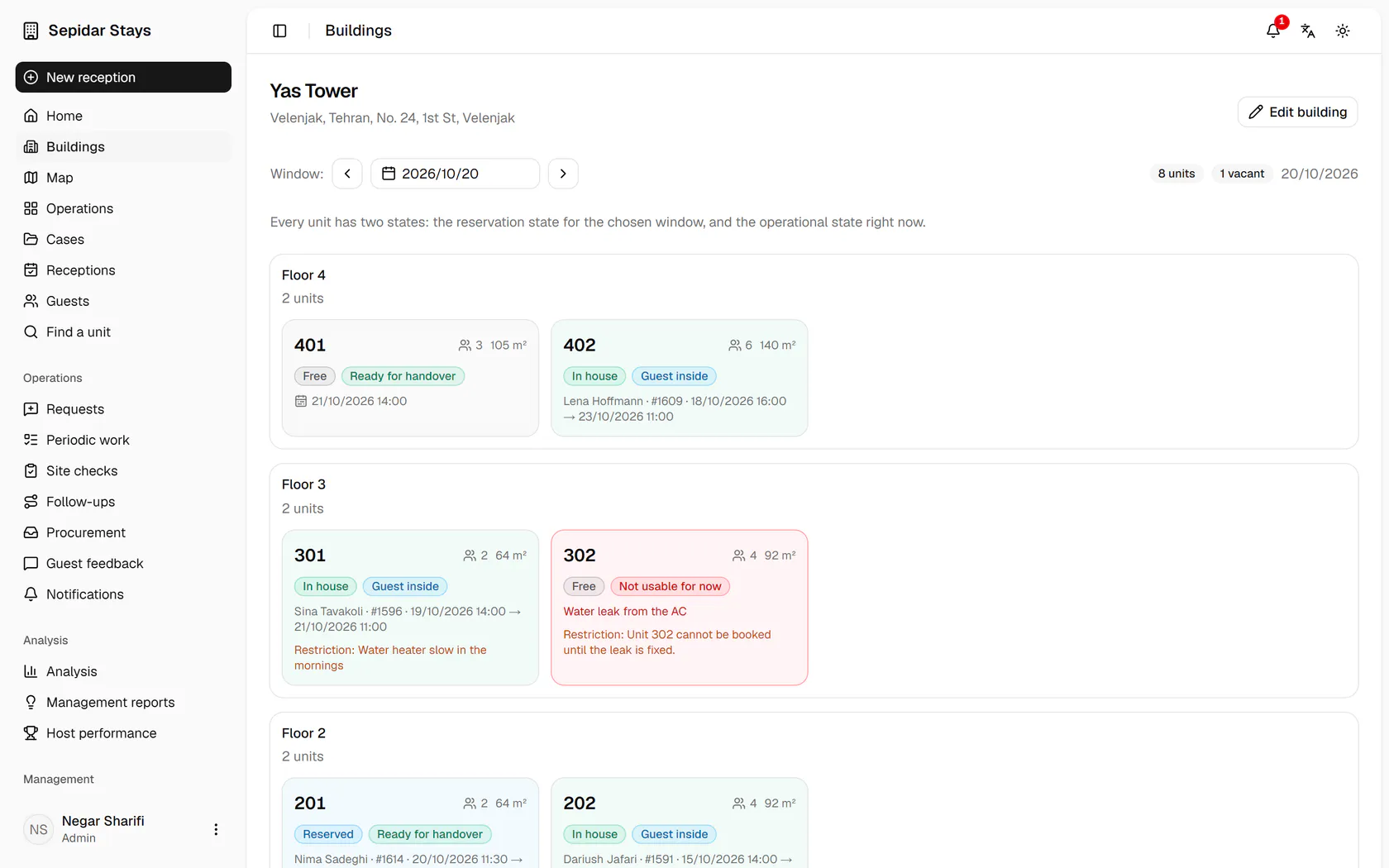
Management sees floor by floor which unit is occupied, vacant, being prepared or not usable for now.

ManagementOn a computer6 steps
Operations lists every building with vacant units and guests inside; open Yas Tower.Each card has two states: the booking for the chosen window and the operational state right now.Unit 302 is not usable for now because of the AC leak; its restriction shows on the card.Click Next day to see the same board for tomorrow and its arrivals.Unit 401 has a guest tomorrow; click its card to open its calendar.The unit's monthly calendar shows its stays and free days side by side.

Operations lists every building with vacant units and guests inside; open Yas Tower.

Step by step

  1. 1

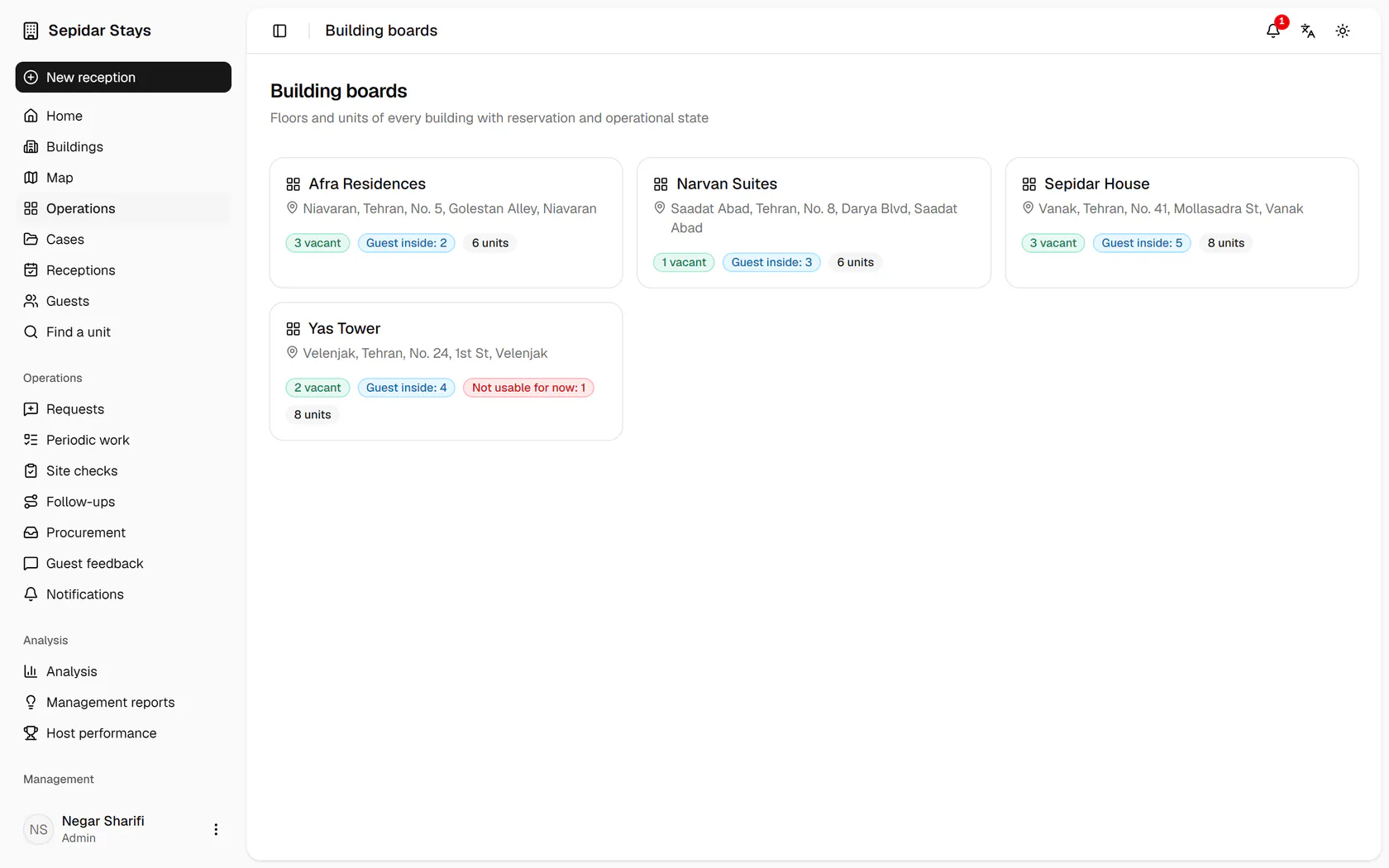
    Operations lists every building with vacant units and guests inside; open Yas Tower.

    Operations lists every building with vacant units and guests inside; open Yas Tower.
  2. 2

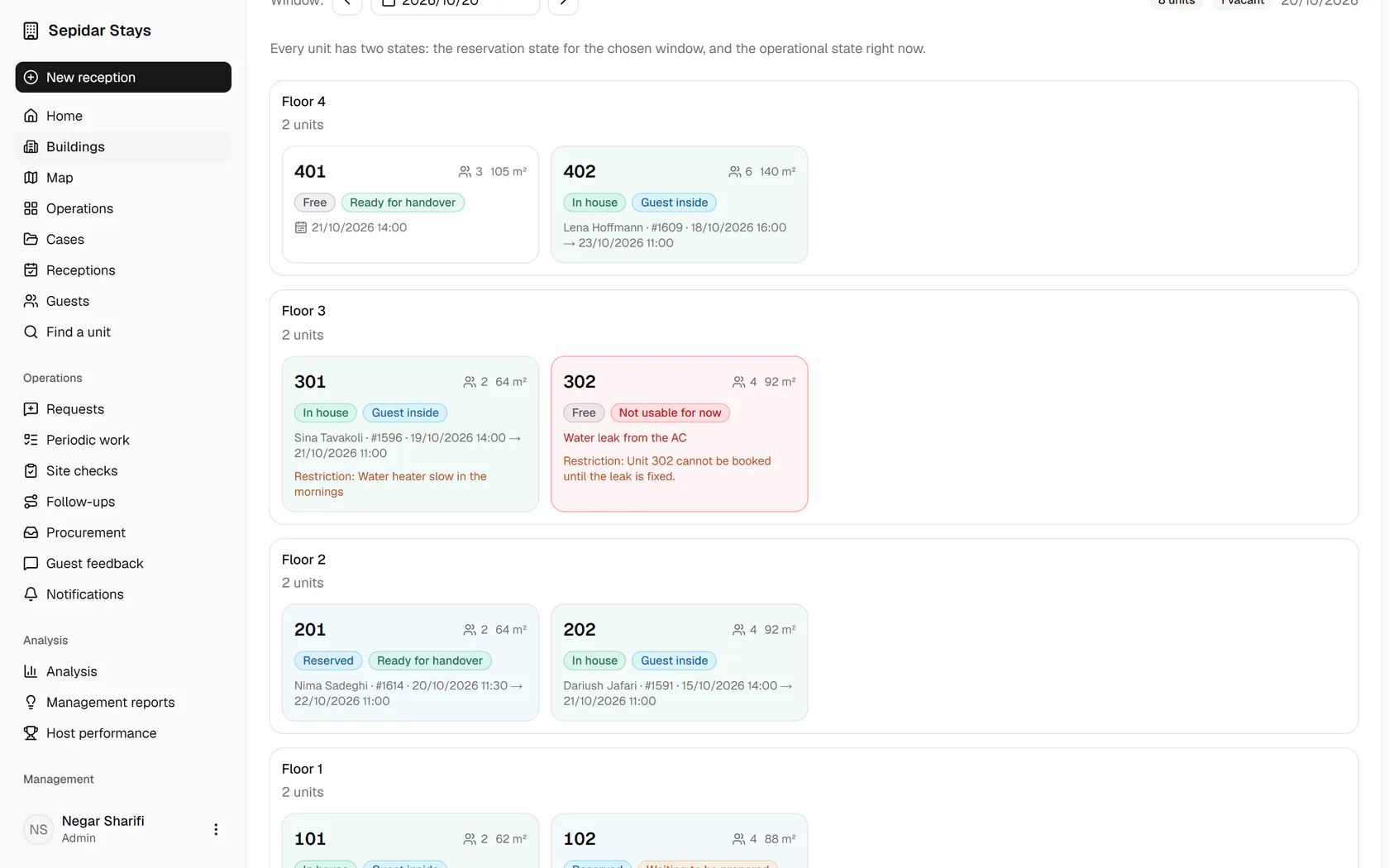
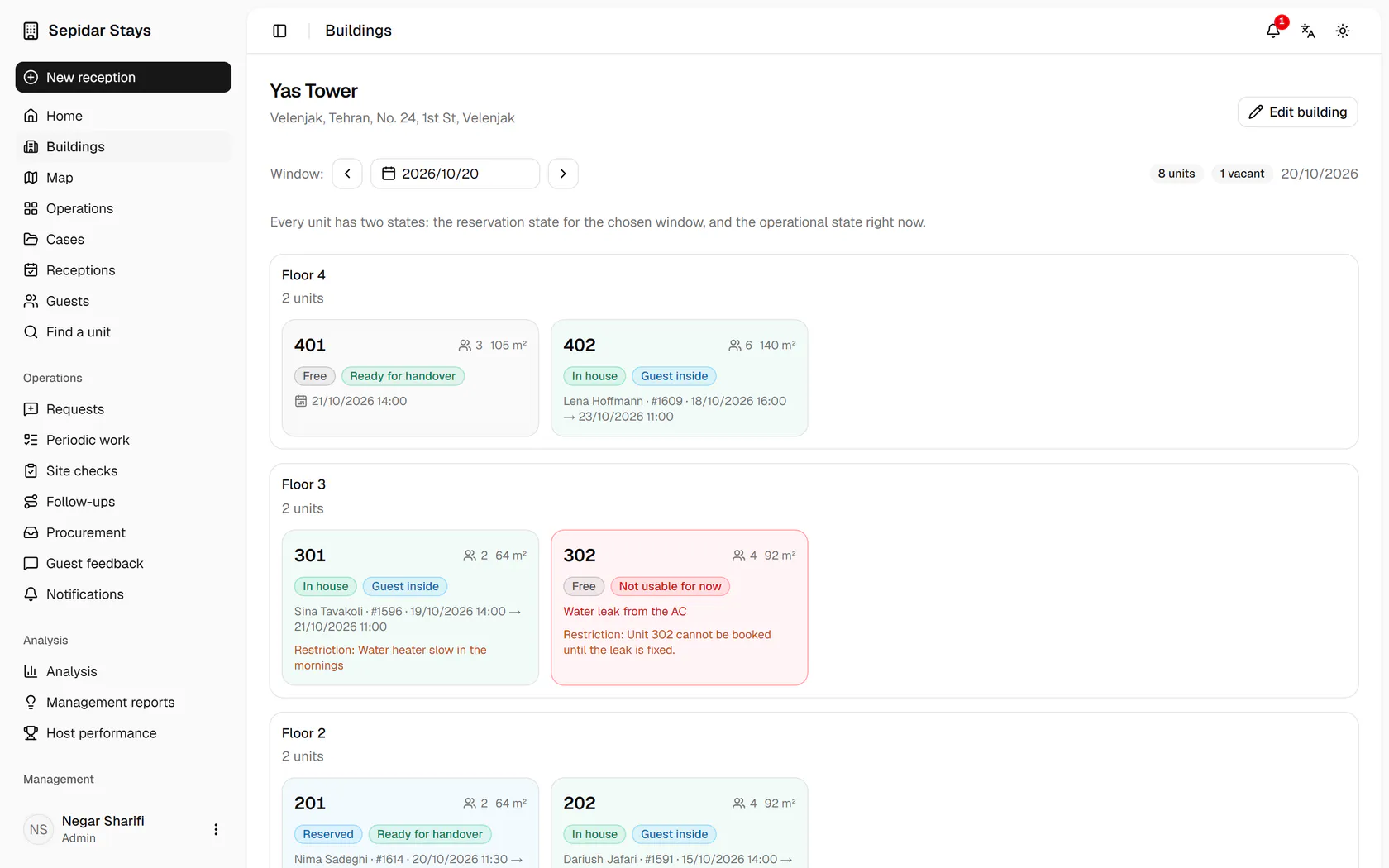
    Each card has two states: the booking for the chosen window and the operational state right now.

    Each card has two states: the booking for the chosen window and the operational state right now.
  3. 3

    Unit 302 is not usable for now because of the AC leak; its restriction shows on the card.

    Unit 302 is not usable for now because of the AC leak; its restriction shows on the card.
  4. 4

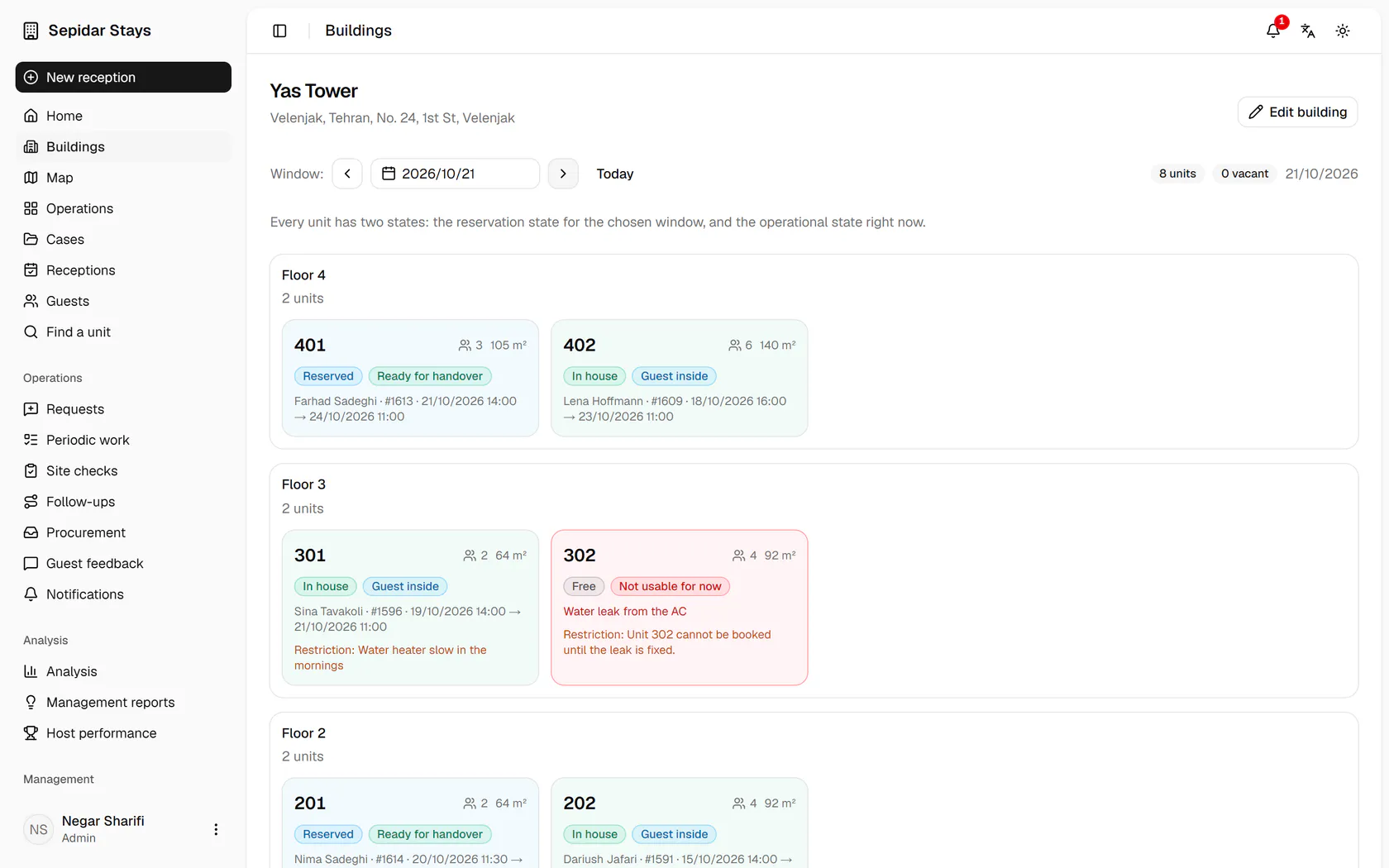
    Click Next day to see the same board for tomorrow and its arrivals.

    Click Next day to see the same board for tomorrow and its arrivals.
  5. 5

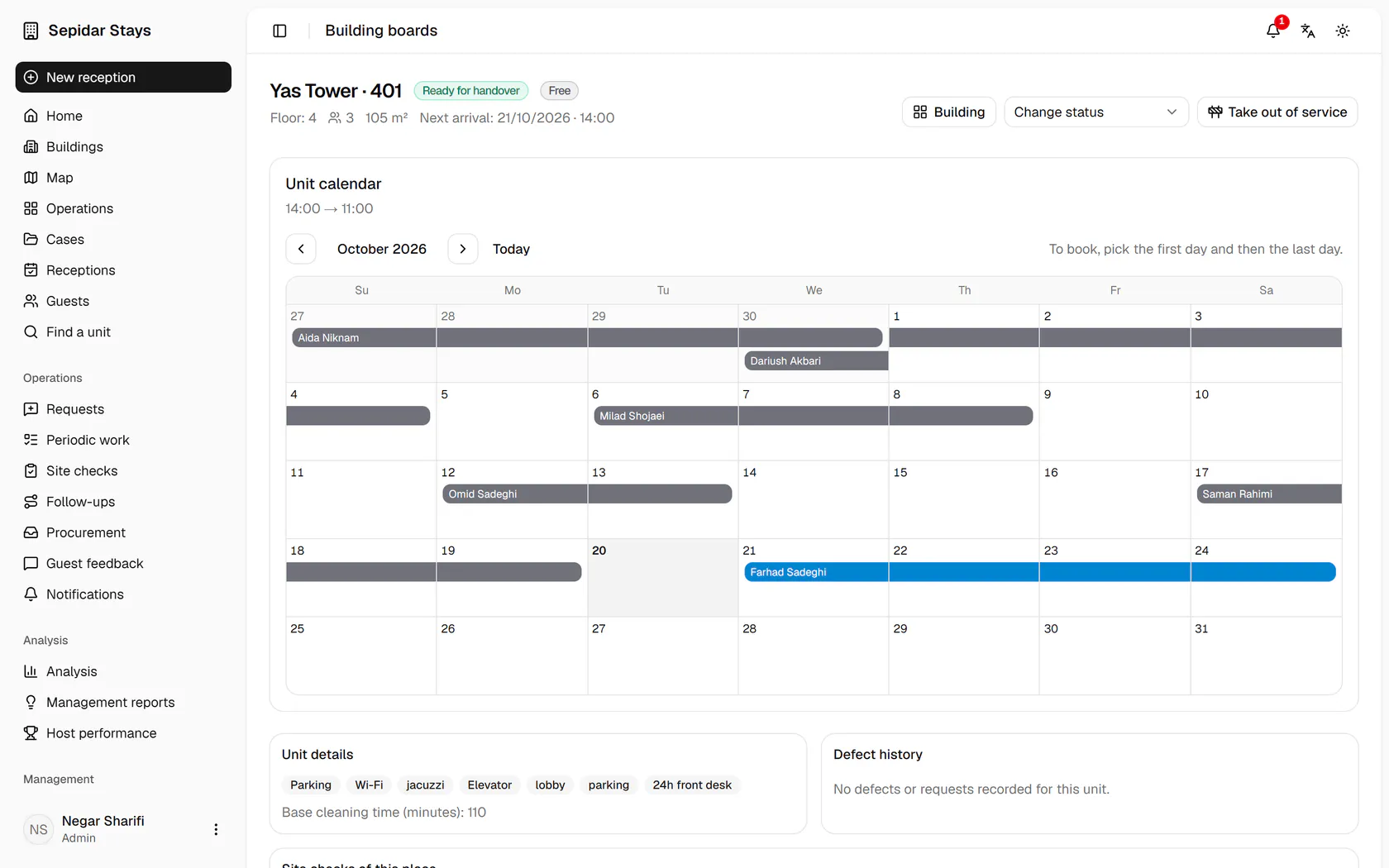
    Unit 401 has a guest tomorrow; click its card to open its calendar.

    Unit 401 has a guest tomorrow; click its card to open its calendar.
  6. 6

    The unit's monthly calendar shows its stays and free days side by side.

    The unit's monthly calendar shows its stays and free days side by side.