Approve an extension
A guest's extension is reviewed in one place, recorded with the new date and price, and the guest is told.
Call centerOn a computer7 steps
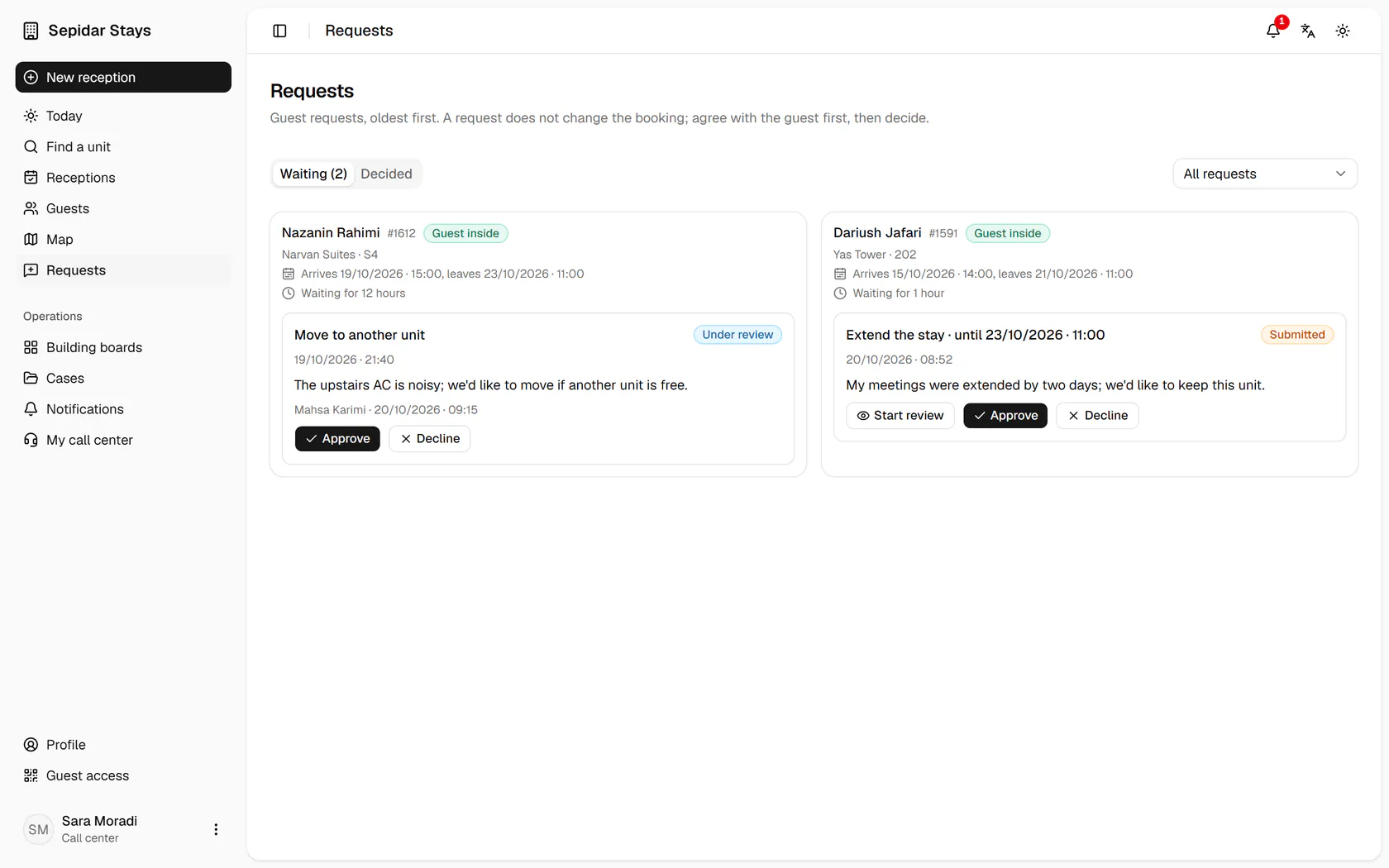
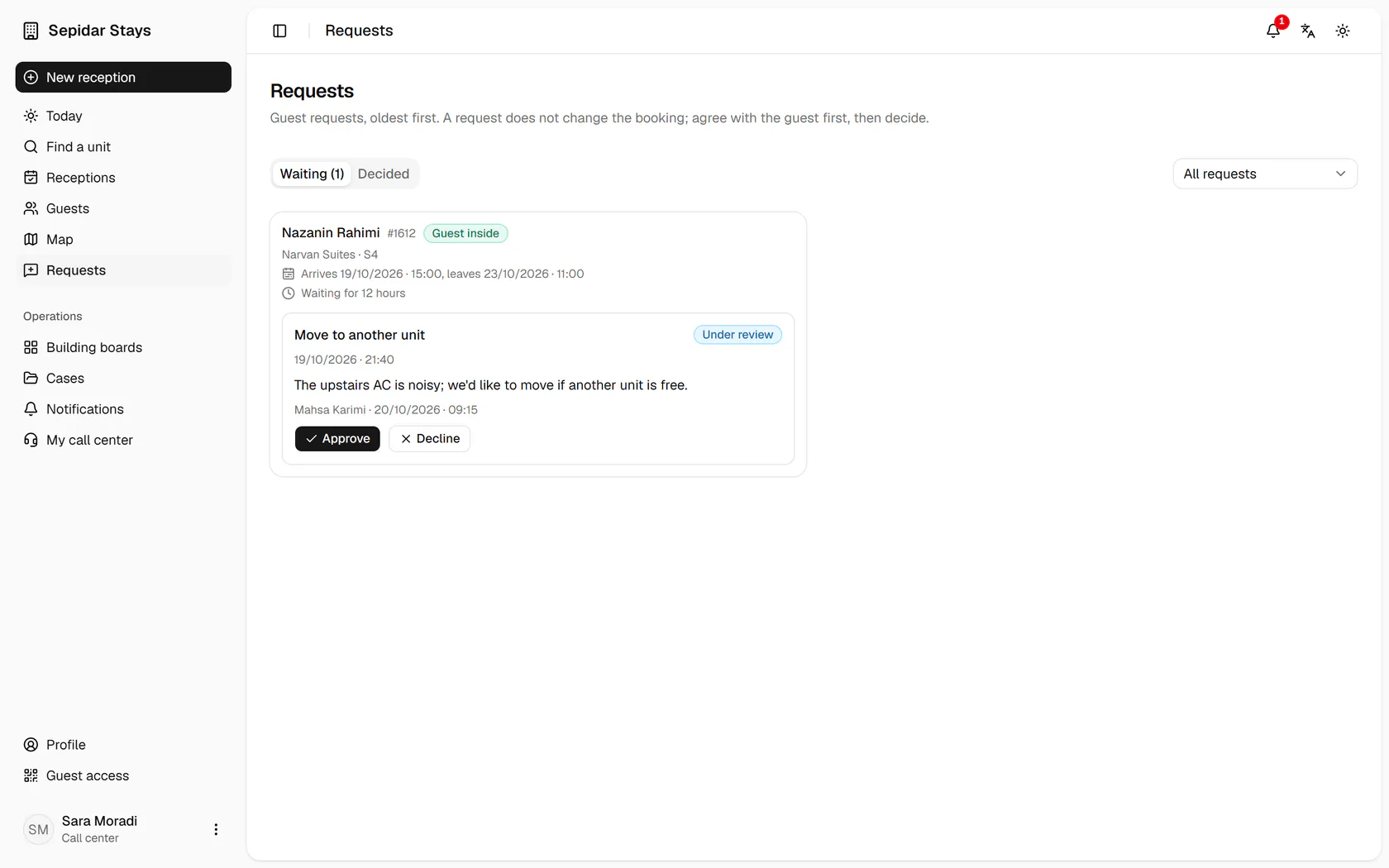
Dariush Jafari in Yas Tower 202 asks for two more nights and gives his reason.
Step by step
- 1
Dariush Jafari in Yas Tower 202 asks for two more nights and gives his reason.
- 2
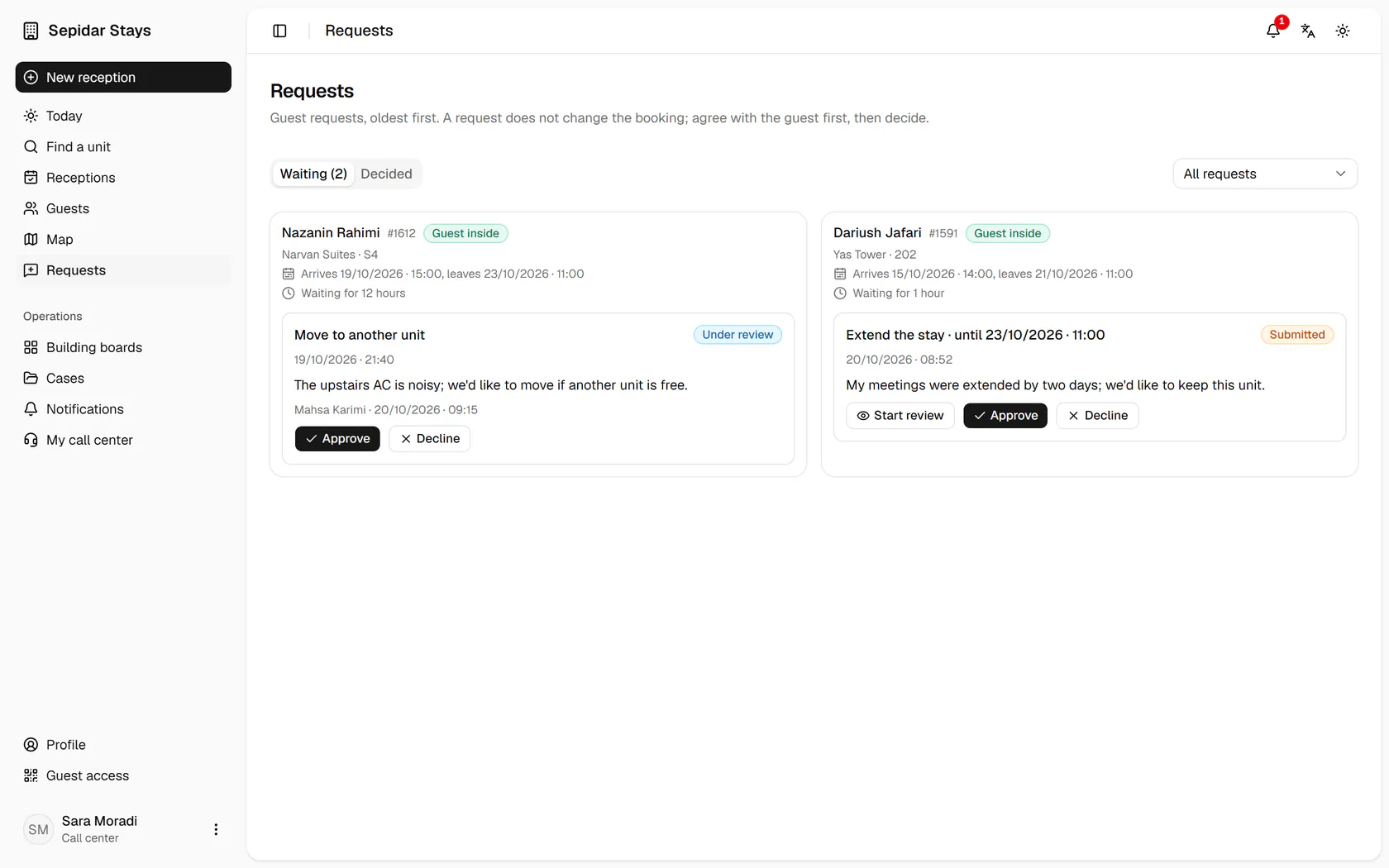
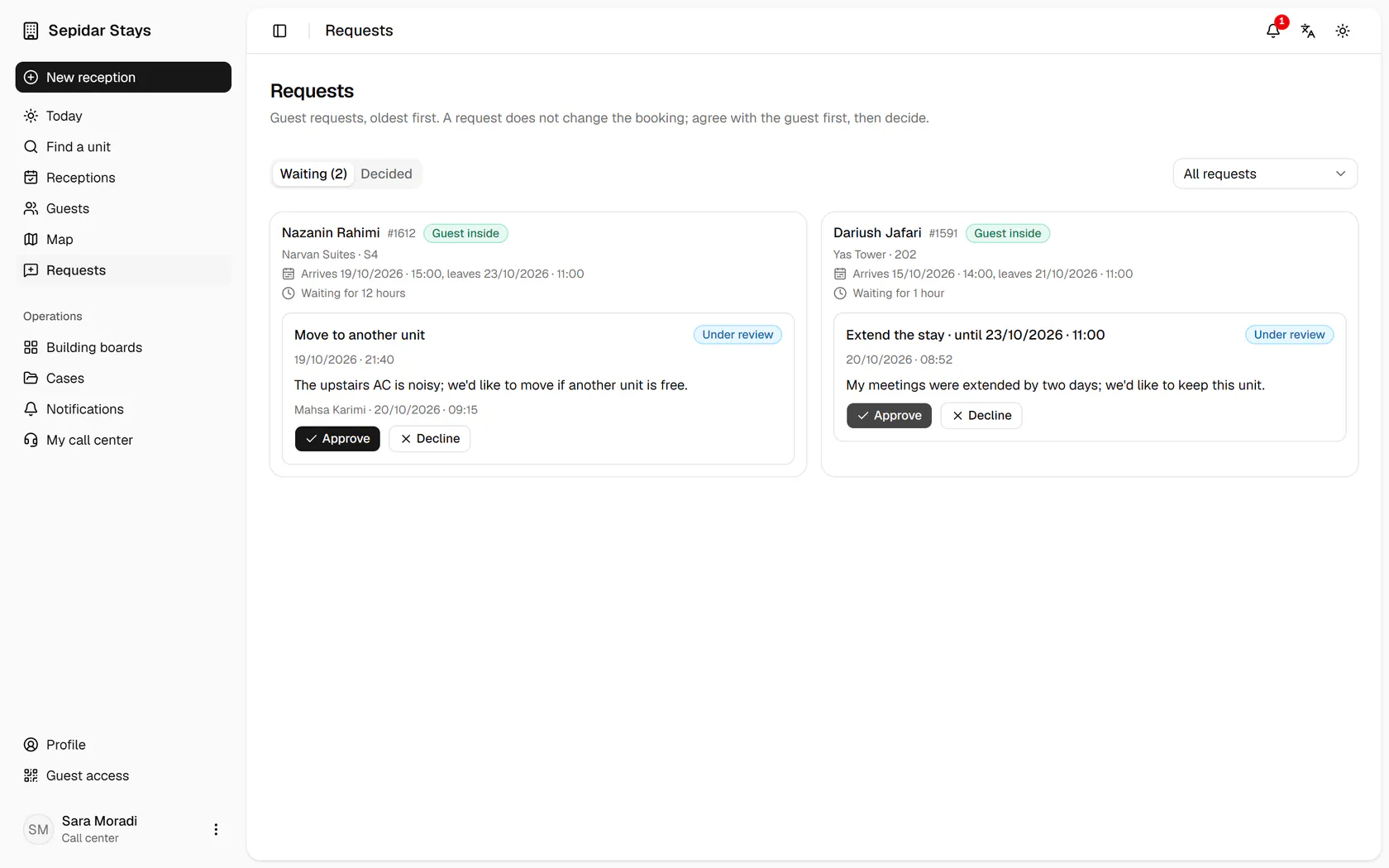
Start review lets the guest see that the request is being handled.
- 3
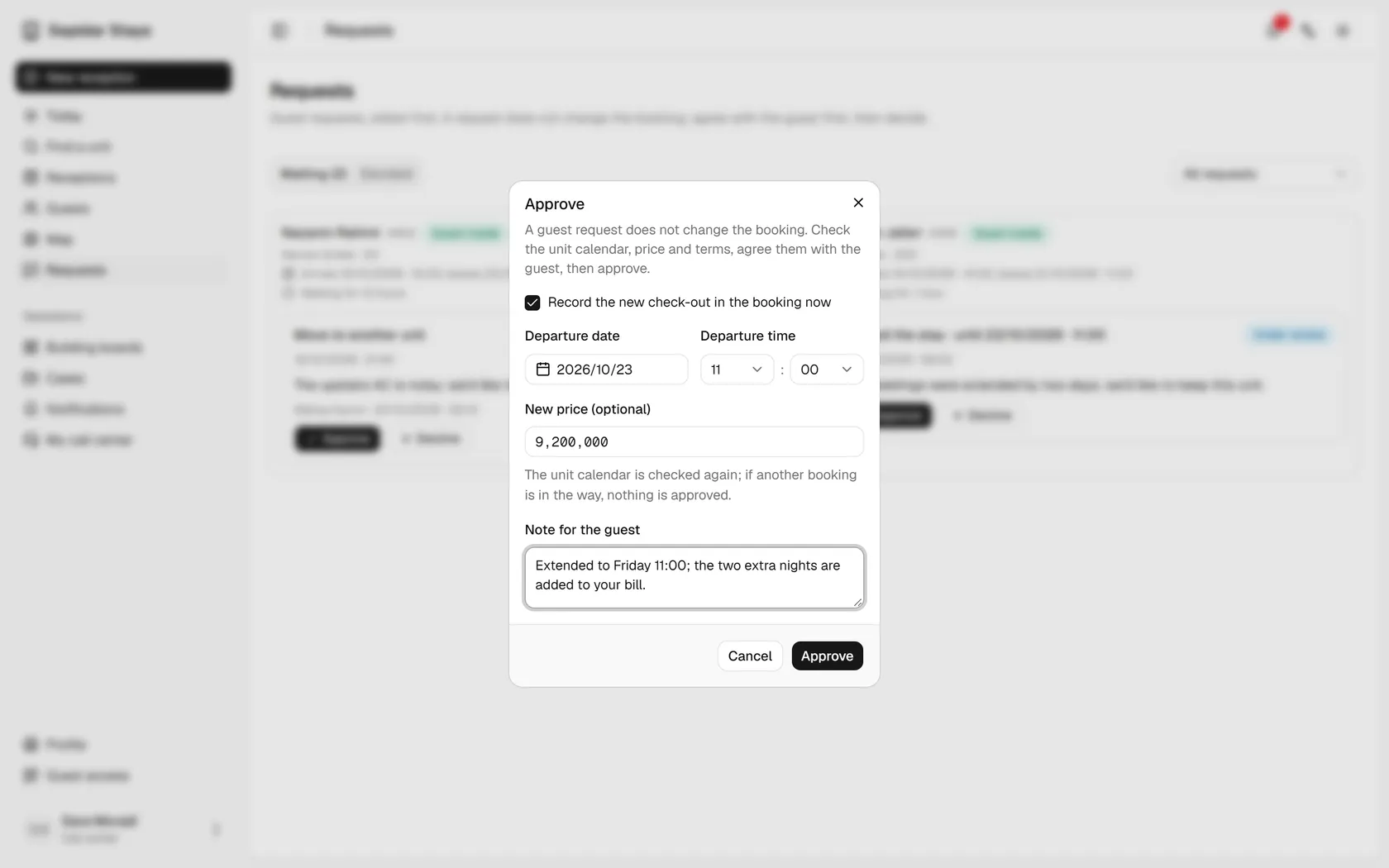
After checking the unit calendar and agreeing with the guest, press Approve.
- 4
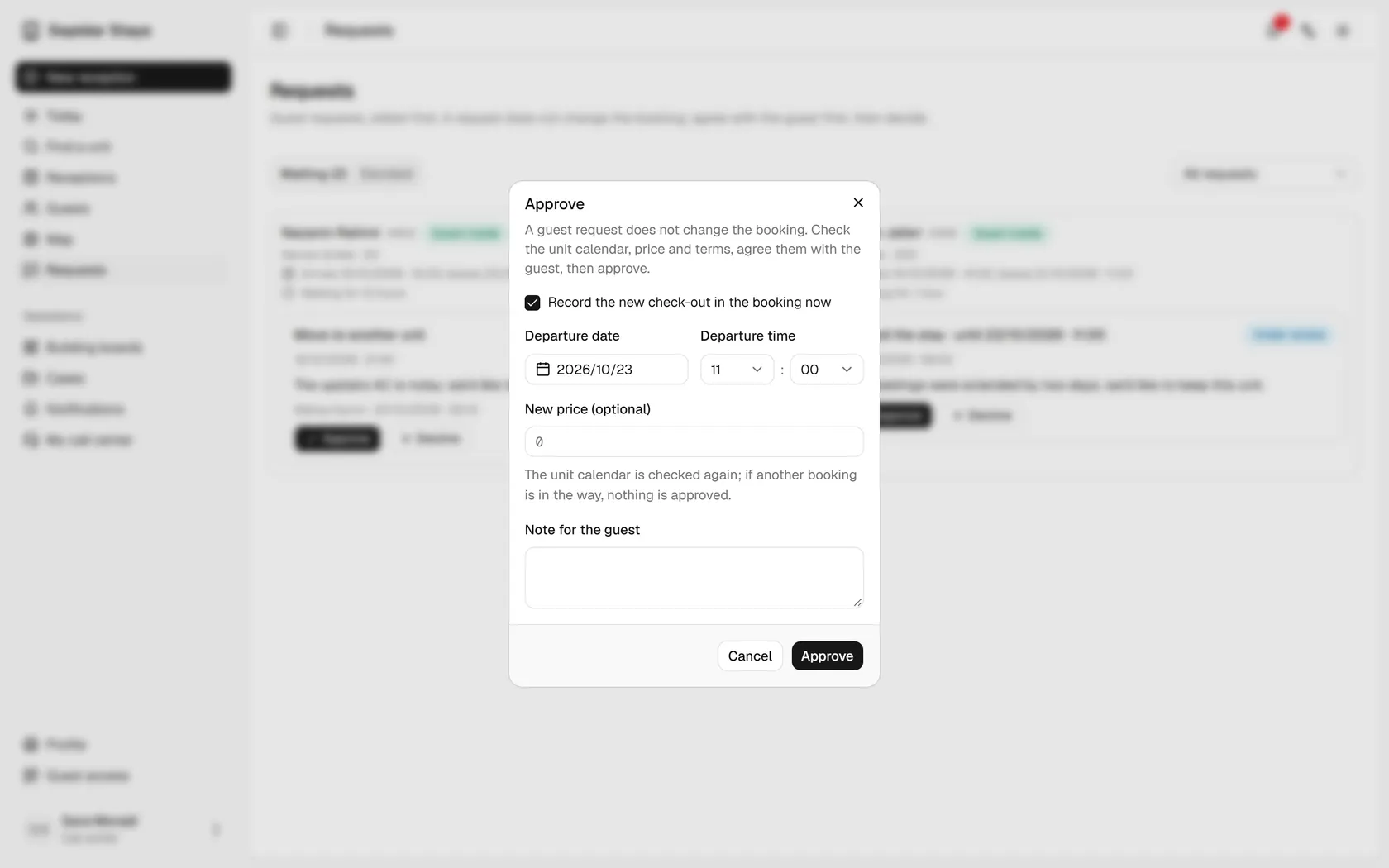
The new check-out comes from the request; enter the new price.
- 5
Write a note for the guest and confirm; the unit calendar is checked again.
- 6
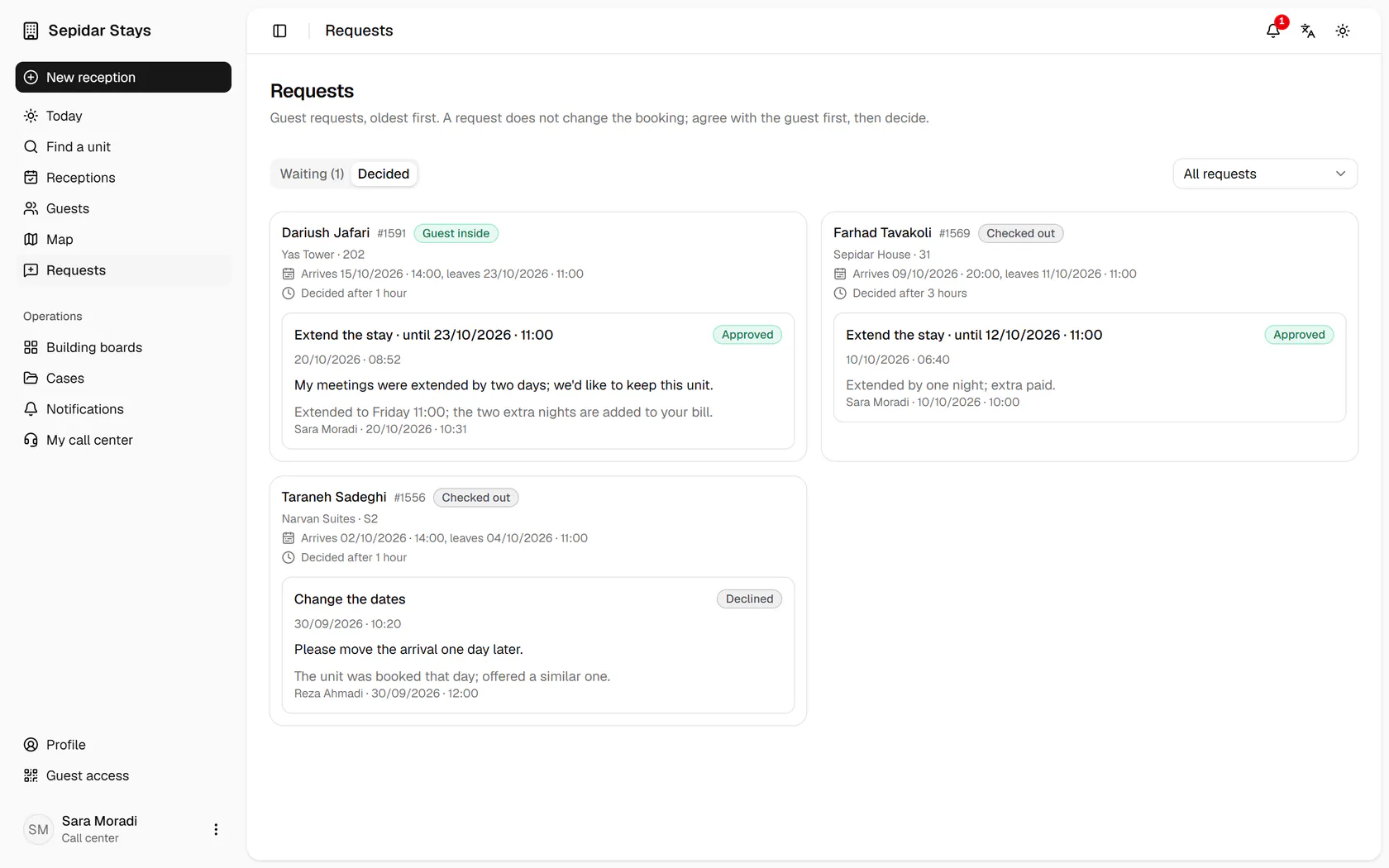
The request has left the waiting list; open the Decided tab.
- 7
The extension is approved, the booking's check-out has moved, and your answer reaches the guest.