Skip to content
Mizban

Feedback after the stay

After check-out the guest rates the stay and comments, so management can measure each building and host.

GuestOn a phone6 steps
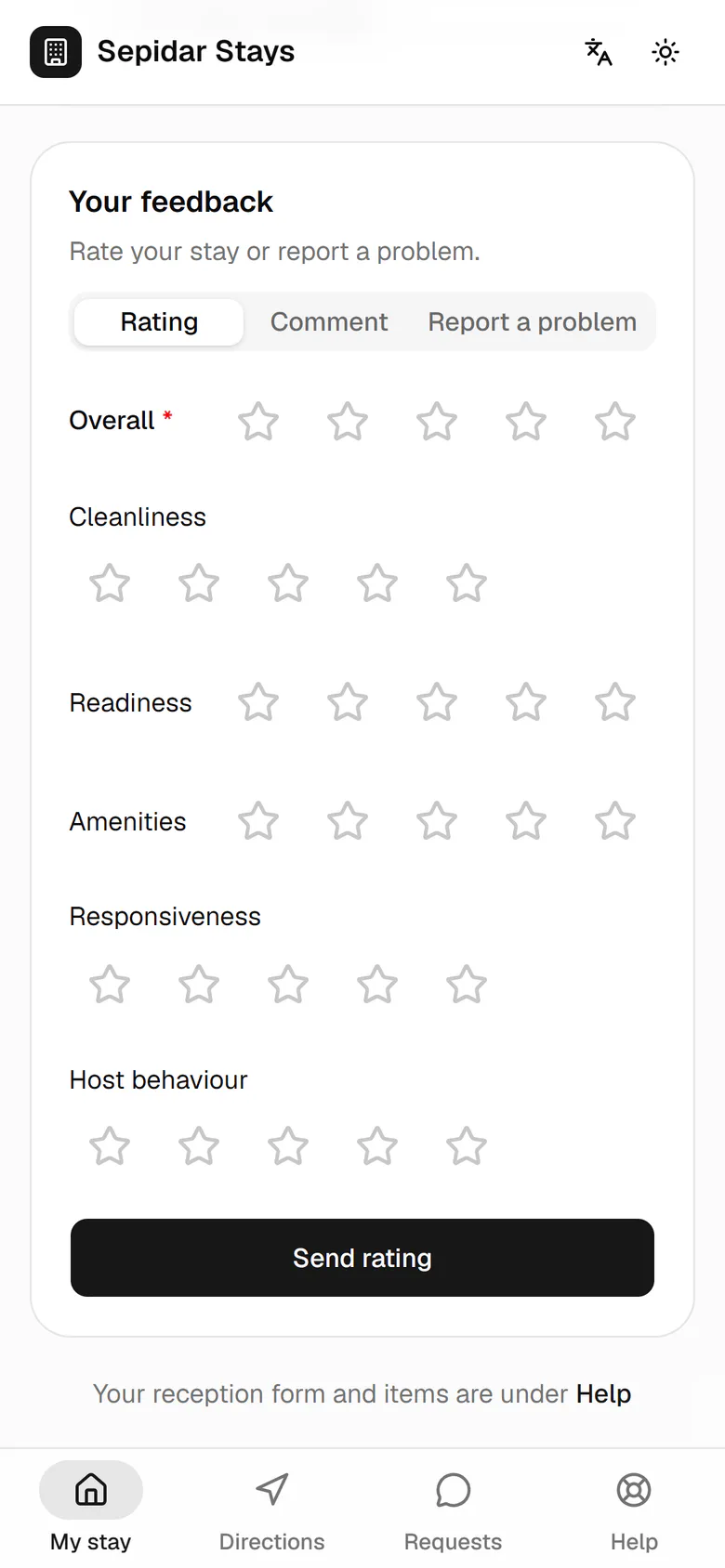
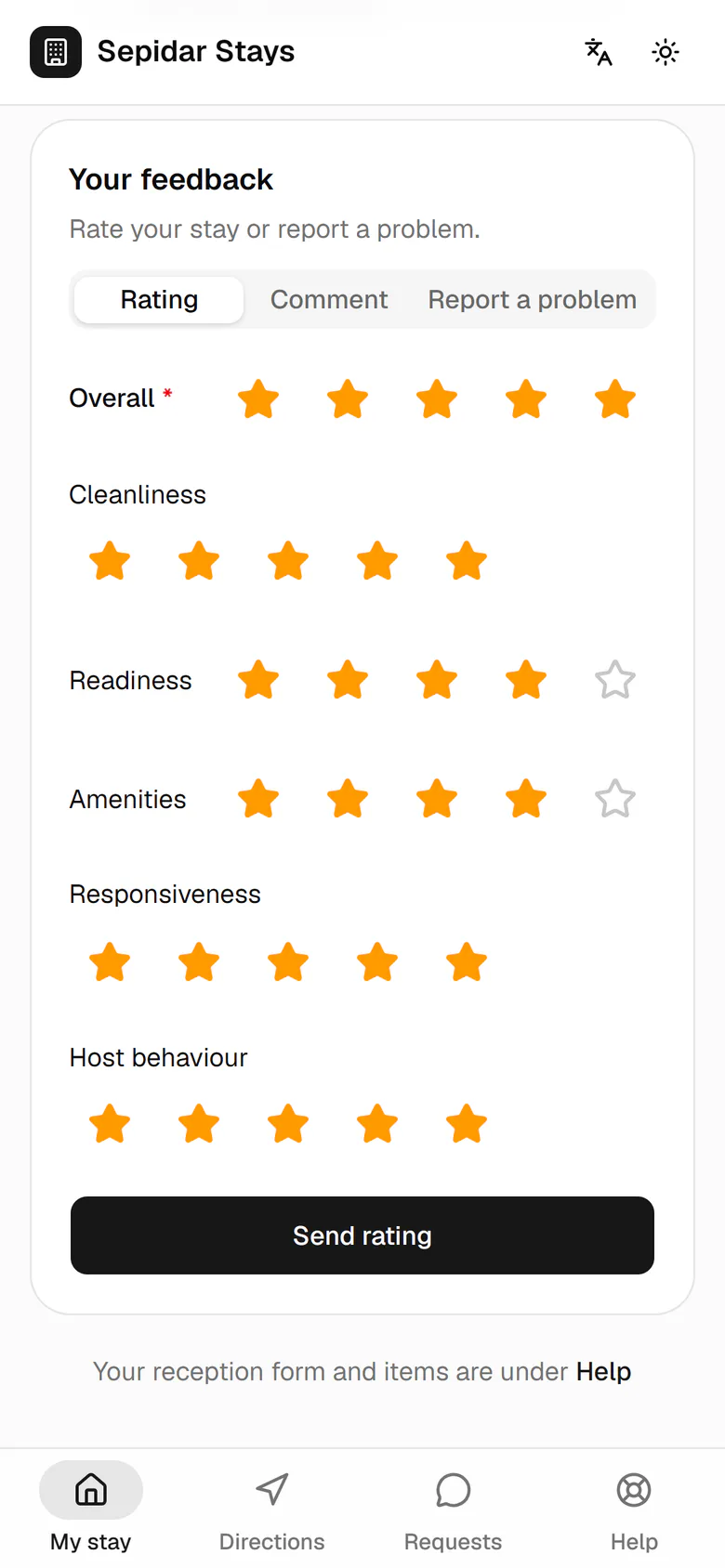
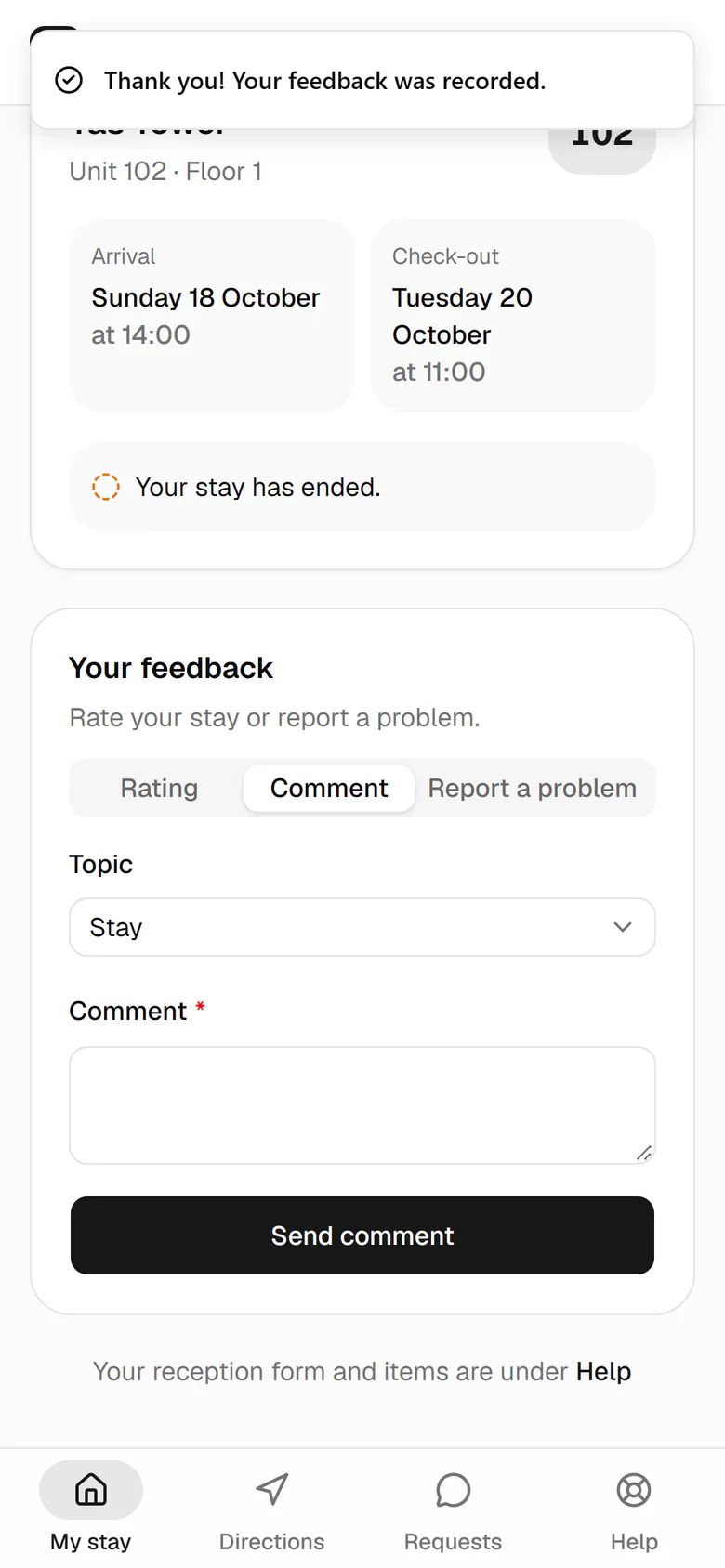
The guest who left unit 102 this morning gives stars to six parts of the stay.One button saves all six ratings at once.To write a few words, she opens the comment tab.She writes what she thought of the unit and the host.She sends it so it appears in management's feedback report.A thank-you message confirms the comment was saved.

The guest who left unit 102 this morning gives stars to six parts of the stay.

21:30Feedback after leavingThe same link works for two weeks after leaving: scores, a comment and a problem report if needed.

Step by step

  1. 1

    The guest who left unit 102 this morning gives stars to six parts of the stay.

    The guest who left unit 102 this morning gives stars to six parts of the stay.
  2. 2

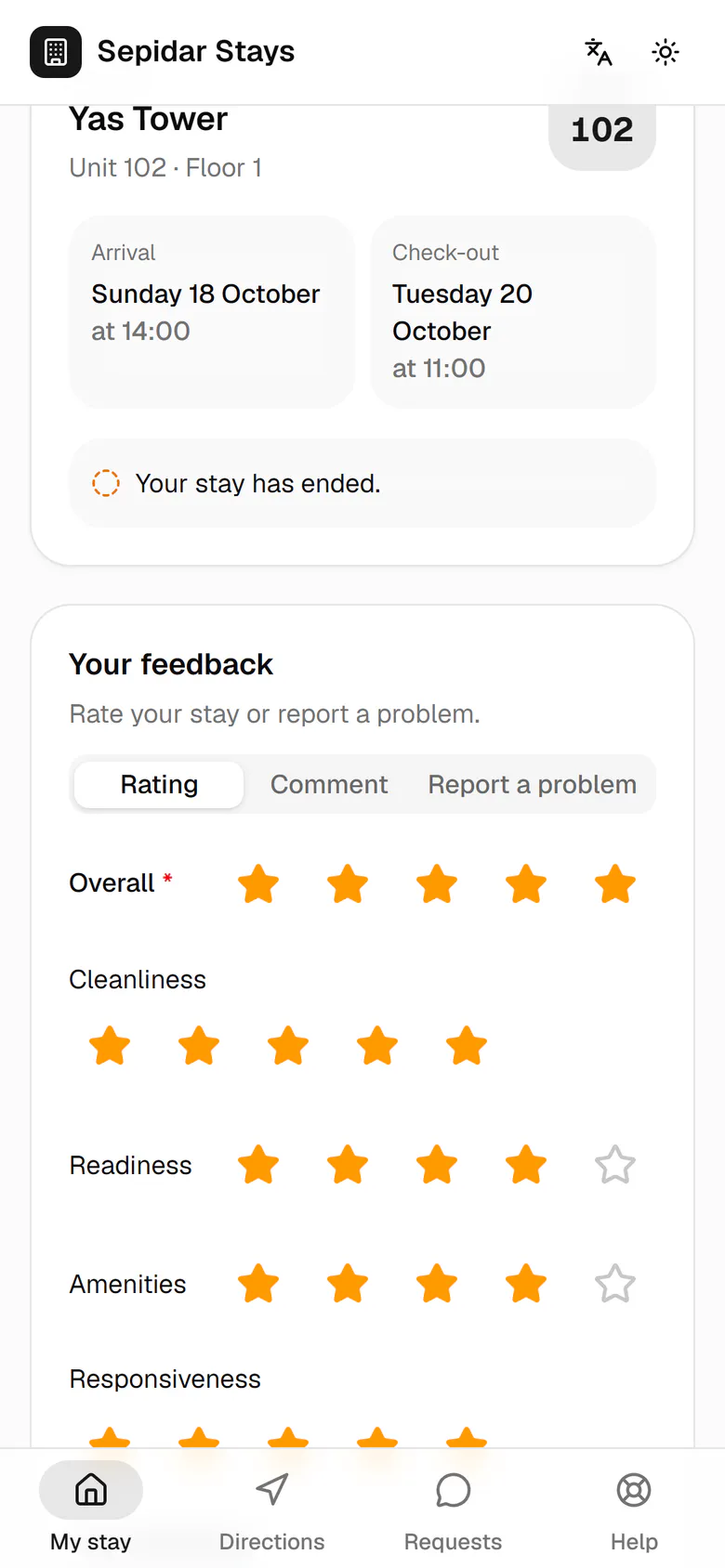
    One button saves all six ratings at once.

    One button saves all six ratings at once.
  3. 3

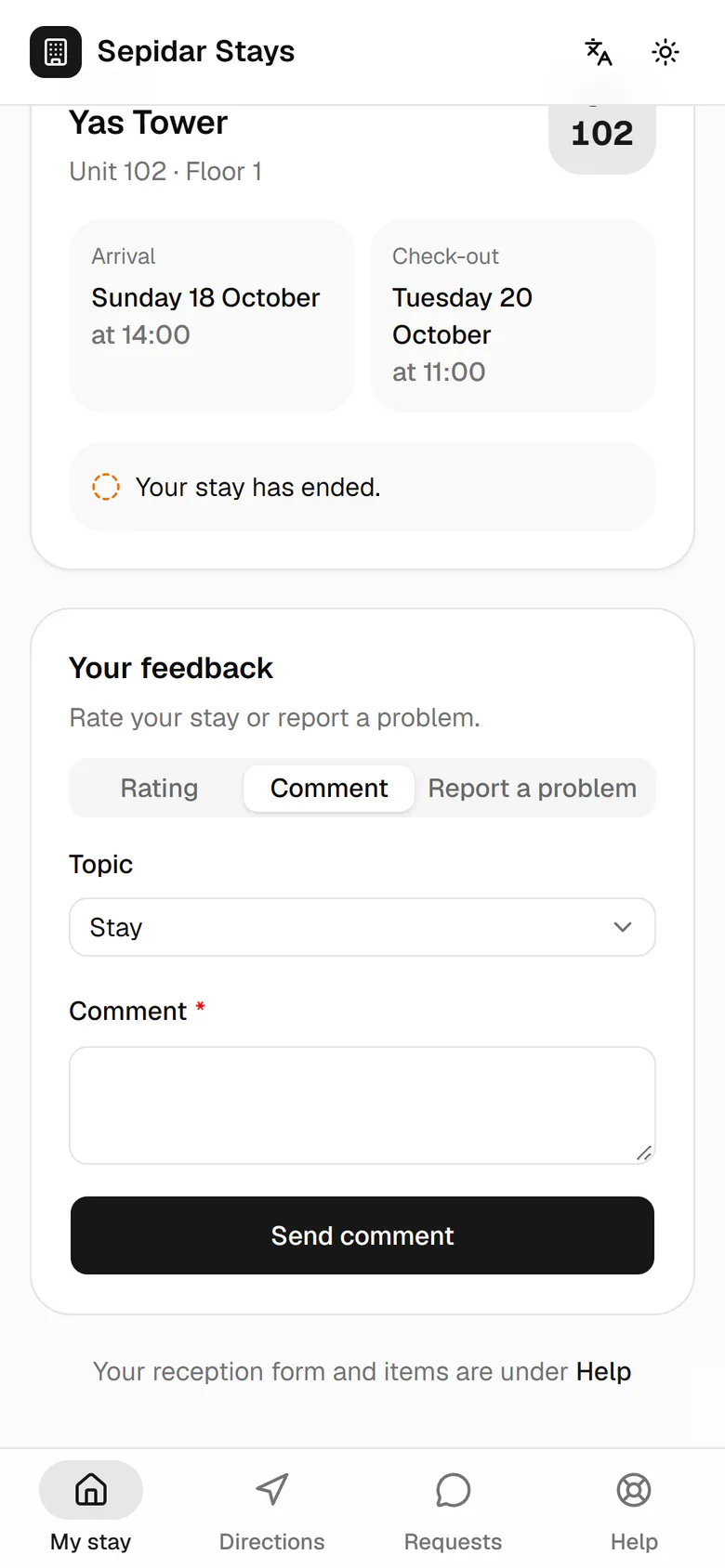
    To write a few words, she opens the comment tab.

    To write a few words, she opens the comment tab.
  4. 4

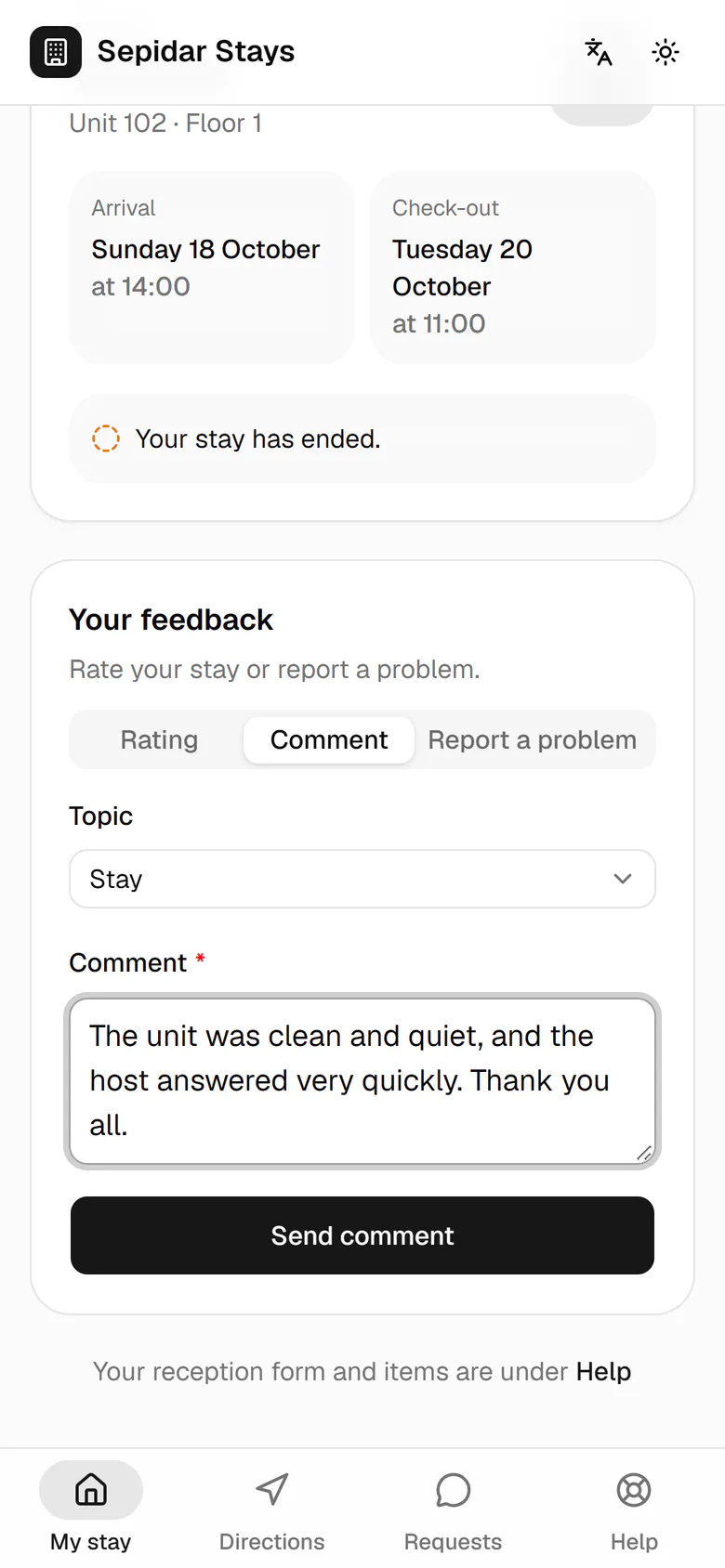
    She writes what she thought of the unit and the host.

    She writes what she thought of the unit and the host.
  5. 5

    She sends it so it appears in management's feedback report.

    She sends it so it appears in management's feedback report.
  6. 6

    A thank-you message confirms the comment was saved.

    A thank-you message confirms the comment was saved.