My building
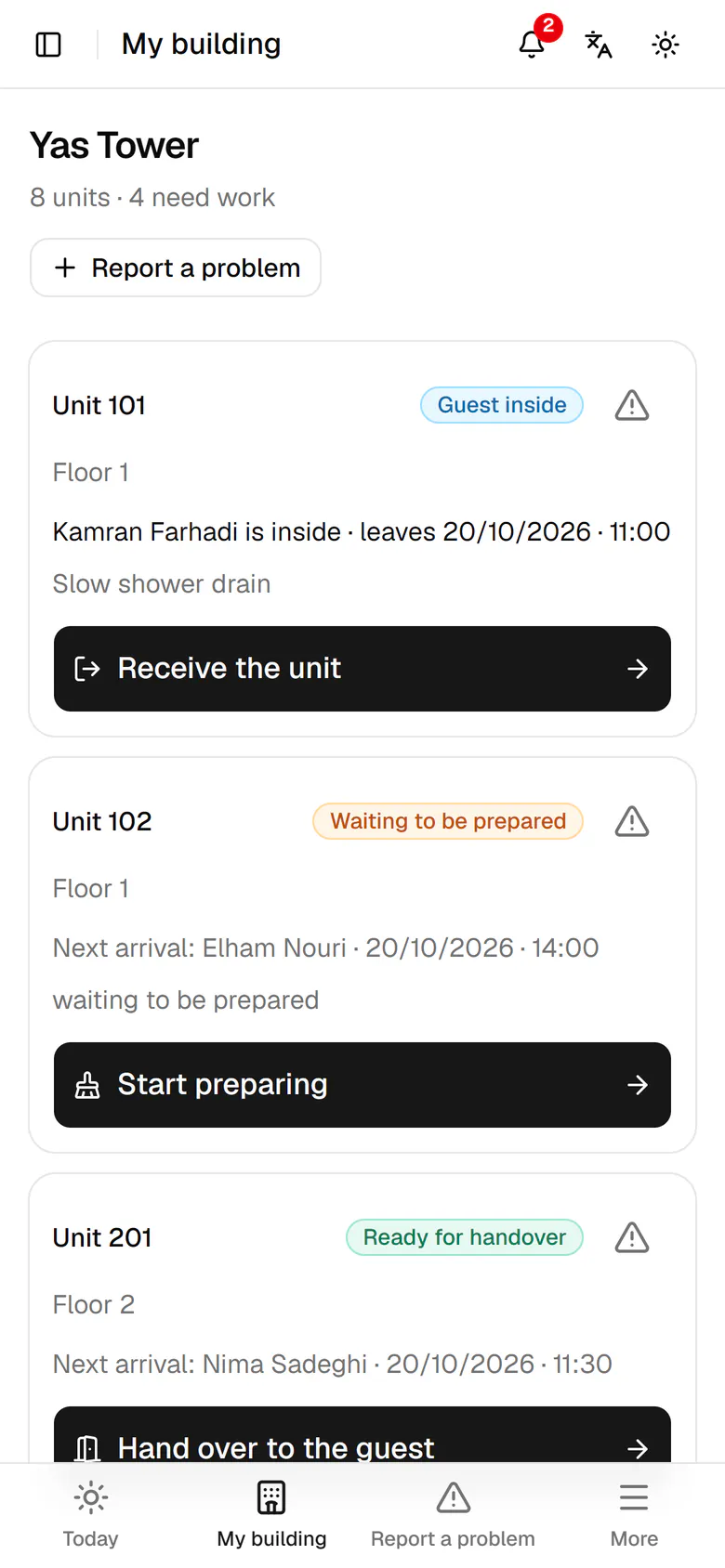
The host sees every unit's state, who is inside and the next step on one page.
HostOn a phone6 steps
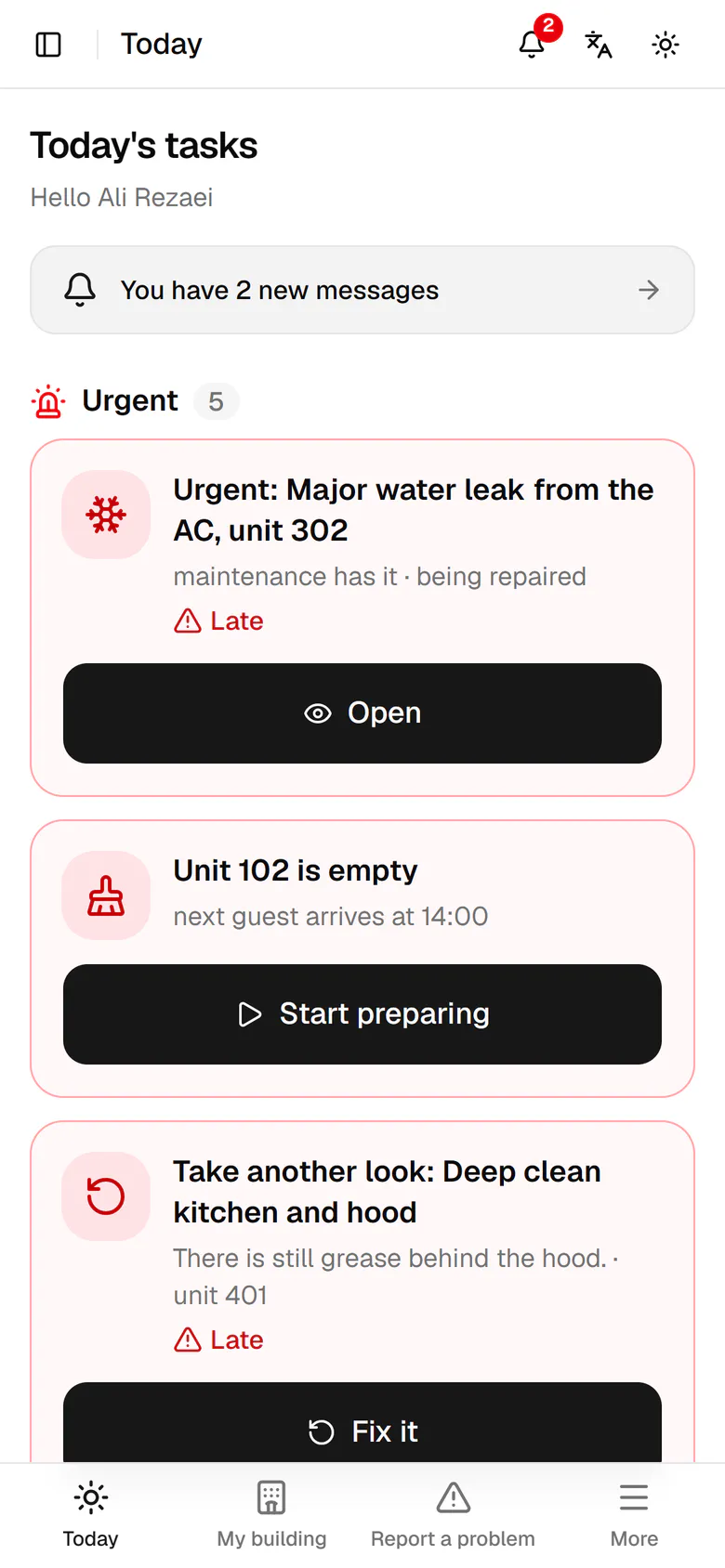
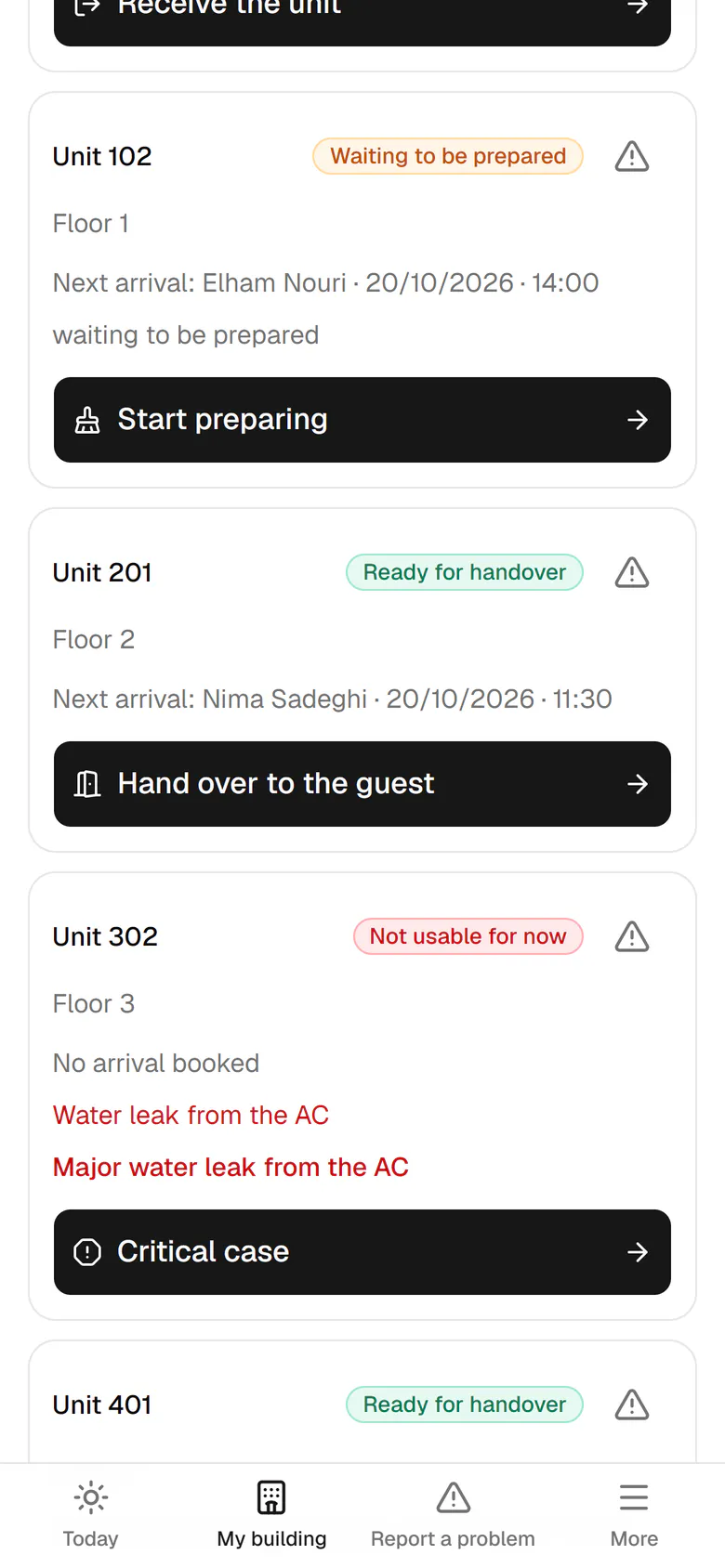
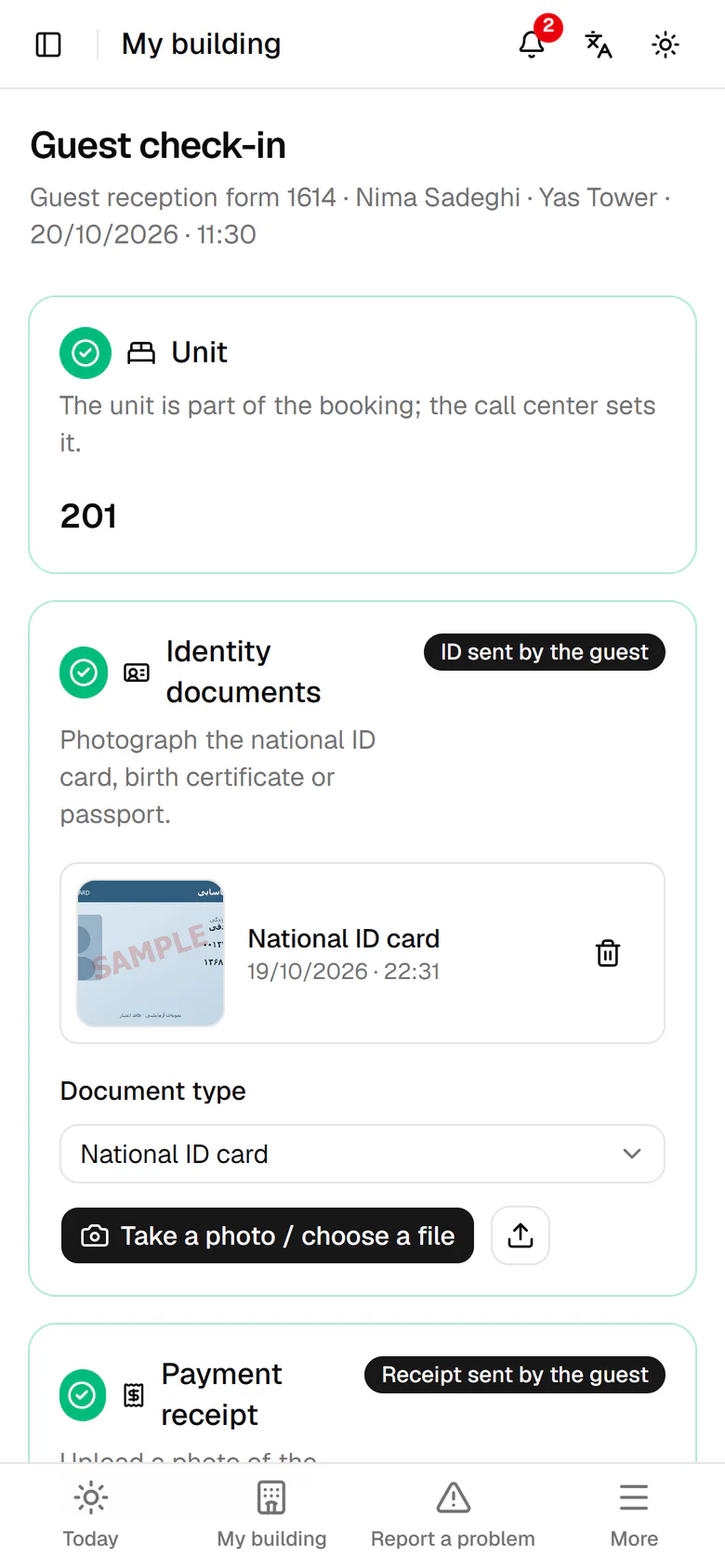
Tap My building in the bottom bar.
Step by step
- 1
Tap My building in the bottom bar.
- 2
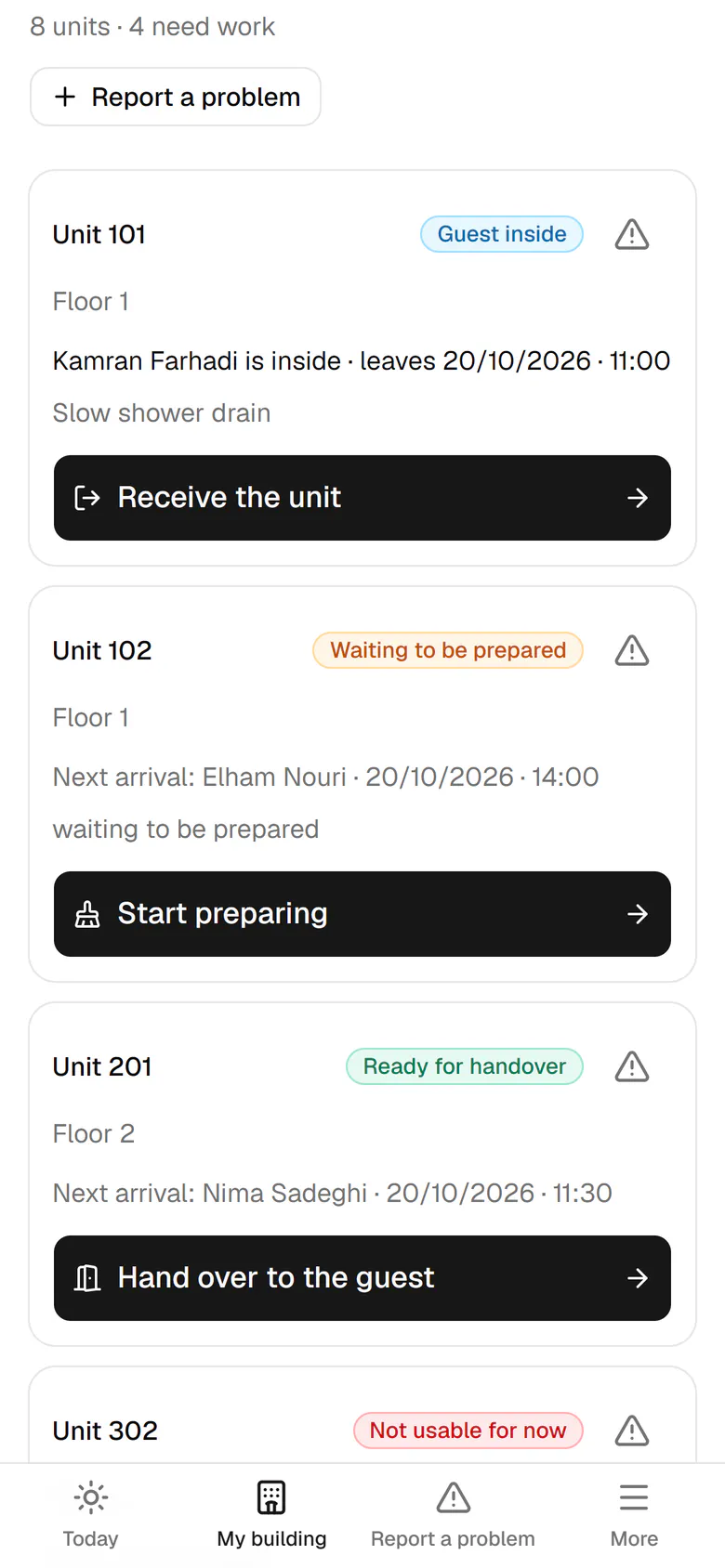
Each unit has a card: its state, the guest inside, the check-out time and open cases.
- 3
Unit 102 waits for preparation and shows when the next guest arrives.
- 4
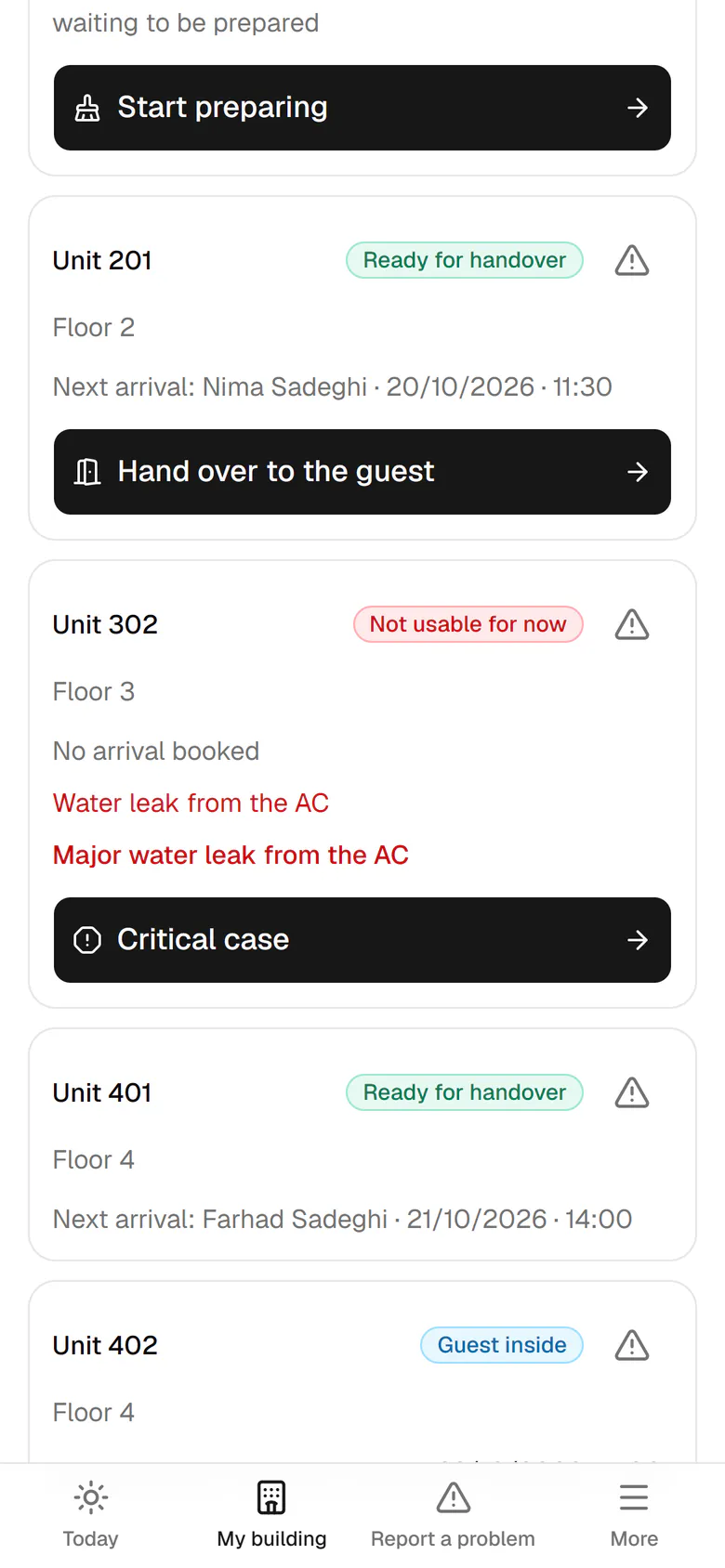
Unit 302 is not usable for now because of the AC leak, so it is not booked.
- 5
Each card's button is the next step. For unit 201, tap Hand over to the guest.
- 6
The check-in of unit 201 opens with the documents the guest already sent.