Skip to content
Mizban

Periodic tasks and corrections

The host fixes a task the supervisor sent back and records today's periodic task with one tap.

HostOn a phone7 steps
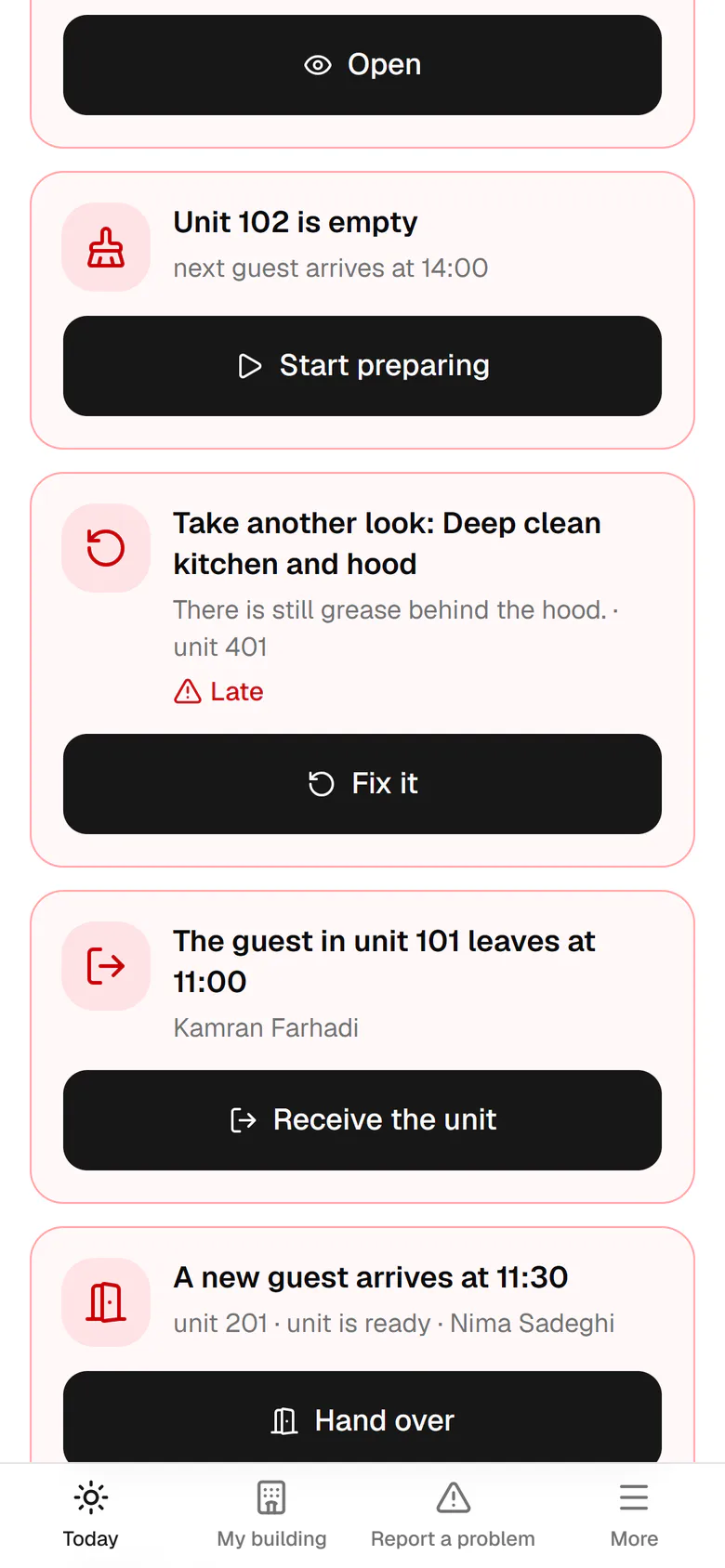
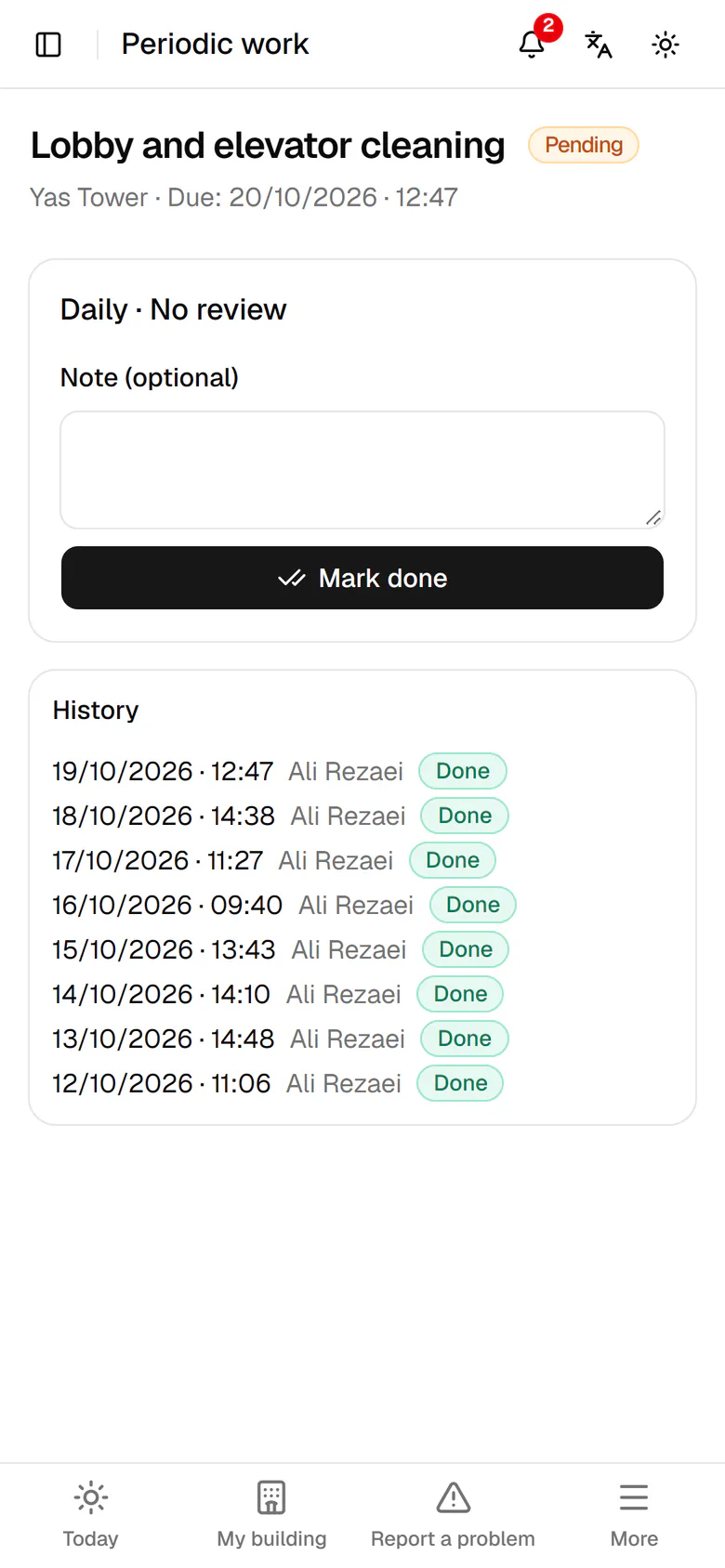
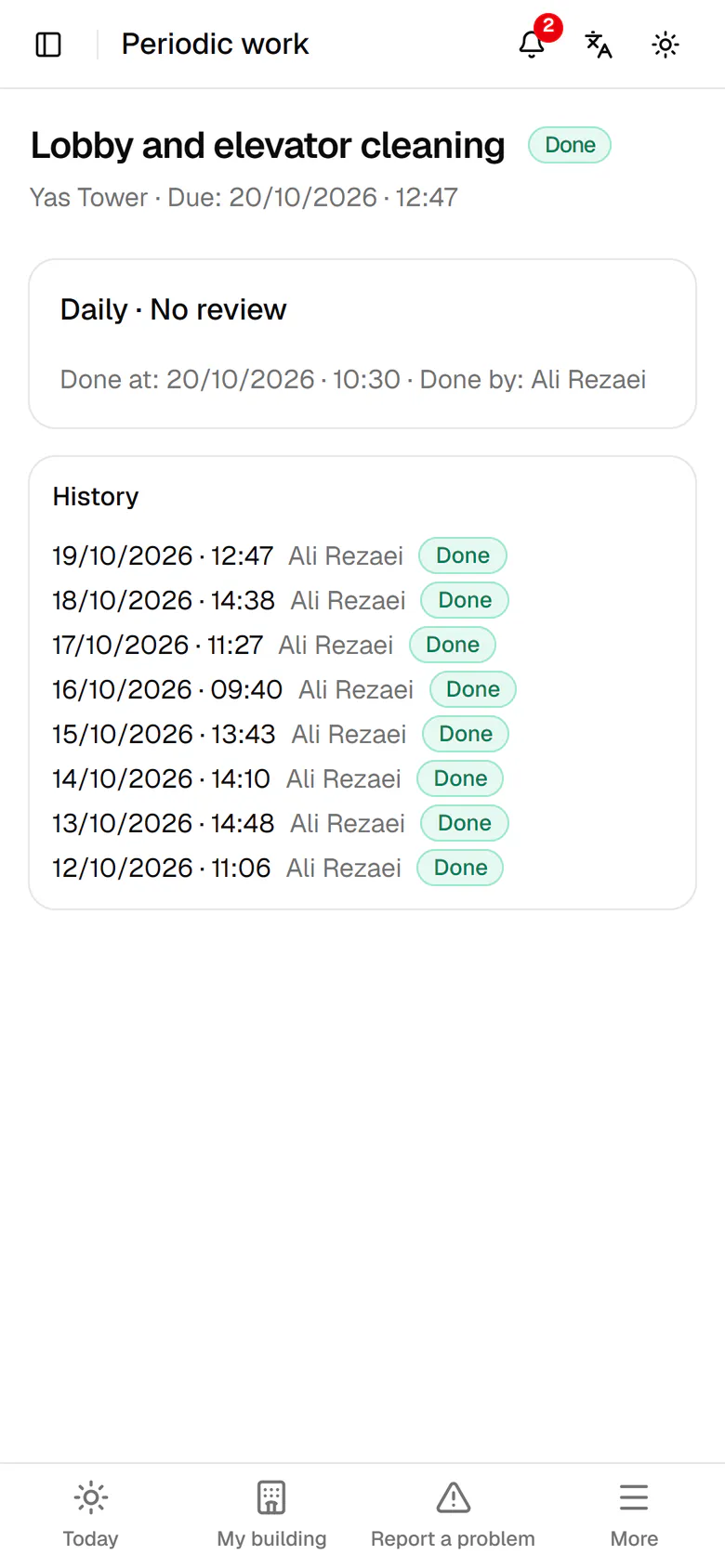
The hood cleaning in unit 401 came back. Tap Fix it.The reason it came back is at the top. Write one sentence on what you did.Tap Mark done so the task goes back for review.The task is now awaiting review. Go back to Today.Today's periodic task, the lobby and elevator cleaning, is under Today. Tap Do it.Do the task, then tap Mark done; the note is optional.The task is recorded with the time and your name, above the earlier days.

The hood cleaning in unit 401 came back. Tap Fix it.

Step by step

  1. 1

    The hood cleaning in unit 401 came back. Tap Fix it.

    The hood cleaning in unit 401 came back. Tap Fix it.
  2. 2

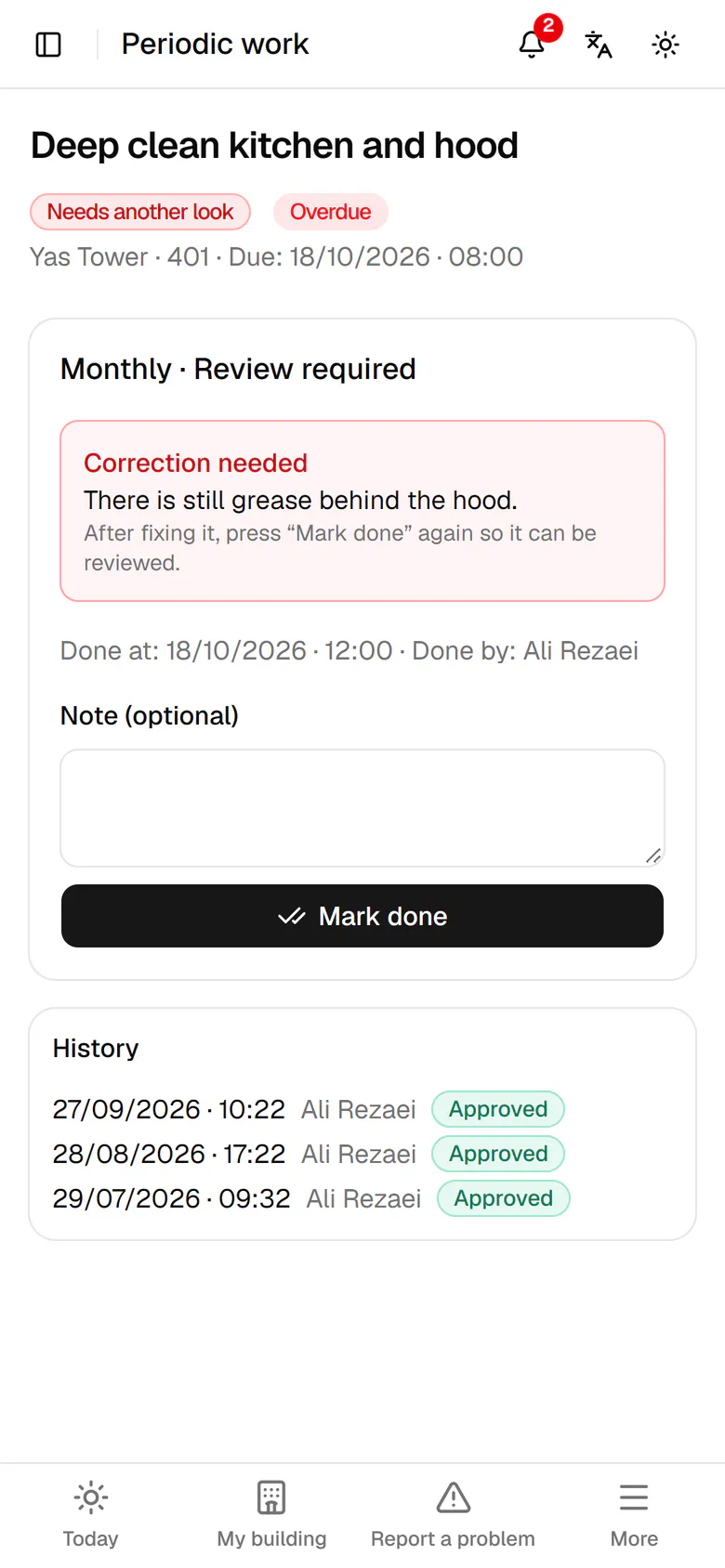
    The reason it came back is at the top. Write one sentence on what you did.

    The reason it came back is at the top. Write one sentence on what you did.
  3. 3

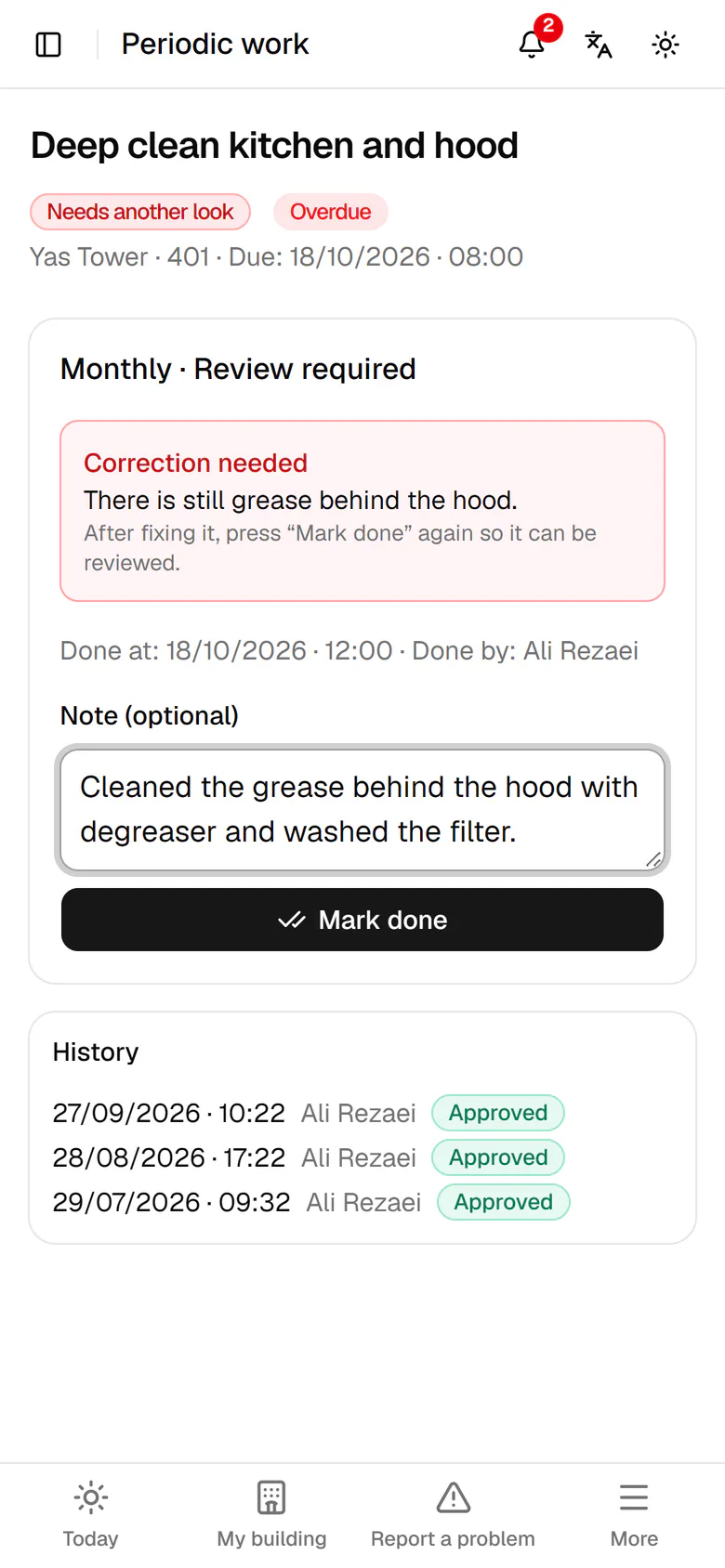
    Tap Mark done so the task goes back for review.

    Tap Mark done so the task goes back for review.
  4. 4

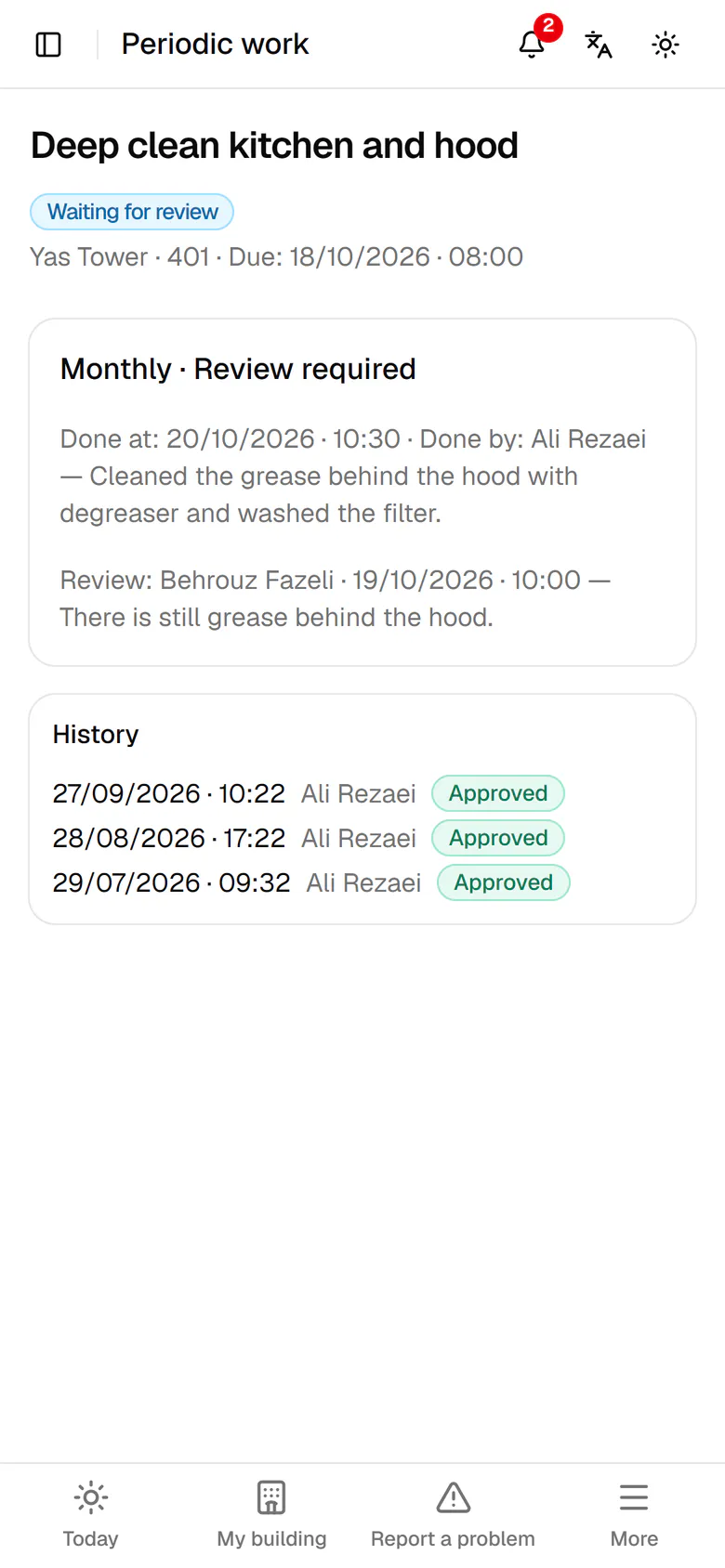
    The task is now awaiting review. Go back to Today.

    The task is now awaiting review. Go back to Today.
  5. 5

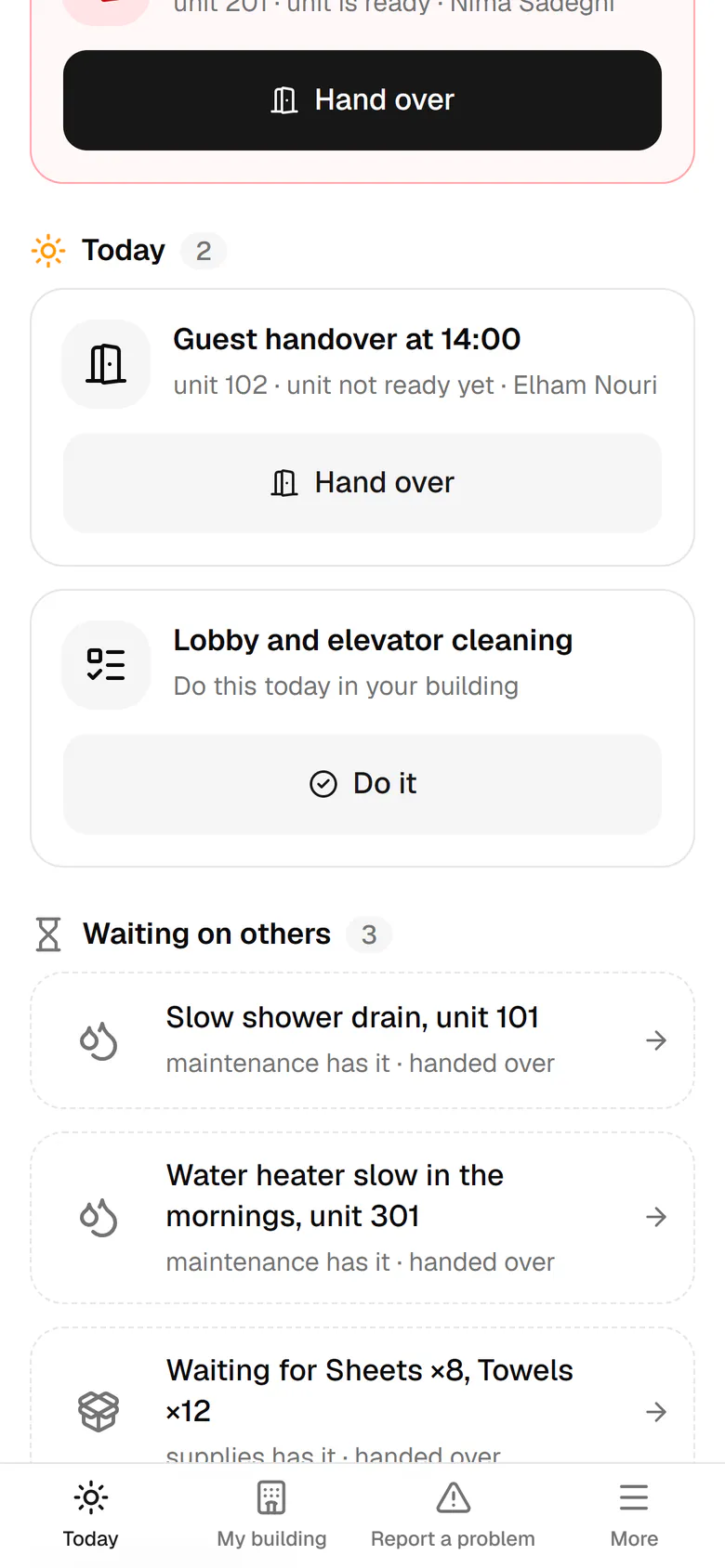
    Today's periodic task, the lobby and elevator cleaning, is under Today. Tap Do it.

    Today's periodic task, the lobby and elevator cleaning, is under Today. Tap Do it.
  6. 6

    Do the task, then tap Mark done; the note is optional.

    Do the task, then tap Mark done; the note is optional.
  7. 7

    The task is recorded with the time and your name, above the earlier days.

    The task is recorded with the time and your name, above the earlier days.