Report a problem in three steps
Without typing, the host says what happened and where and sends a photo; the system picks the route and owner.
HostOn a phone7 steps
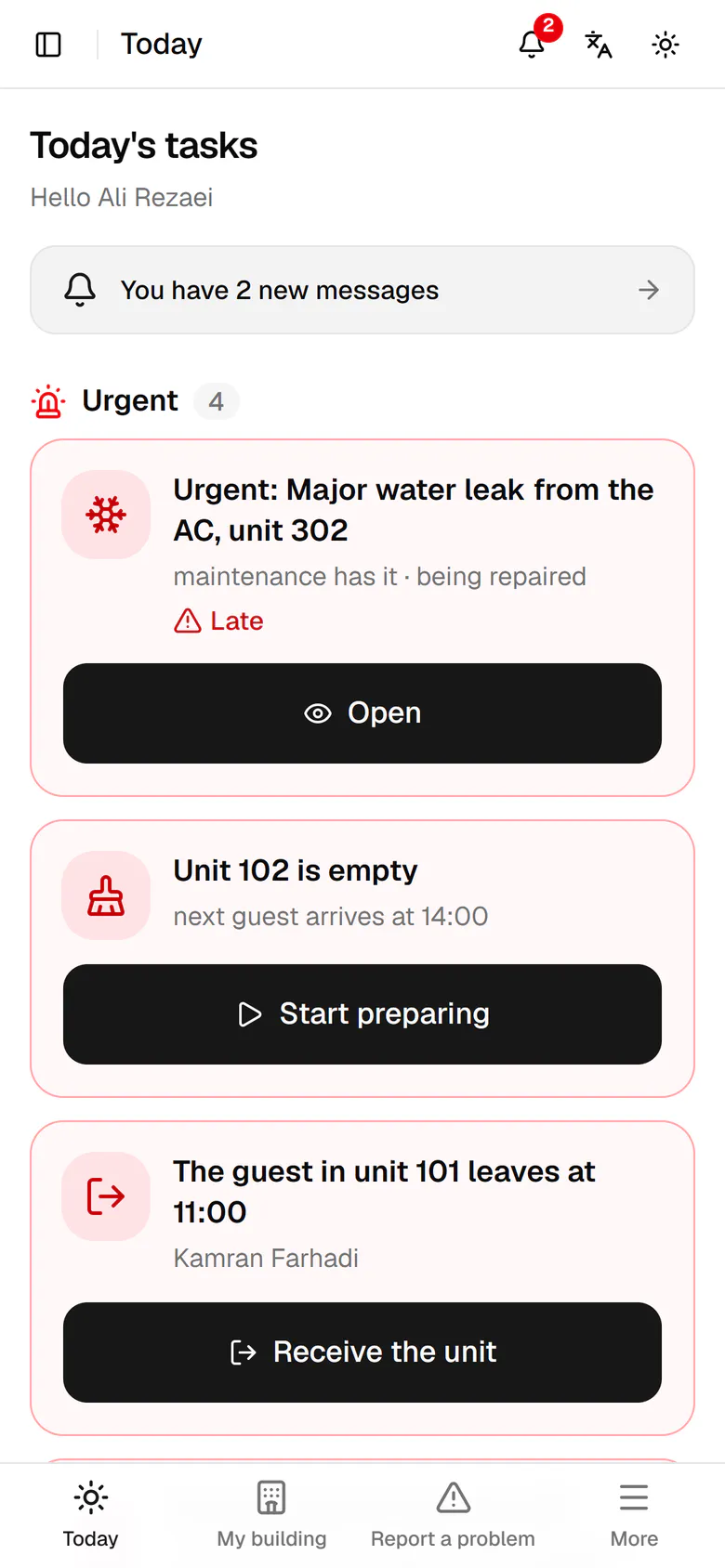
Tap Report a problem in the bottom bar.
Step by step
- 1
Tap Report a problem in the bottom bar.
- 2
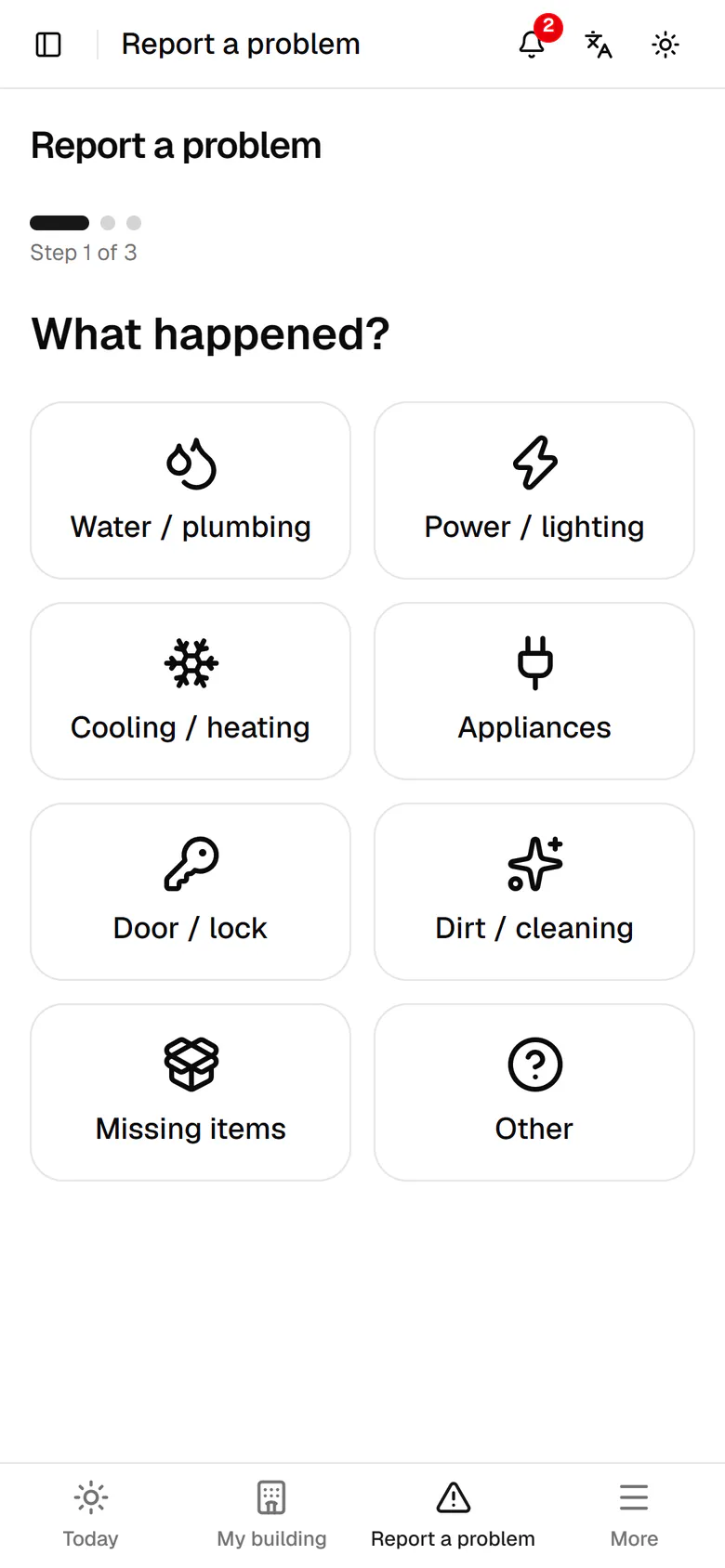
Step one, what happened: for a leak, tap Water / plumbing.
- 3
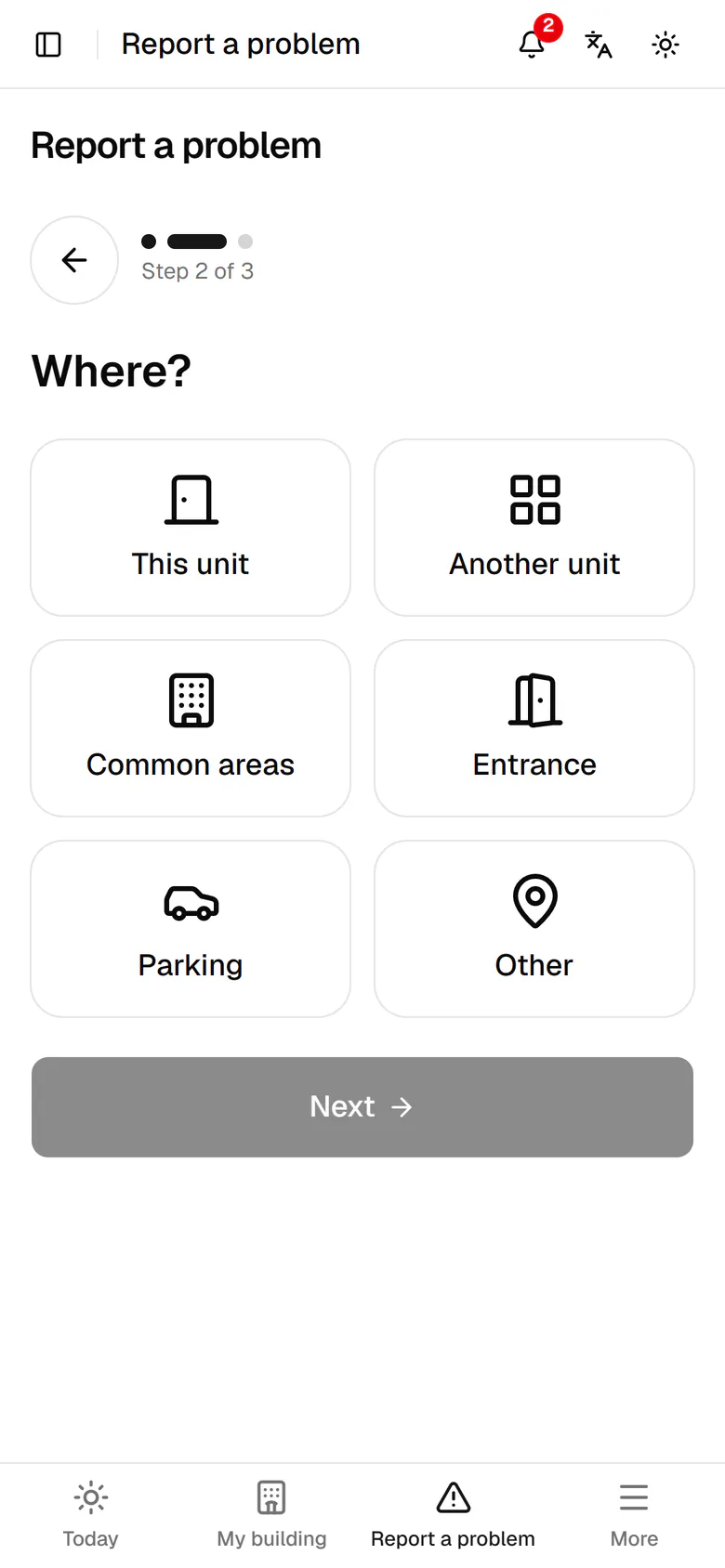
Step two, where: the problem is inside a unit, so tap This unit.
- 4
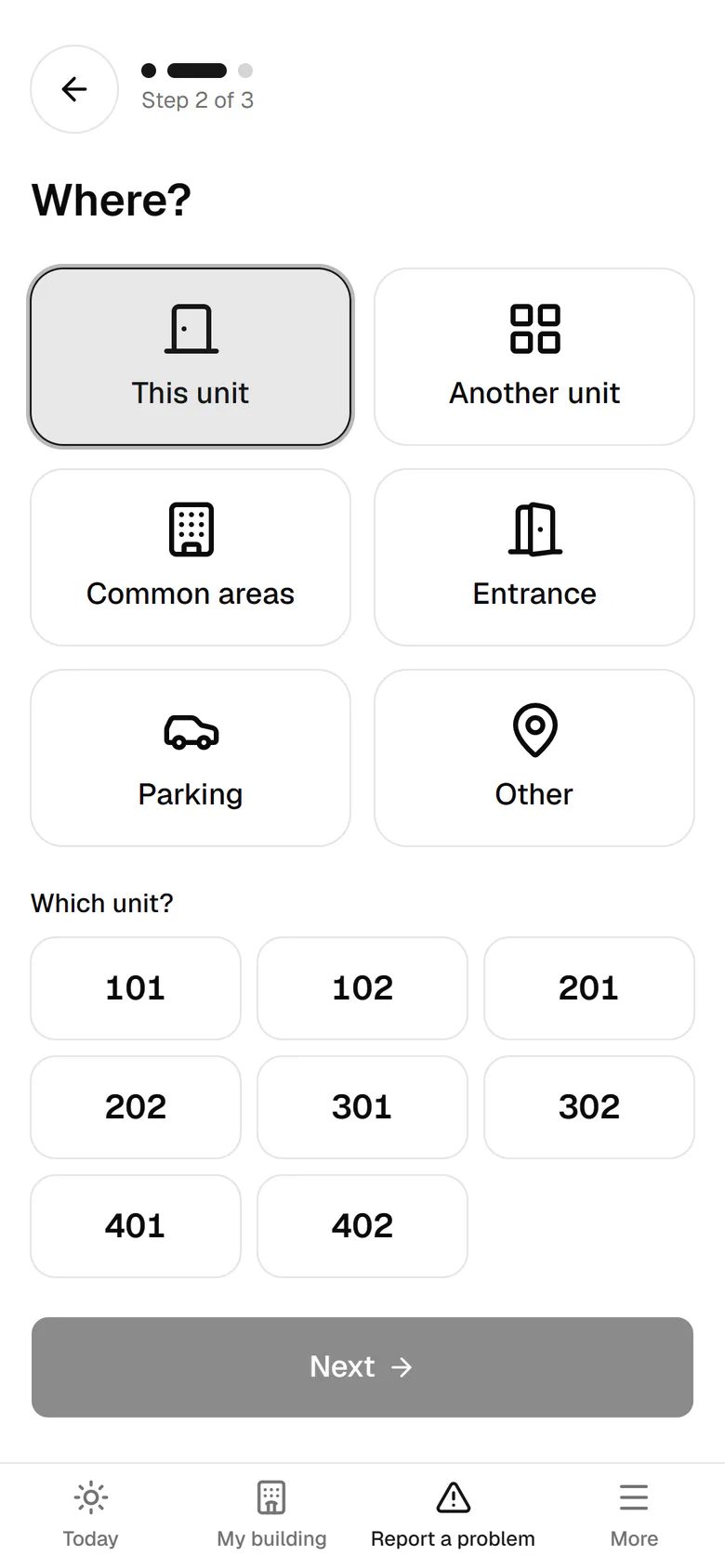
Tap the unit number, then tap Next.
- 5
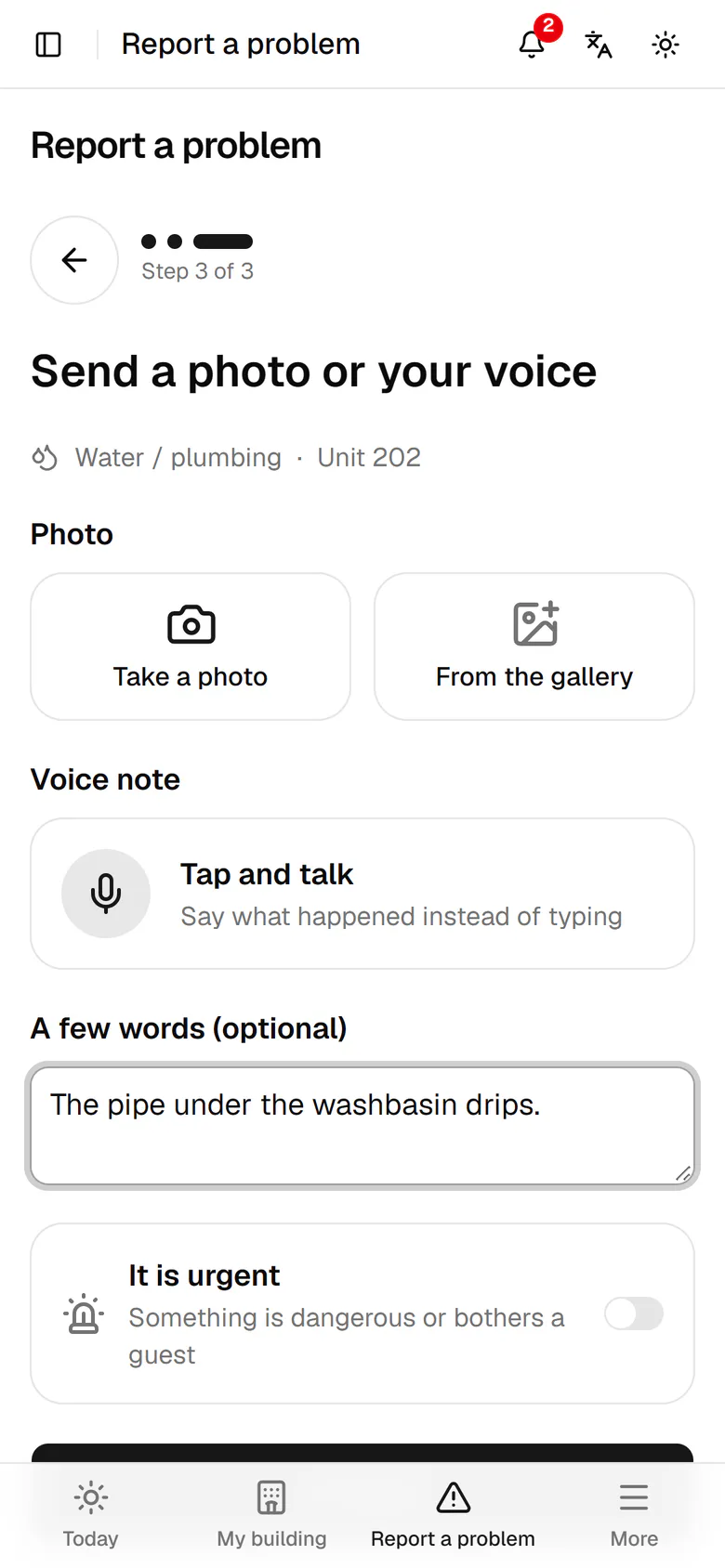
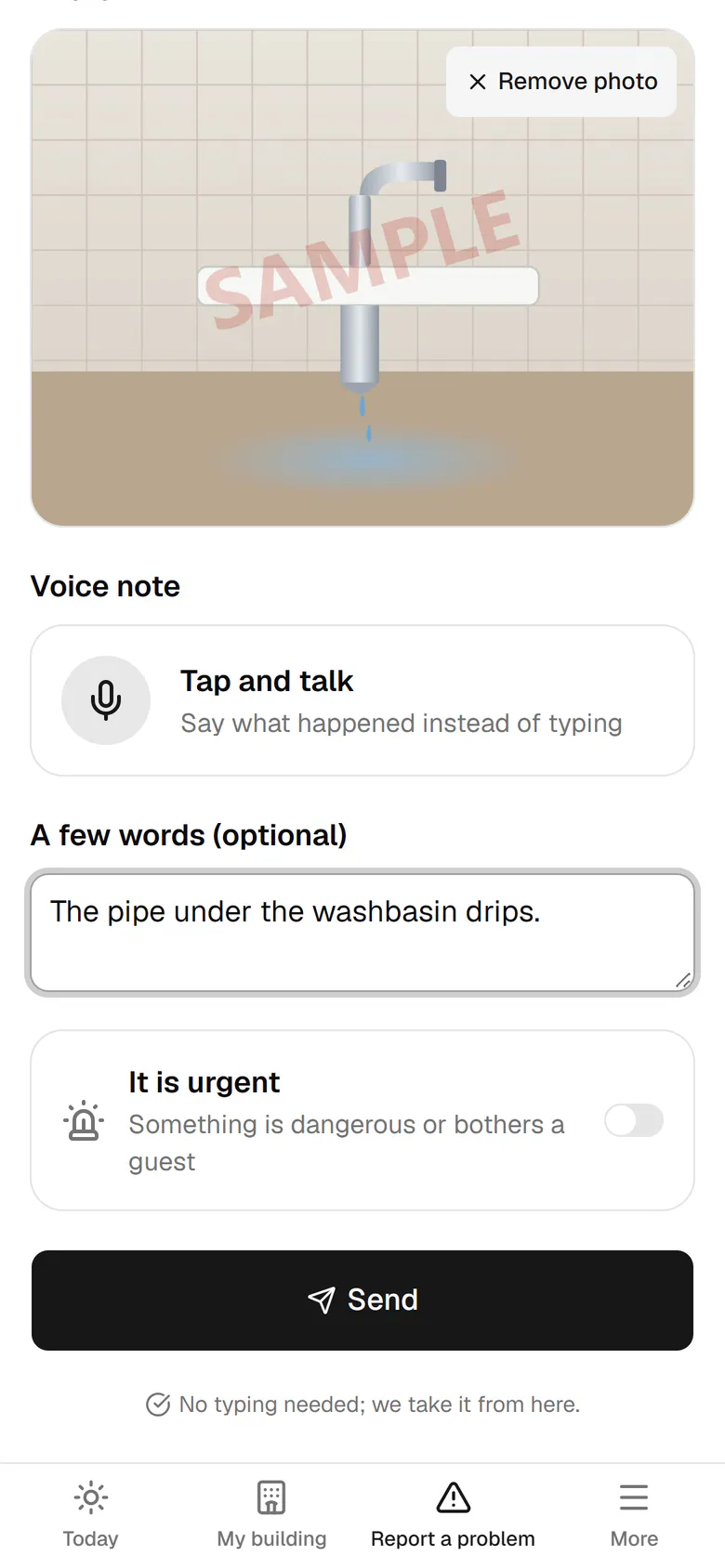
Step three, evidence: take a photo of the leak or choose one from the gallery.
- 6
The note is optional. Tap Send; the system sets the priority and owner.
- 7
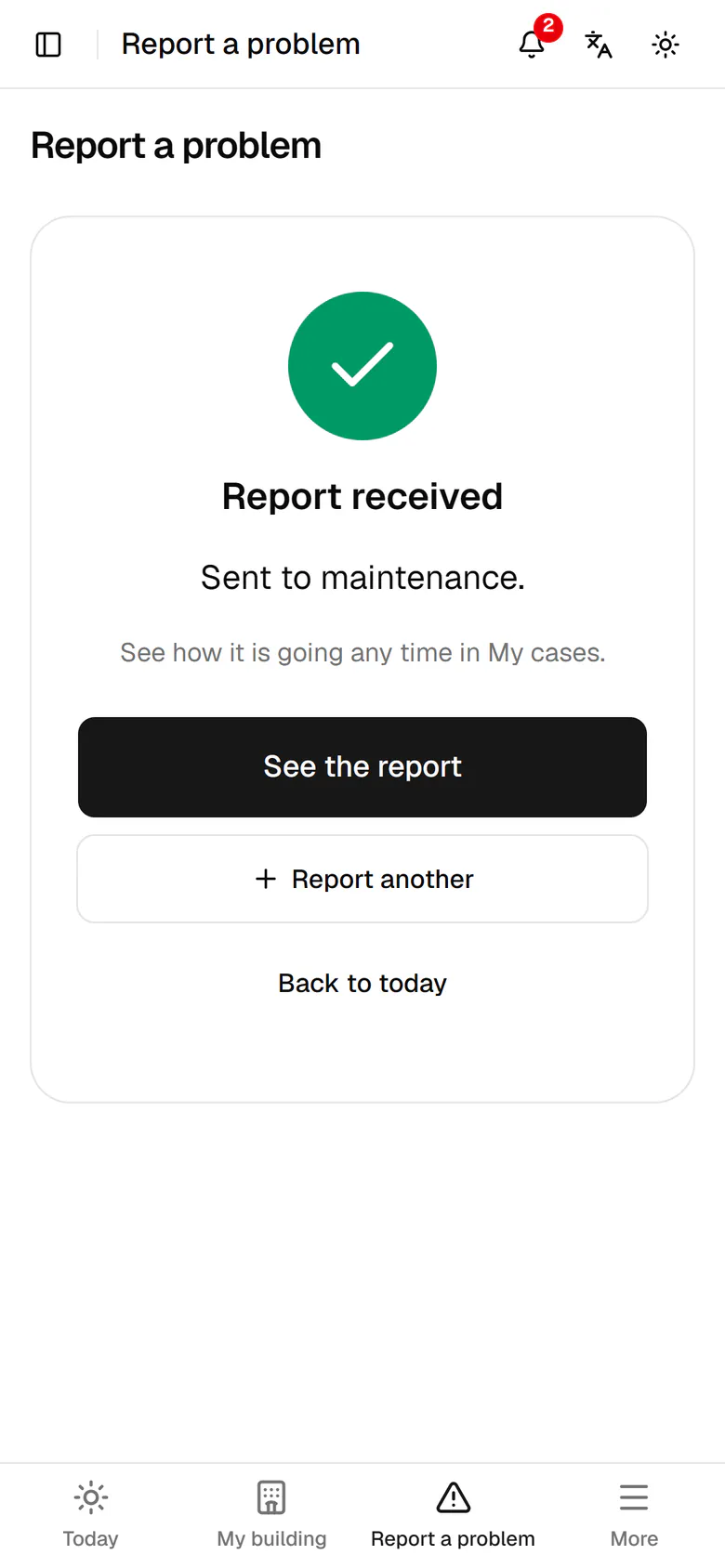
The report arrived and went to maintenance. Follow it in My cases.