Cases and teams in numbers
Management sees how many cases each team holds, how long they take and how many close on time.
ManagementOn a computer5 steps
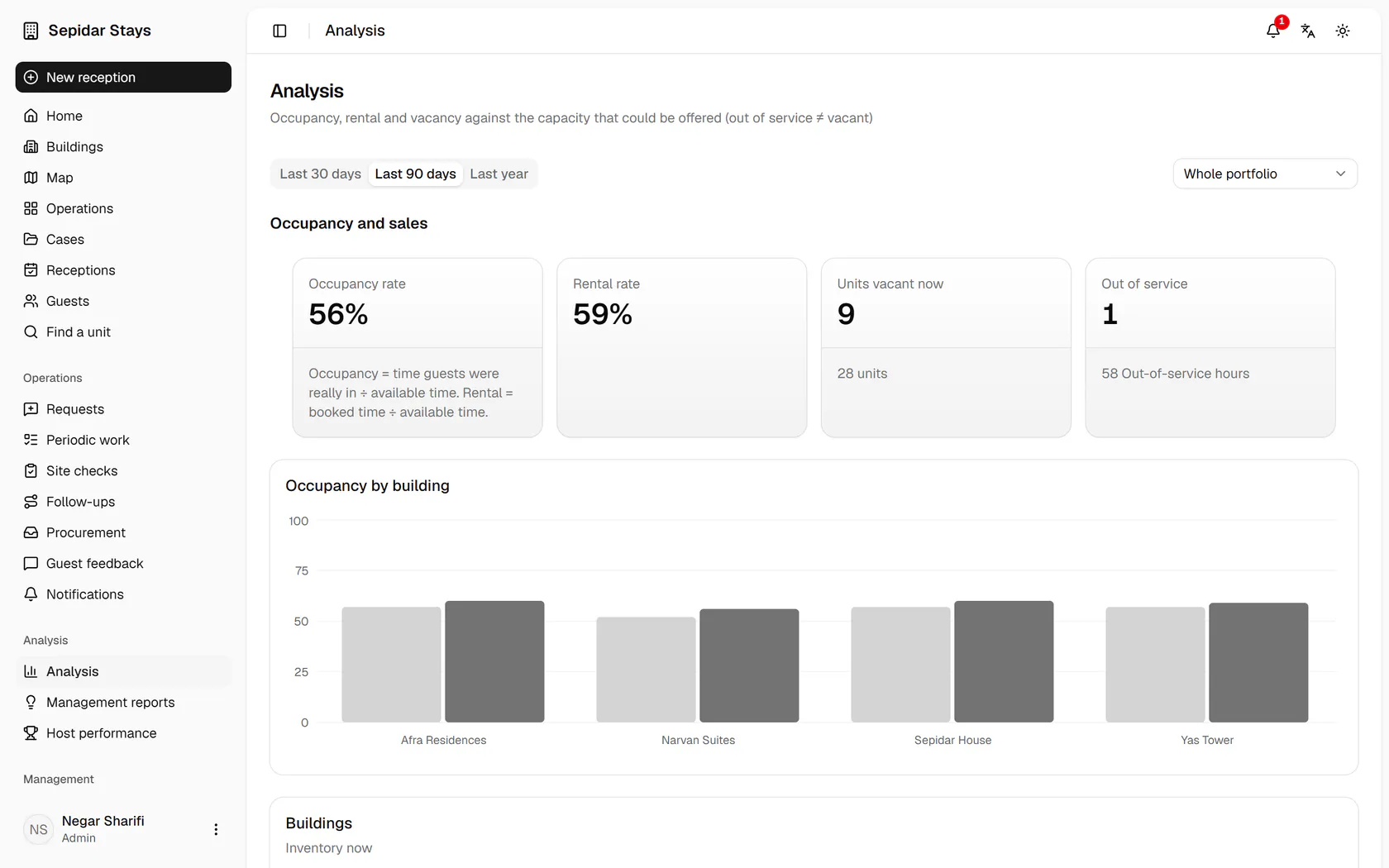
Set the range to the last 30 days to see this month's numbers.
Step by step
- 1
Set the range to the last 30 days to see this month's numbers.
- 2
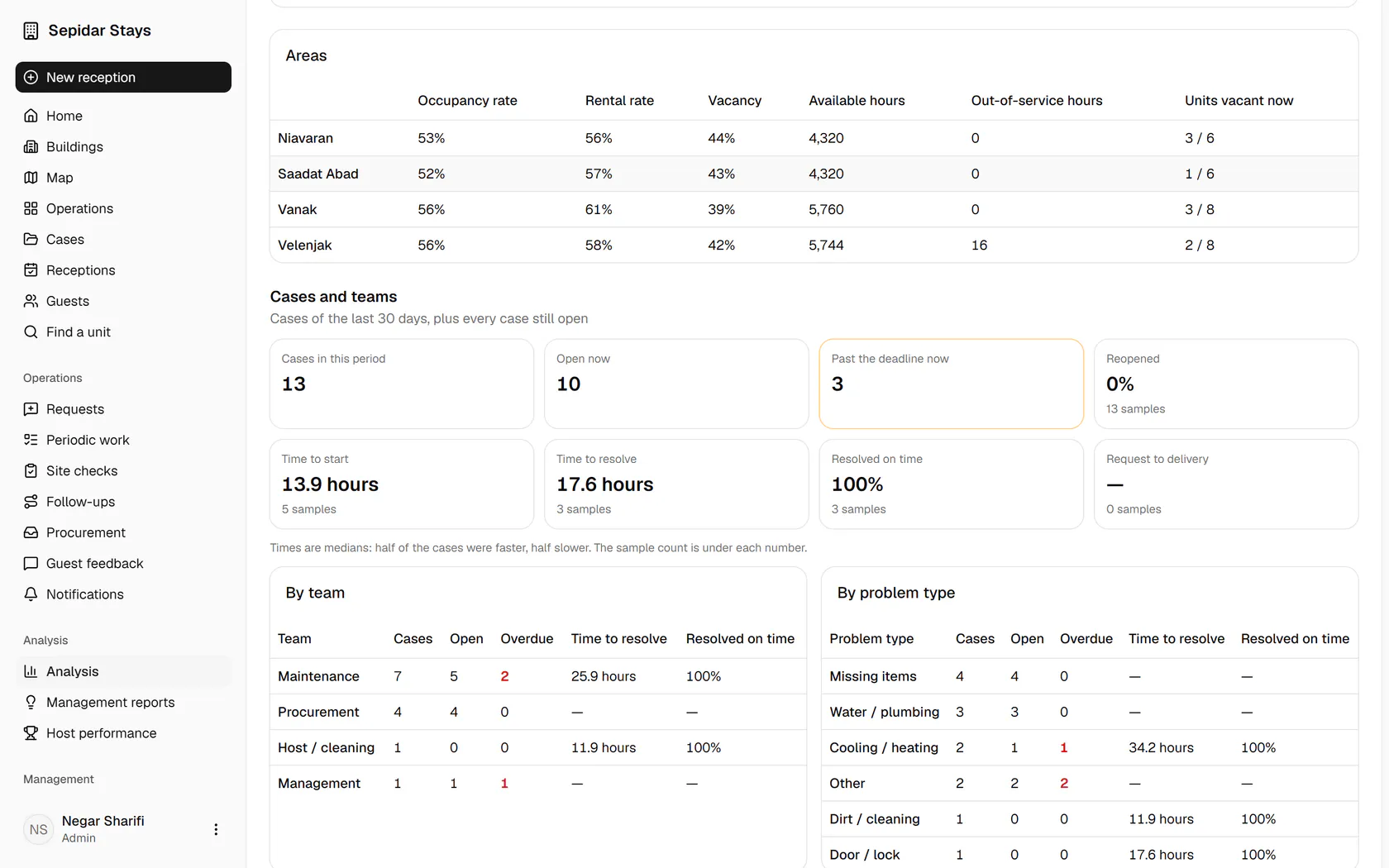
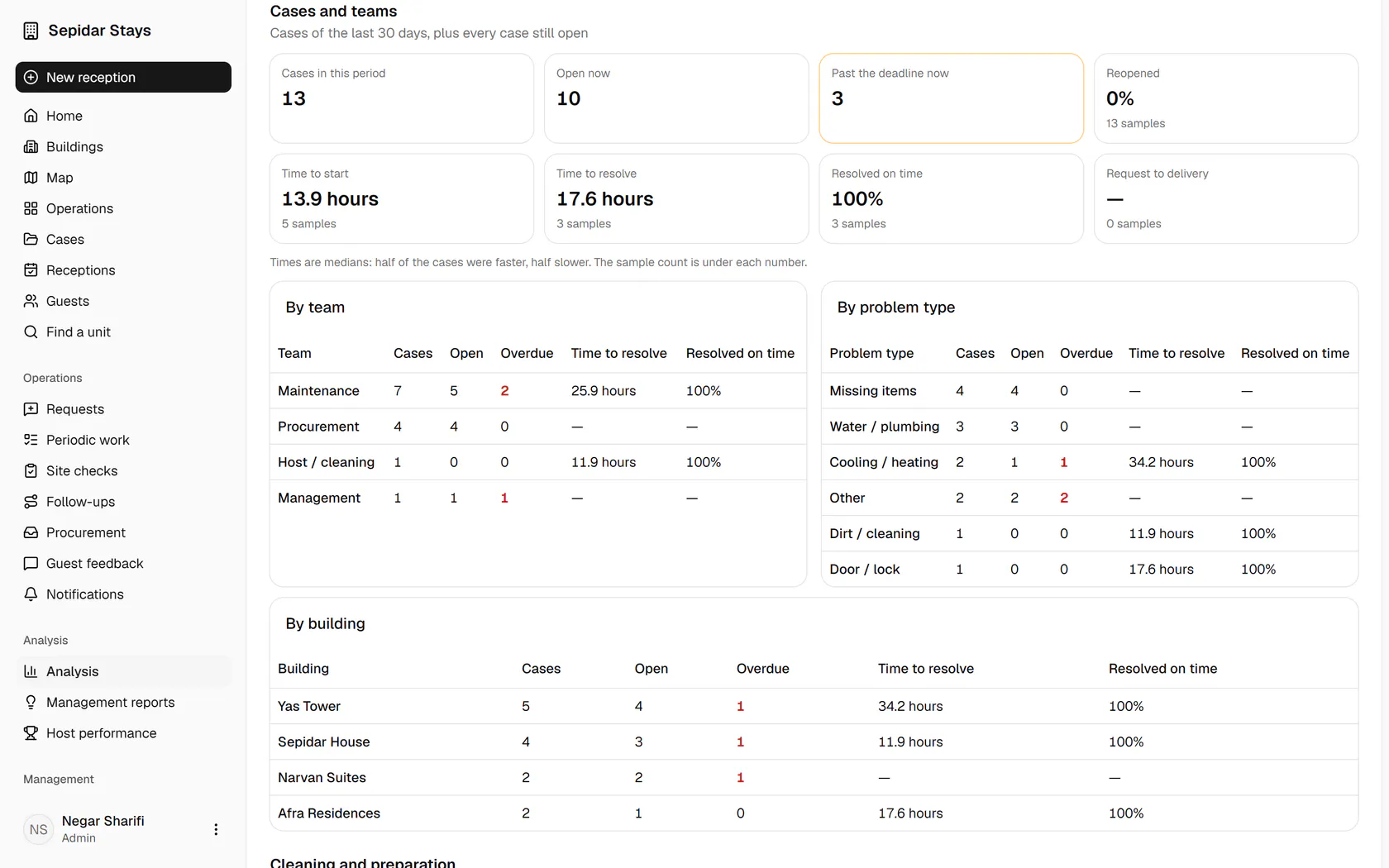
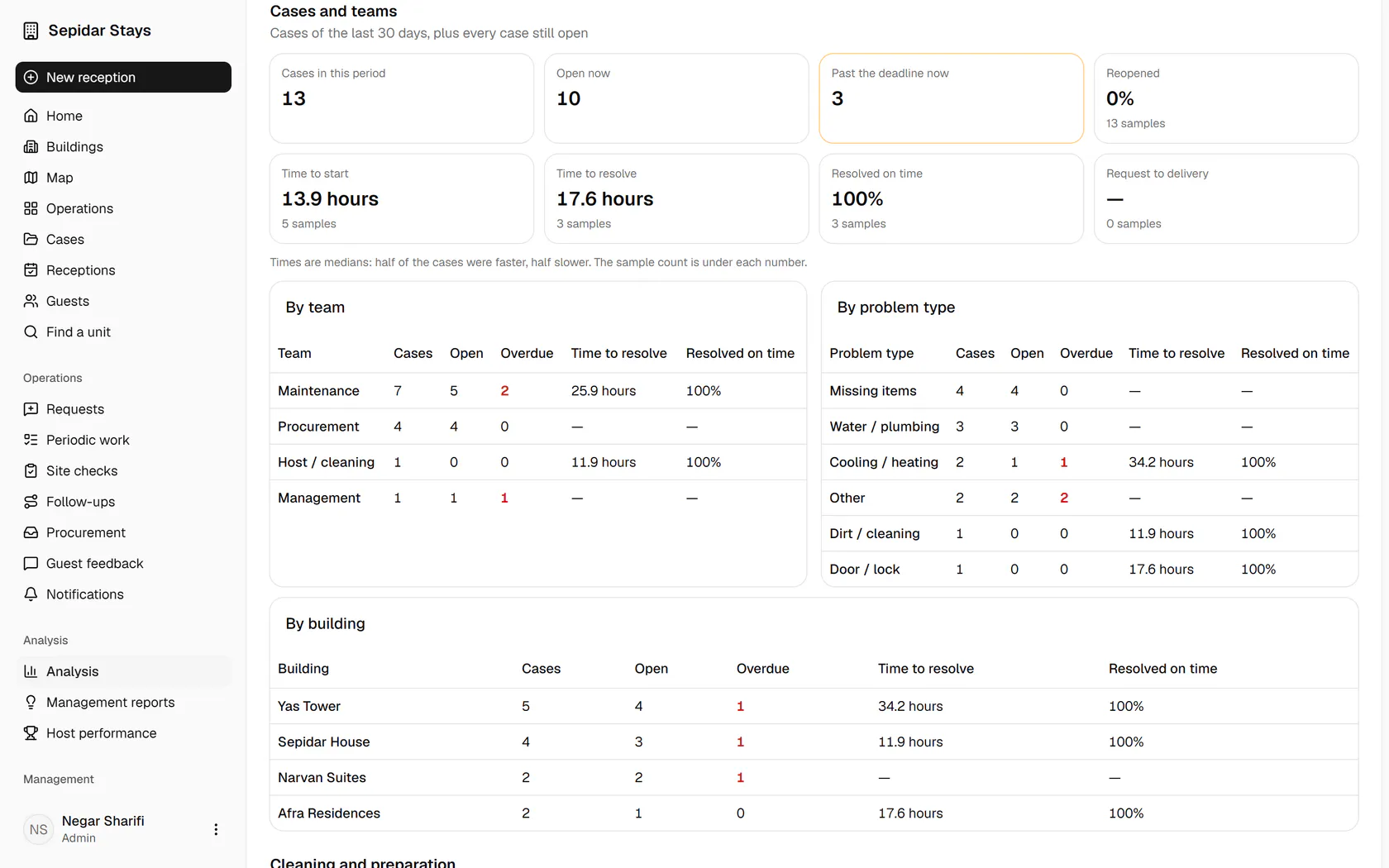
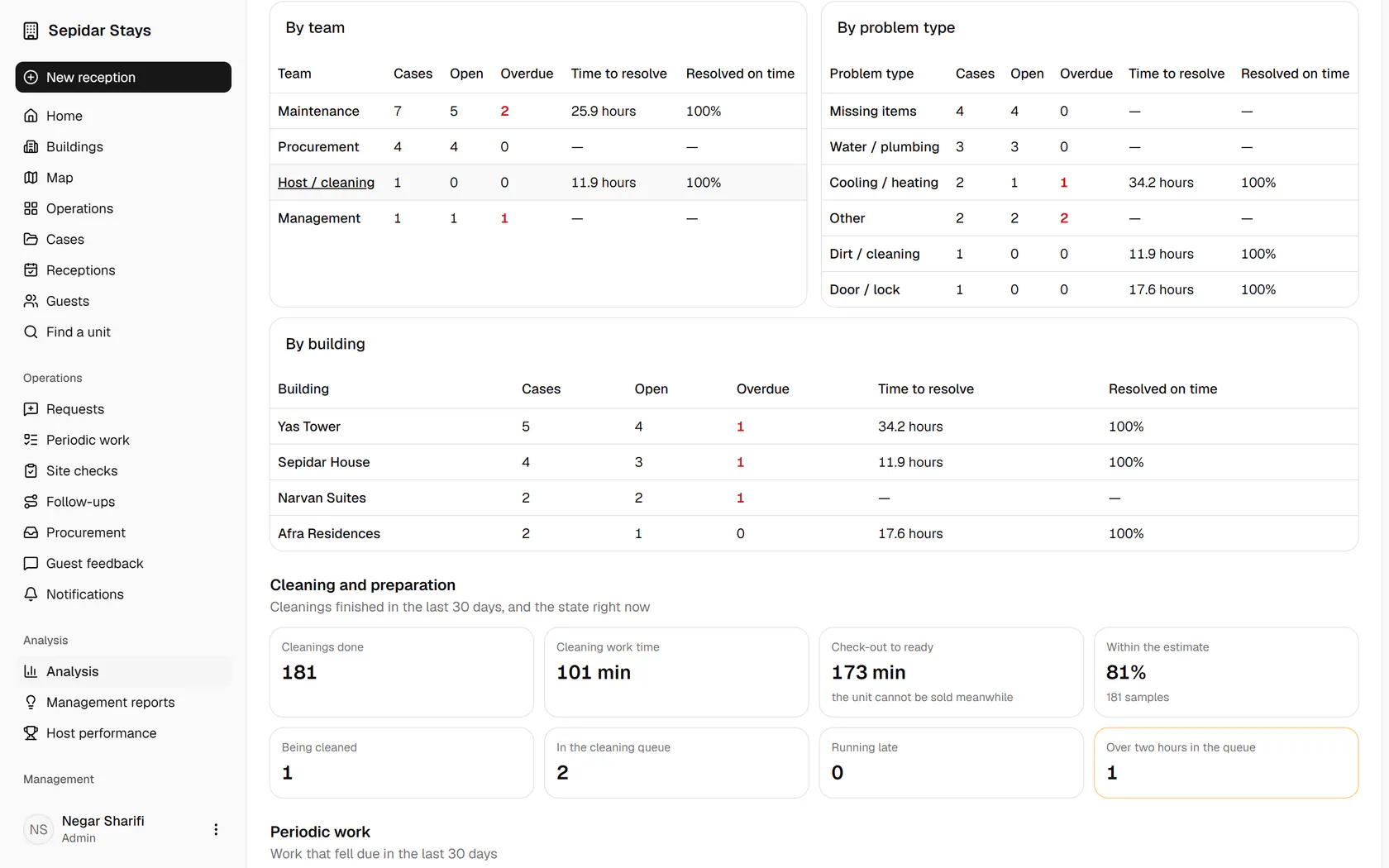
Cases in the period, open, overdue, time to start and time to resolve, all from the system's records.
- 3
The team table shows how maintenance, procurement and hosts each keep their deadlines.
- 4
By problem type you learn which fault repeats most and how long it takes to fix.
- 5
The building table shows where the case load and the delays sit.