Skip to content
Mizban

Cleaning checklist in six groups

Cleaning items fall into six big groups, so the host records a preparation with a few taps.

ManagementOn a computer6 steps
In Checklists, open the standard cleaning template.Each item sits in one of six groups: bed, bathroom, kitchen, bins, supplies and final check.Type the new item's label and its English label.Choose its group, or leave it empty to have it guessed from the text.Click Add item to put it on the checklist.The new item sits at the end under Bathroom and shows in the next preparation.

In Checklists, open the standard cleaning template.

Step by step

  1. 1

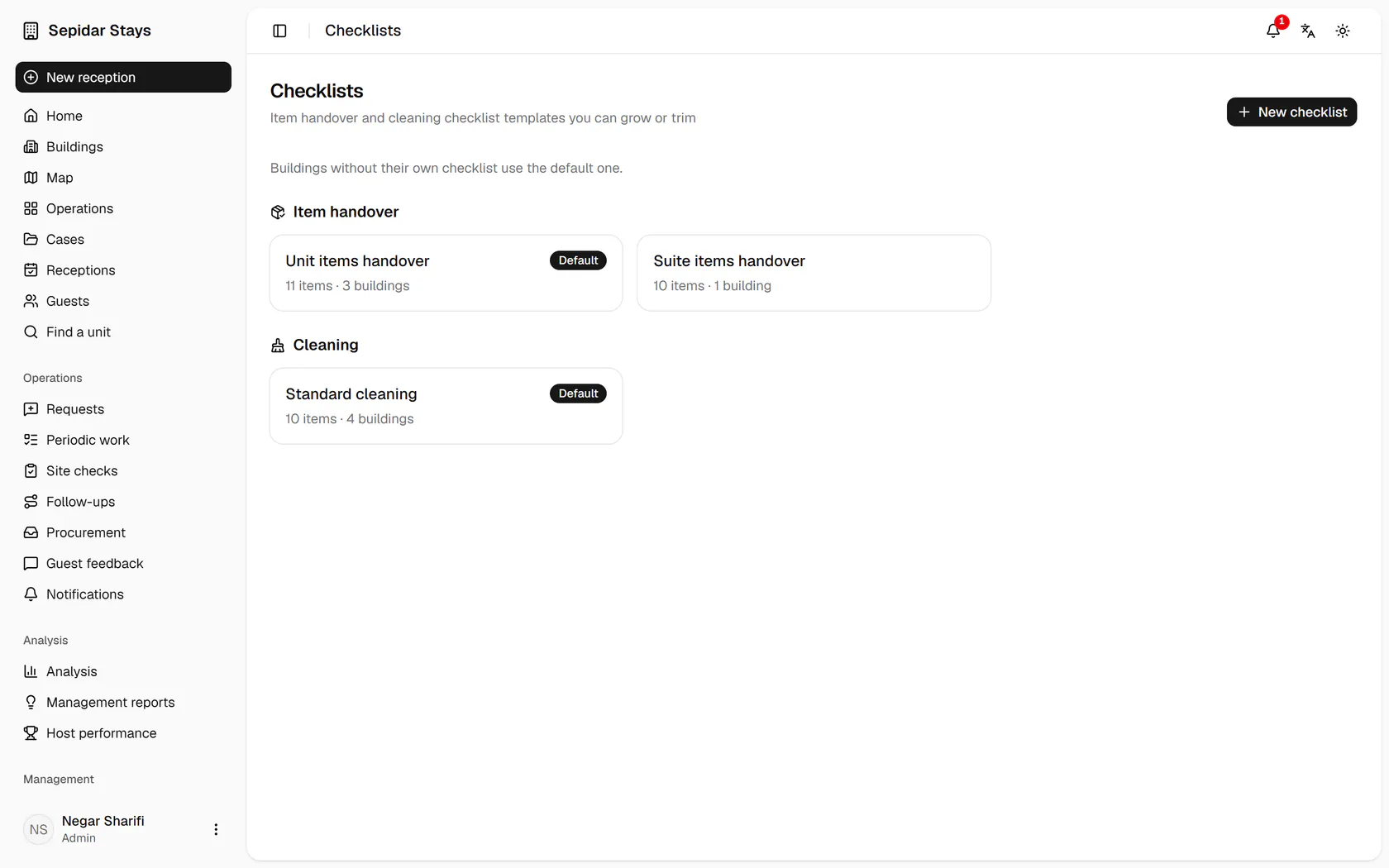
    In Checklists, open the standard cleaning template.

    In Checklists, open the standard cleaning template.
  2. 2

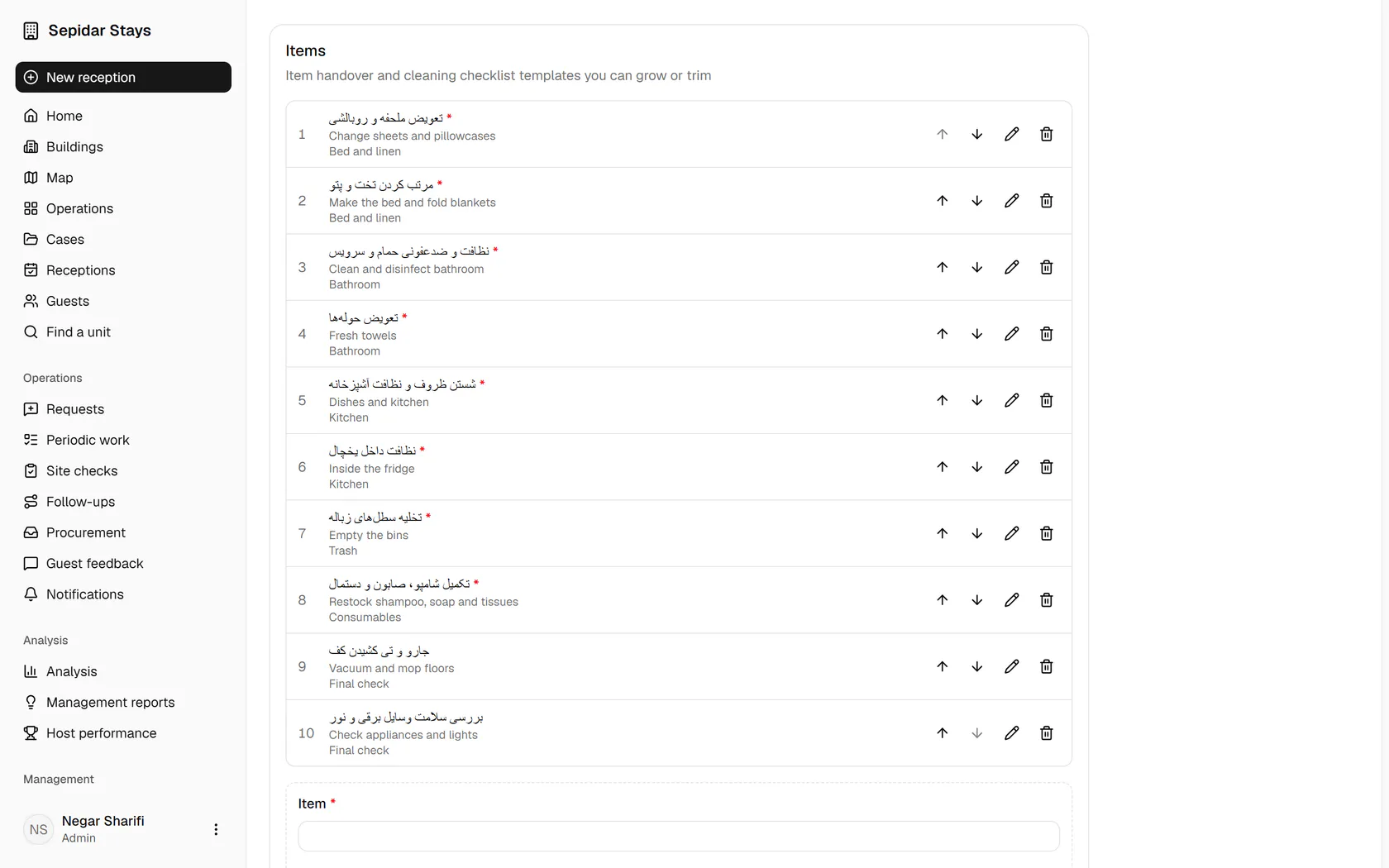
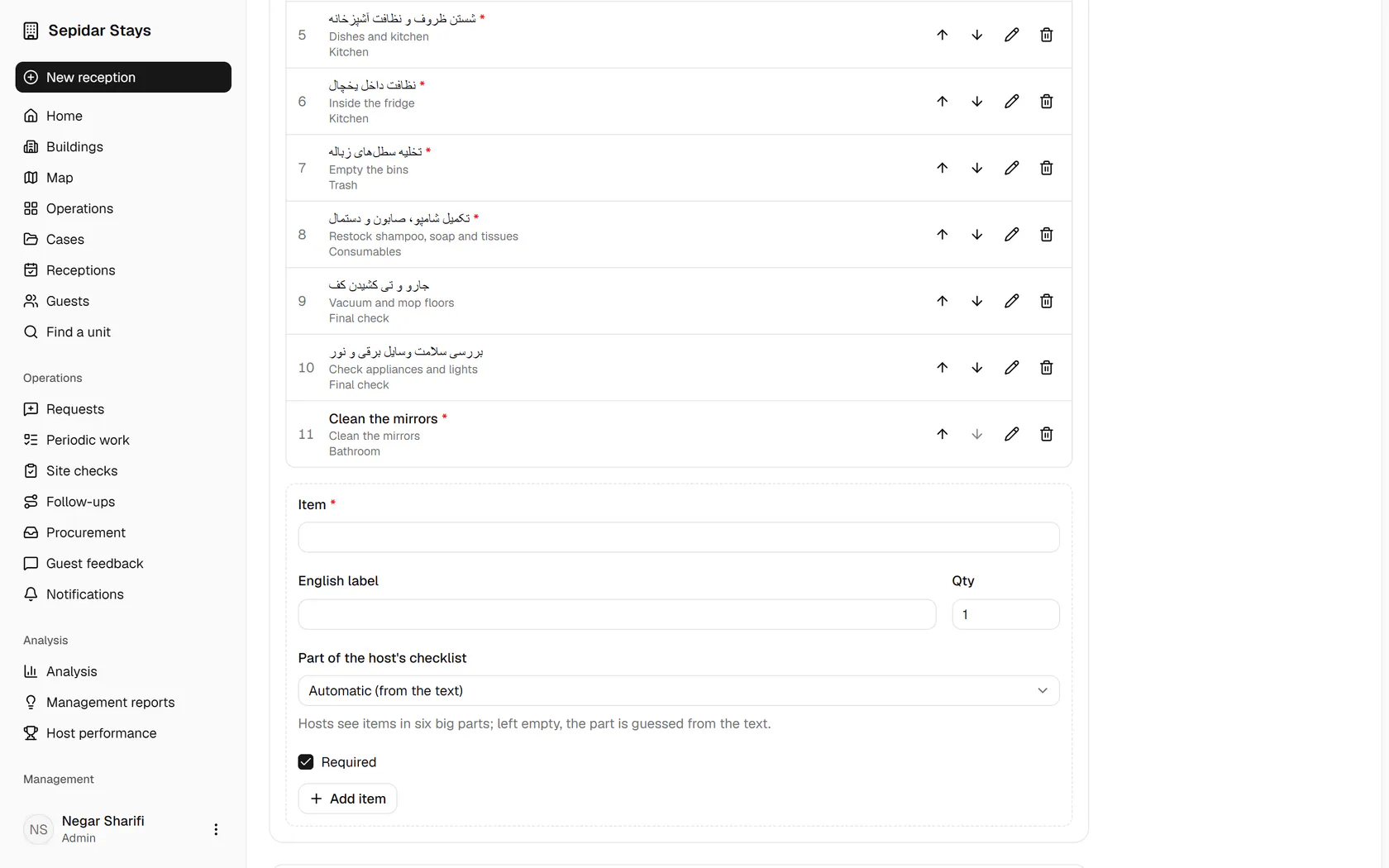
    Each item sits in one of six groups: bed, bathroom, kitchen, bins, supplies and final check.

    Each item sits in one of six groups: bed, bathroom, kitchen, bins, supplies and final check.
  3. 3

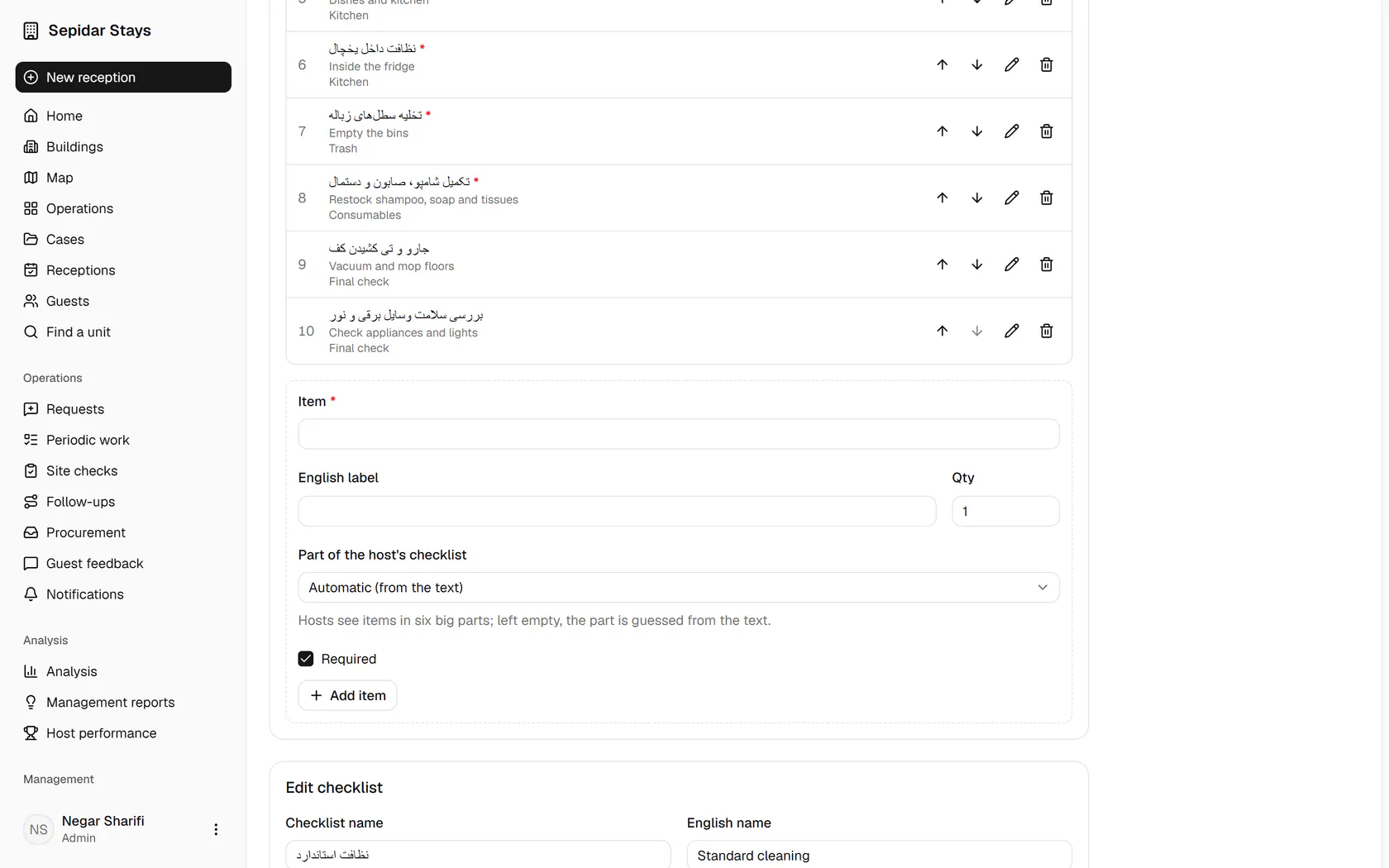
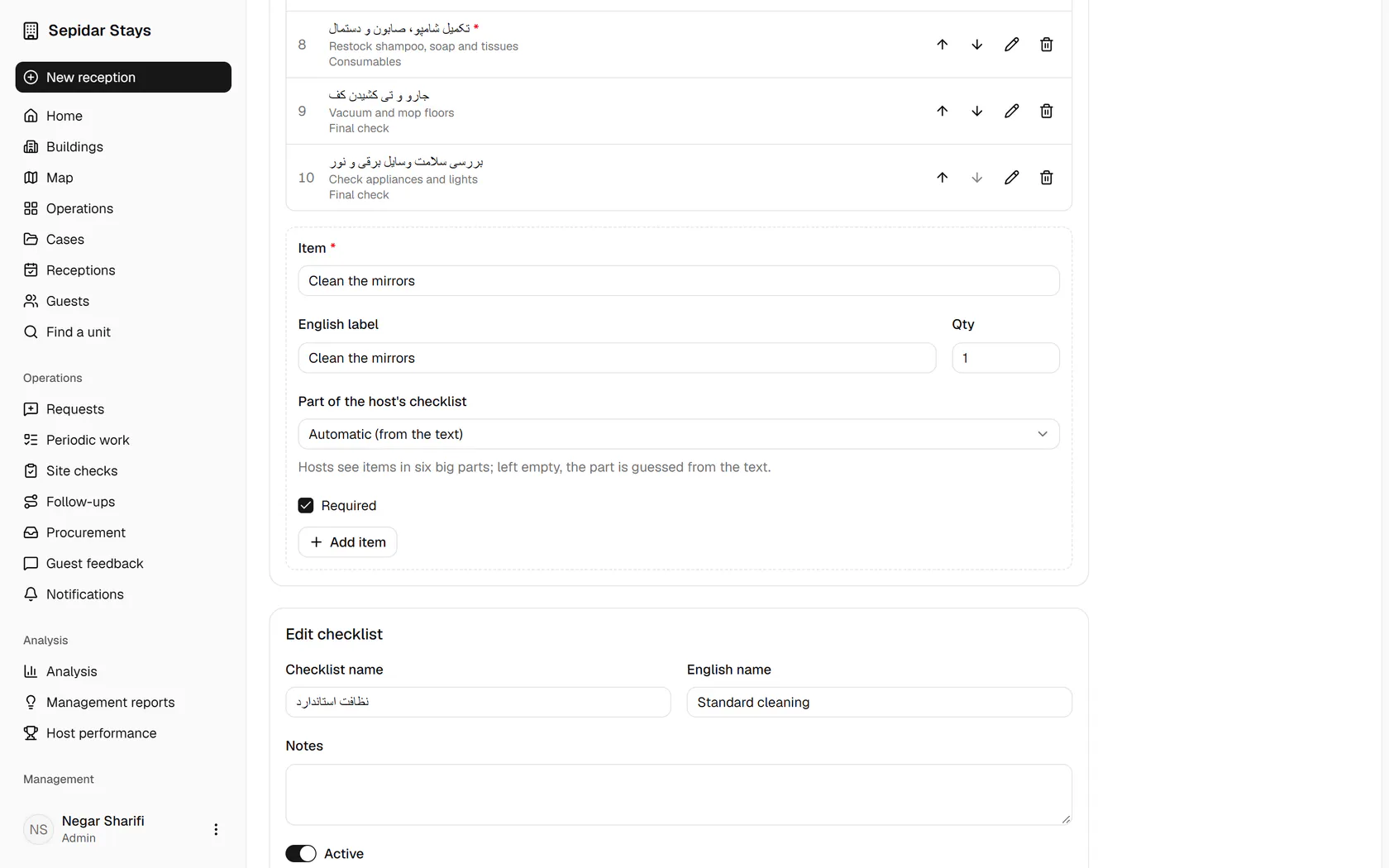
    Type the new item's label and its English label.

    Type the new item's label and its English label.
  4. 4

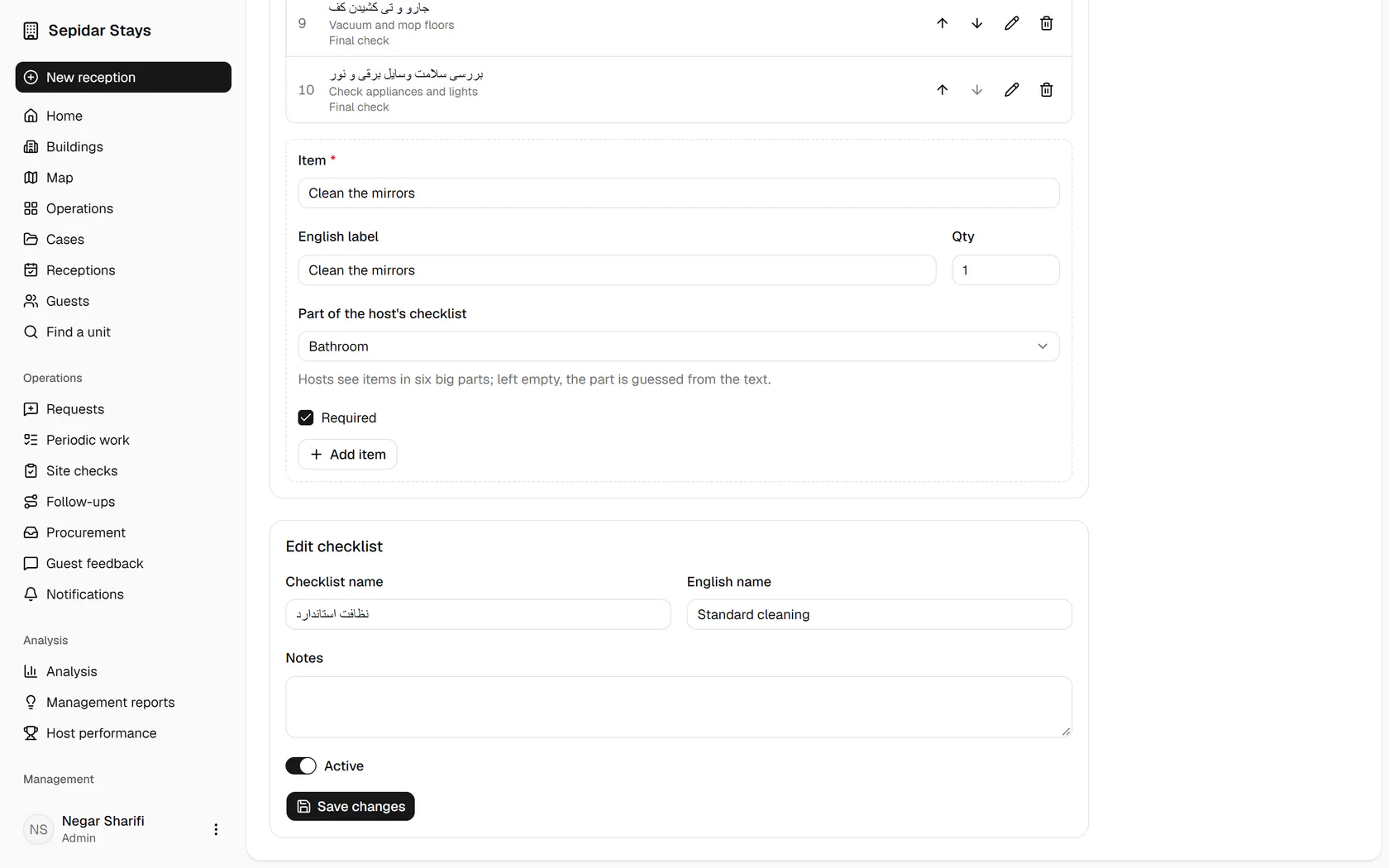
    Choose its group, or leave it empty to have it guessed from the text.

    Choose its group, or leave it empty to have it guessed from the text.
  5. 5

    Click Add item to put it on the checklist.

    Click Add item to put it on the checklist.
  6. 6

    The new item sits at the end under Bathroom and shows in the next preparation.

    The new item sits at the end under Bathroom and shows in the next preparation.