Check a guest in
The guest sent the documents in online pre-check-in; the host ticks the items, the guest signs and the check-in is done.
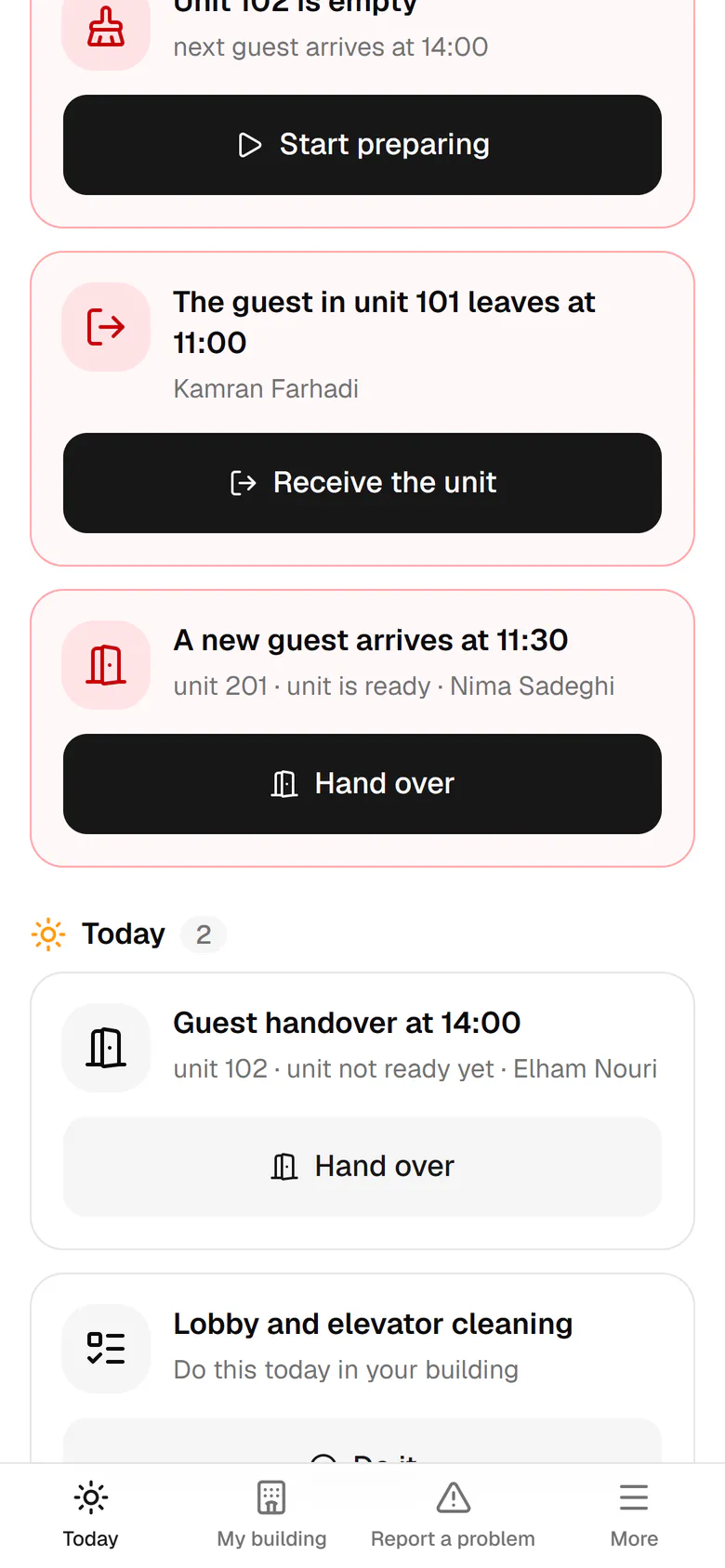
Nima is in the lobby. Tap Hand over on unit 201 in the urgent list.
Step by step
- 1
Nima is in the lobby. Tap Hand over on unit 201 in the urgent list.
- 2
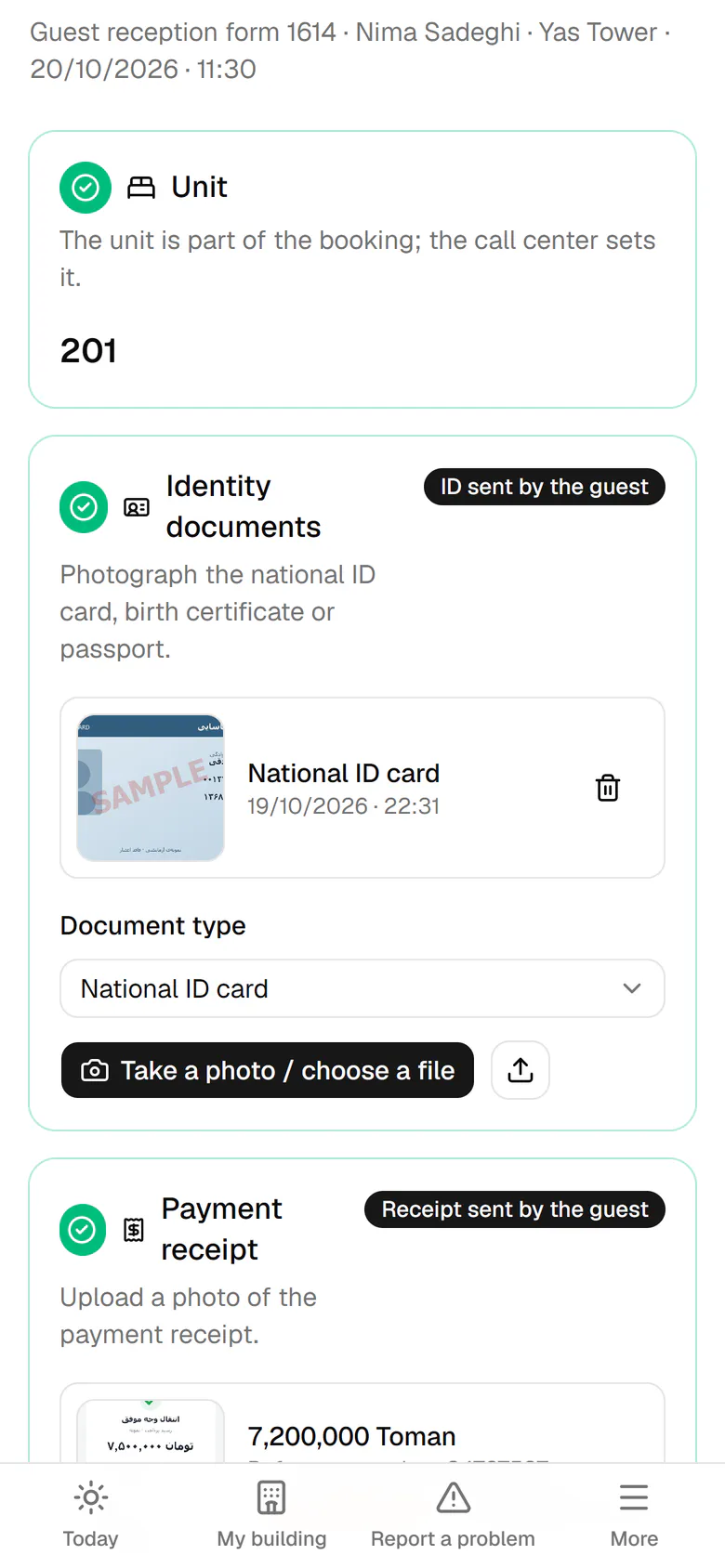
The guest sent his ID and receipt last night; just compare them with the originals.
- 3
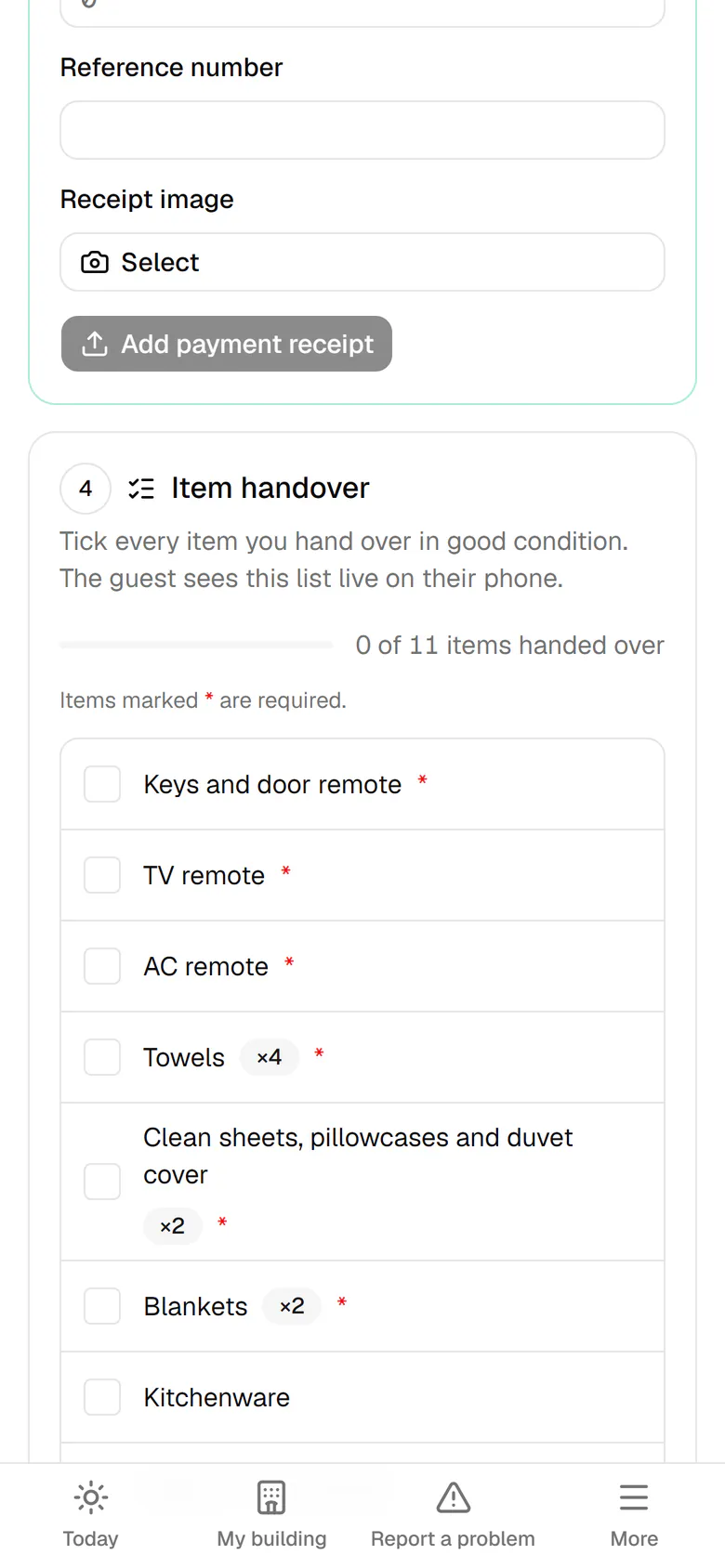
Tick each item you hand over in good condition; the guest sees this same list.
- 4
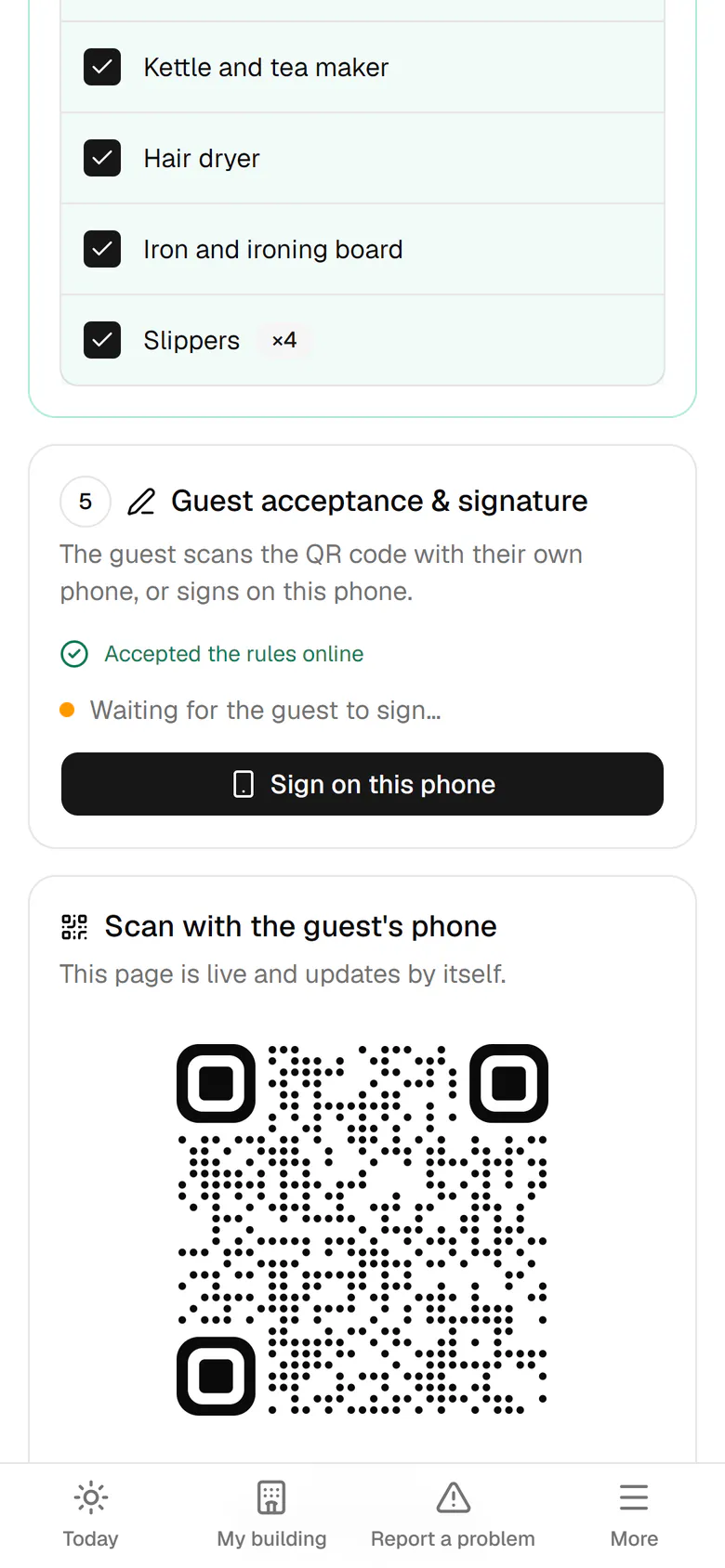
The guest accepted the rules online. Tap Sign on this phone for his signature.
- 5
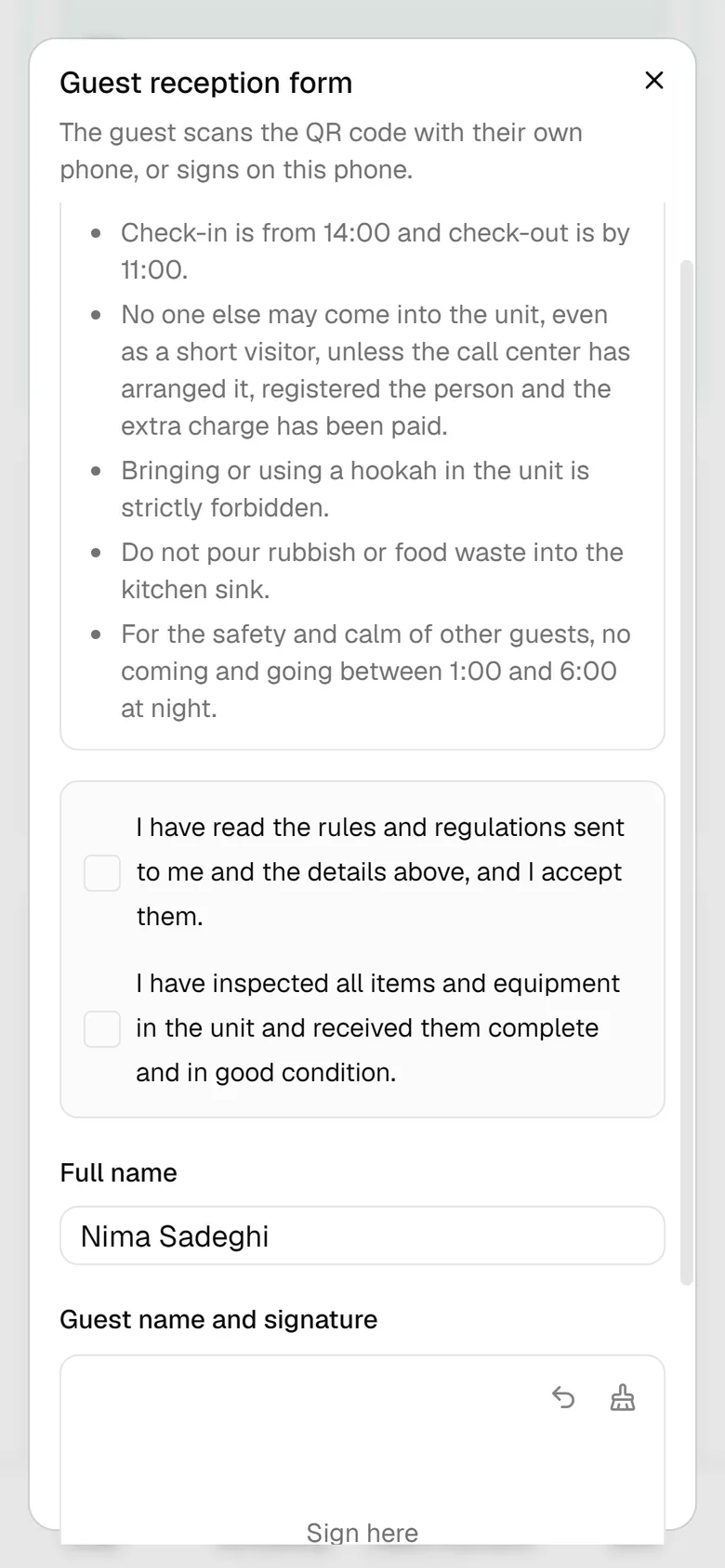
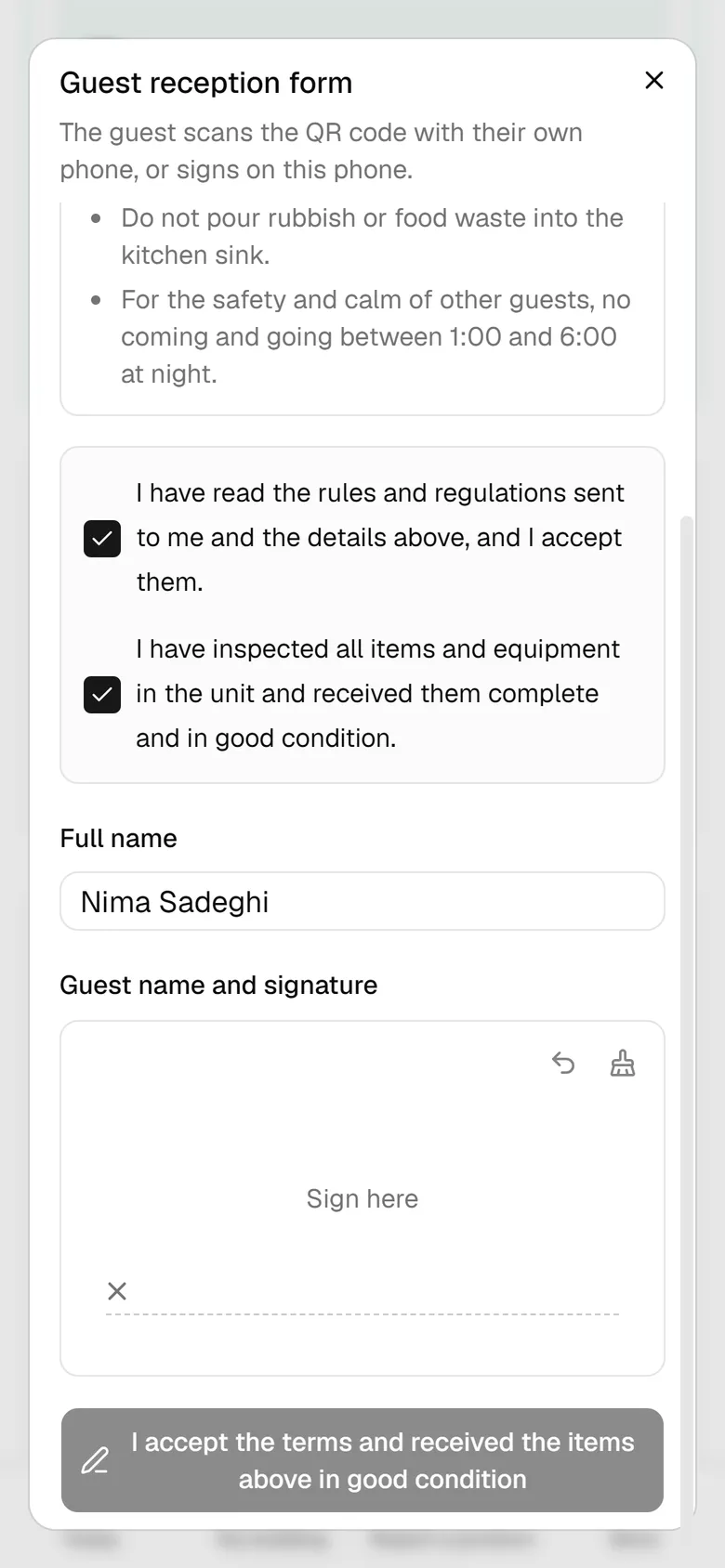
Hand the phone to the guest to confirm the rules and the item list.
- 6
The guest signs with a finger and sends the form.
- 7
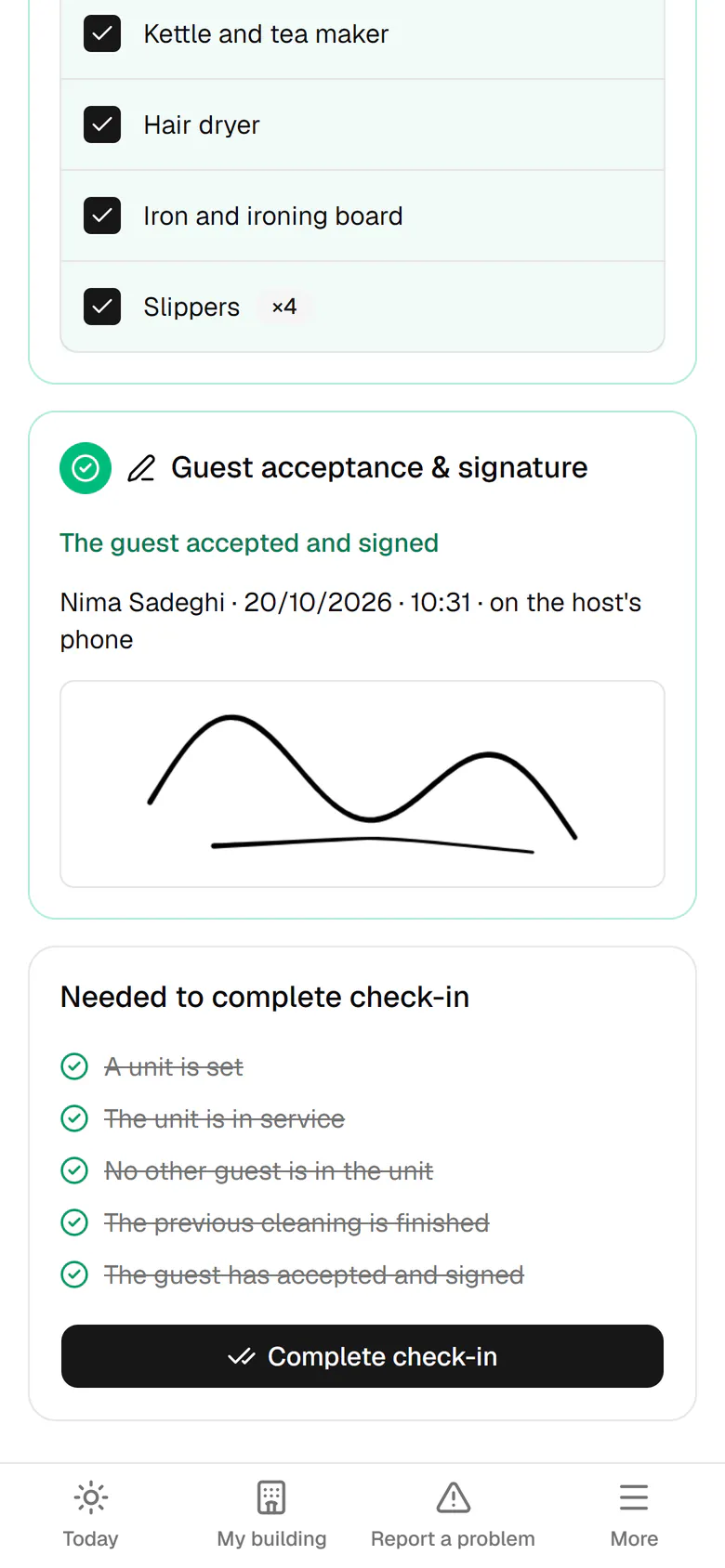
The signature arrived and every condition is ticked. Tap Complete check-in.
- 8
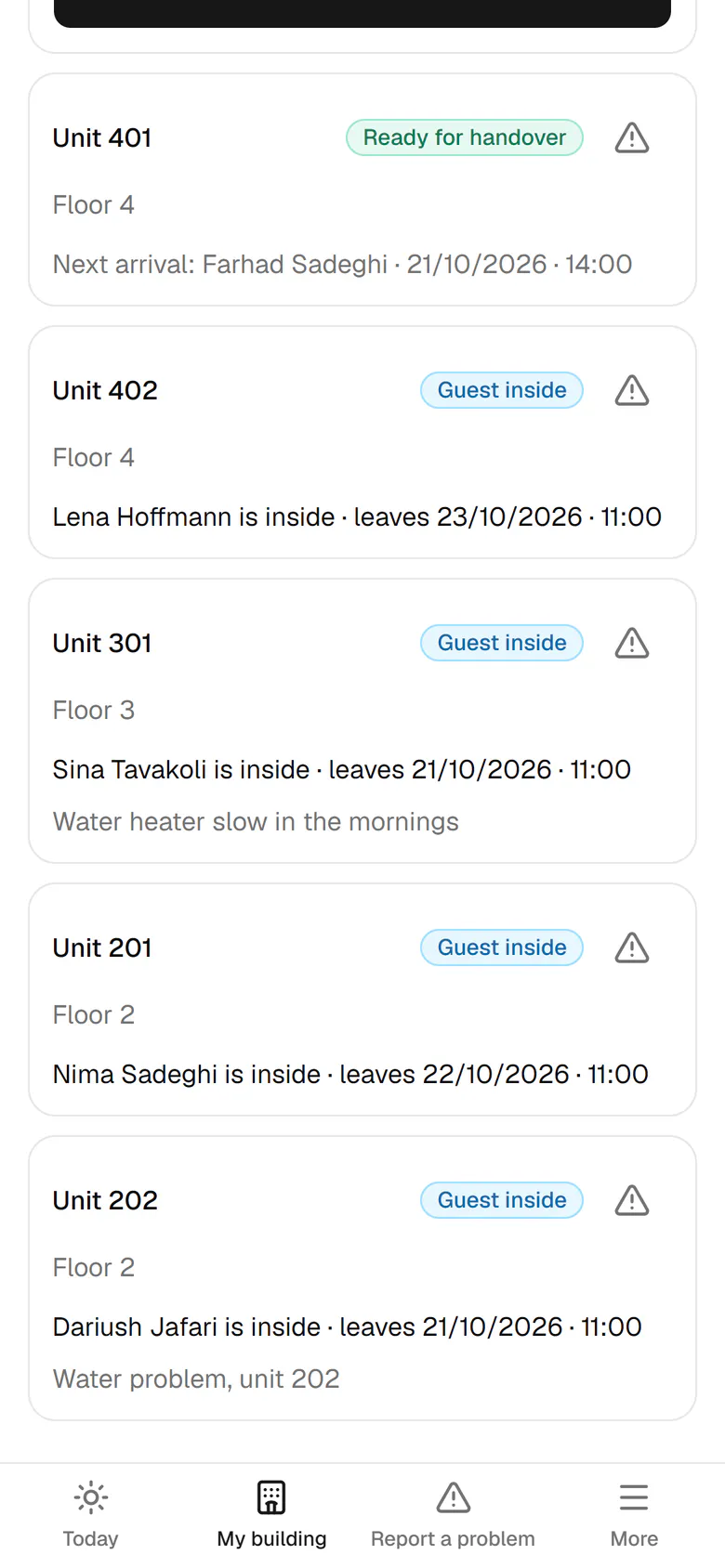
Unit 201 now shows the guest is inside, with Nima's check-out date.